







About Tomb's Player Body Overhaul - Compatibility
From Steam WorkshopWorking with B42 stable. Enjoy! Tomb's Player Body Overhaul - Clothing Compatibility [B41+B42] To keep the main mod light on updates I'll be doing all clothing / mod compatibility work within this…
Working with B42 stable. Enjoy!
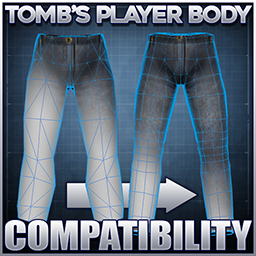
[h1]Tomb's Player Body Overhaul - Clothing Compatibility [B41+B42][/h1] To keep the main mod light on updates I'll be doing all clothing / mod compatibility work within this submod. Some vanilla clothes are too lowpoly for adjustments to the bodies to eliminate the clipping, so I'll be updating the meshes for vanilla and modded clothes with versions that are built to fit. As a bonus, the reshaped clothing are a little more detailed than Vanilla, but I'll try not to alter the original vibe too much. [h1]Initial B41 support has now been added![/h1] Please report any bugs or issues to the pinned thread below, TY!
Comes with 2 files: [h3]Vanilla+[/h3] Covers basegame meshes as well as all other mods and has no dependencies. All users should enable this file. [h3]Boots Expanded[/h3] Is separated out as it requires boots expanded as a dependency. These mods work by slipping new meshes in on game load to take priority over the meshes in the base game and also for other mods. This is the least invasive way I can think of adding compatibility and requires the least amount of XML data maintenance, but what this means is... [list] [*]The mod files must be enabled on the main menu mods screen and also in the save file if you're adding this to an existing save. [*]The compatibility mods MUST be BELOW any other clothing mod they are intended to affect. [*]The game MUST be restarted after installing the mod in order to take effect. [/list] [h2]For best results it is recommended to put these files at the very bottom of your load order and you'll have no issues[/h2] If you activate a clothing mod that references the files replaced by this mod, even if it goes above this mod in the load order, you'll need to restart again in order for these models to take precedence. They only load when the game itself does because they have no associated XML files. If these instructions are not followed the models won't apply. [h3]Currently supported clothing/mods:[/h3] [list] [*]Vanilla models and any mod that references those Vanilla models[/list] Plus custom modelled / edited items to remove clipping with: [list][*]Boots Expanded [*]Spongie's Open Jackets [*]Spongie's Clothing [*]Vanilla Gear Expanded [*]Vanilla Clothing Expansion [*]Frockin Splendor v1-5 (currently) [*]KATTAJ1 Clothes Core [*]H.E.C.U [*]Lillie's Enhanced Militaria [*]Reaper's Hair + Beard [/list] [h1]All credit for any models that are repurposed/reused/adjusted for this compatibility patch goes to their respective original owners, listed above.[/h1] Safe to add to existing saves, but always be sure to make backups before adding new mods to existing runs! Most items will simply just be swapped out to use these custom made compatible versions. Out of respect i'll only be editing meshes that are specifically listed as edit friendly or those I have explicit permission to adjust. Be sure to support the original creators! I don't typically have lots of time to play so I'll mostly be relying on community feedback to weed out problems. If you see something clipping, floating, or stuff that just looks ugly, please make a note of the mod/garment/gender and drop a note in the pinned thread TY!
If you want to stay up to date with future development and other upcoming mods feel free to join the Discord where I post updates regularly.[h3]If you want to support my efforts[/h3]

[h3]Please respect and support the original release and do not edit, re-package or re-upload this mod without permission TY.[/h3]
Workshop ID: 3431734923 Mod ID: TombBodyCompat Mod ID: TombBodyCompatBootsExp Mod ID: TombBodyCompatBootsExpVanilla
Highlights
From source dataFootprint
Rated a light load on a server.
Last update
Its author last shipped an update 57d ago.
Tomb's Player Body Overhaul - Compatibility on Nxeon
From our catalogue- One-click install
- Supported on Nxeon Project Zomboid servers. We download it from Steam Workshop, place it, and restart the server.
- Server load
- light
- Smallest plan we suggest
- Project Zomboid — 6 GB (6 GB RAM). This follows our own load rating above, not a benchmark.
- Latest build
- 2026-09-08, released 2026-09-08
Game versions by loader
| Loader | Game versions | Newest |
|---|---|---|
| Workshop |
From 1 recorded build of Tomb's Player Body Overhaul - Compatibility.
Dependencies
- Required: Tomb's Player Body Overhaul
Declared by the newest build that lists any. Required ones are installed with it on one-click installs.
Run Tomb's Player Body Overhaul - Compatibility on a Project Zomboid server
Pick a server or deploy a new one above; it is installed in one click.
What kind of mod it is
From the catalogQuality of life & UI
Small conveniences, tweaks and interface improvements players notice straight away.
Compatibility
- Game
- Project Zomboid
Verified at the source
- ✓Steam WorkshopOfficial listing, checked 2026-11-01Open ↗
- ✓AuthorTomb, as published on Steam Workshop
- ✓LicenseNot published by the sourceFree















