About Viewpoint Studio 1.1.1 | World Editor & Blender Bridge
From Steam WorkshopYour world. Your point of view. VIEWPOINT STUDIO Not just houses. Edit individual objects and loaded world geometry exposed by Viewpoint: walls, floors, roofs, fences, furniture and scenery. Open…
Your world. Your point of view.
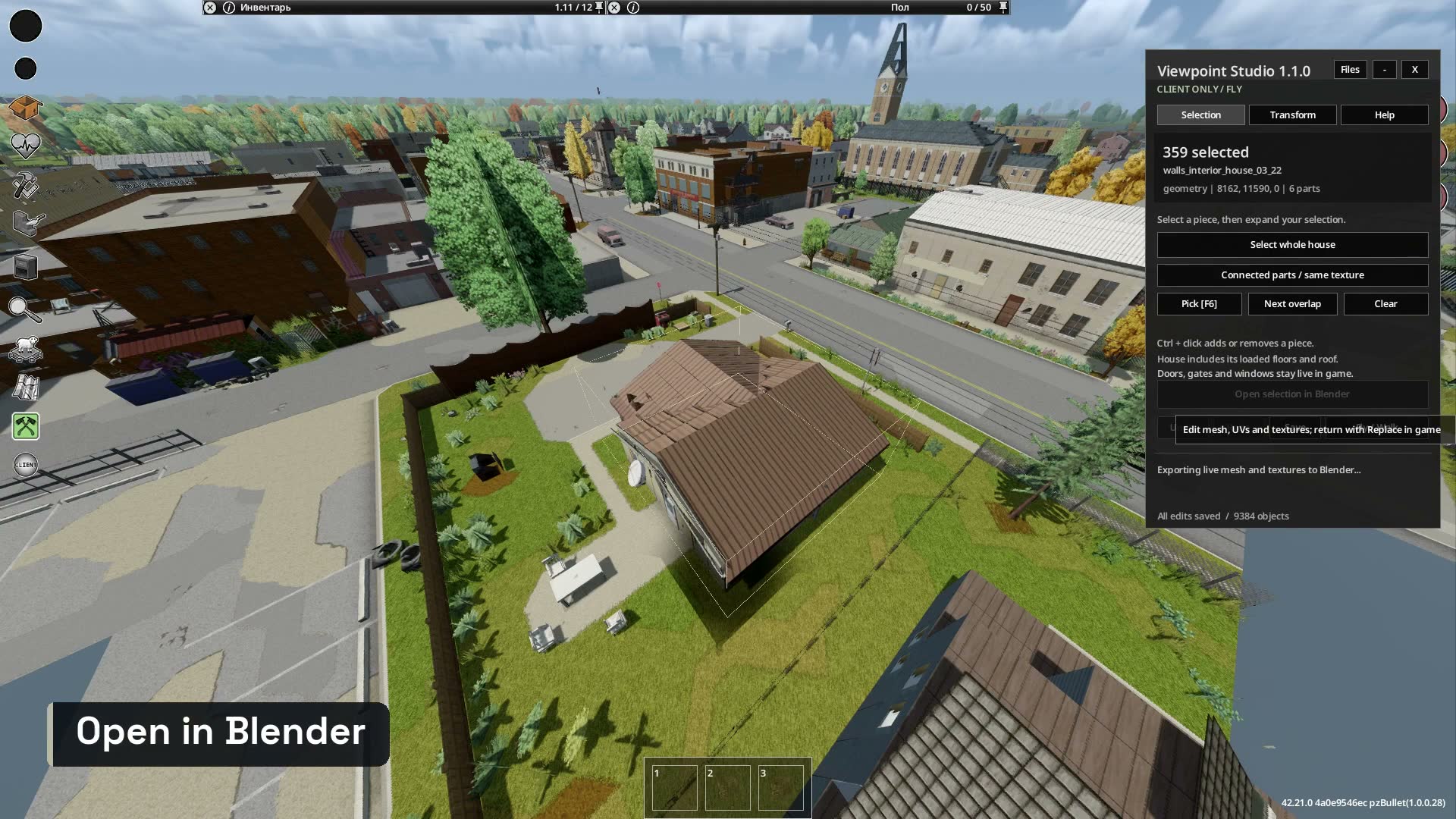
VIEWPOINT STUDIO Not just houses. Edit individual objects and loaded world geometry exposed by Viewpoint: walls, floors, roofs, fences, furniture and scenery. Open your selection in Blender and send the edited model back to Project Zomboid. Whole-house selection is a shortcut, not the limit of the editor. Watch the 25-second workflow demo | Whitemustache | 1.1.1
01 / Select. Edit. Return.
- Select individual objects or a whole loaded house, including walls, floors and roof.
- Open the selection in Blender: meshes, UVs and image textures are transferred automatically. Return your work through N > Zomboid > Replace in game. No separate Blender add-on installation.
- Save object sets, back up visual world edits, restore snapshots and undo/redo changes.
- Export and import .vpspack files. Merge contributions using a shared base, with conflict previews and a recovery backup before applying changes.
- Correct atlas cropping, surface sidedness and separation reduce texture bleeding and overlapping layers. Doors, gates and windows stay live game objects.
- Compact, dark game-style windows. F8 toggles editing; F10 completely hides or restores Studio's interface and selection outlines. Character protection is available in single player only.
02 / Save your work. Share a pack.
Files > Save selection > Export .vpspack. Share the outbox file. The recipient puts it in inbox, refreshes, imports and previews changes before merging. Each participant loads the same shared base before editing. Consolidate the contributions and distribute a new base for the next round. Everyone needs the same map, original objects and dependencies. Assign a house combined into one Blender model to one contributor per round.
03 / Multiplayer: local visual replacements
The editor, pack library and Blender bridge now work in multiplayer sessions. Each player applies models locally. To see matching replacements, use compatible versions of the mod and dependencies and import the same .vpspack near its original objects. Subscribing alone is not enough: packs are not distributed automatically. The host must enable Studio, Viewpoint and ZombieBuddy in the session mod list: Zomboid loads regular mods from the server's list. Models and edits remain local. Studio does not send them to the server or change the shared map, collisions, inventory or door states. Players without the applied pack see the original scenery. Edits are saved separately for each server and world reset. Healing and invincibility are disabled in multiplayer; the editor does not pause the game. Follow your server's rules and the dependencies' requirements.
Install once. Start with F8.
Tested on Windows with Project Zomboid 42.21.0, Viewpoint 0.1.5a-hotfix, ZombieBuddy 2.3.4 and Blender 5.0.1. 1. Install ZombieBuddy following its author's setup instructions, then Viewpoint. Subscribing to ZombieBuddy alone does not complete its native installation. 2. Subscribe to Studio, enable it and Viewpoint for your save, and approve the Java mod through ZombieBuddy. 3. For 3D editing, install Blender. Standard Windows installations are detected automatically. The object library works without Blender. 4. Press F8, select an object or house, then Open selection in Blender. Return edits with N > Zomboid > Replace in game. Custom Blender path: create ViewpointStudio/settings.properties in your Zomboid profile with blender=D:/Applications/Blender/blender.exe. Use forward slashes.
Before you build
This edits visuals: moving walls or adding meshes does not create collisions, rooms, navigation or inventory items. Interactive doors/windows remain controlled by the game. Packs use existing world coordinates; they are not movable prefabs. Whole-house selection requires the relevant map area and floors to be loaded. Collaboration is through files, without real-time multiplayer synchronization. Studio backups contain visual edits and referenced assets, not your character or full game save. Data is stored under ViewpointStudio in your Zomboid profile, outside the Workshop folder. Only share assets you have permission to redistribute. Procedural Blender materials must be baked to image textures. Keep heavy scenes within available RAM.
Author: Whitemustache. Developed with assistance from Codex (OpenAI, GPT-6). Viewpoint, ZombieBuddy, Blender and Project Zomboid belong to their respective authors. Independent community mod, not an official The Indie Stone product. No extracted game assets or generated game art/audio are bundled. Version 1.1.1 | Mod ID: ViewpointEditor
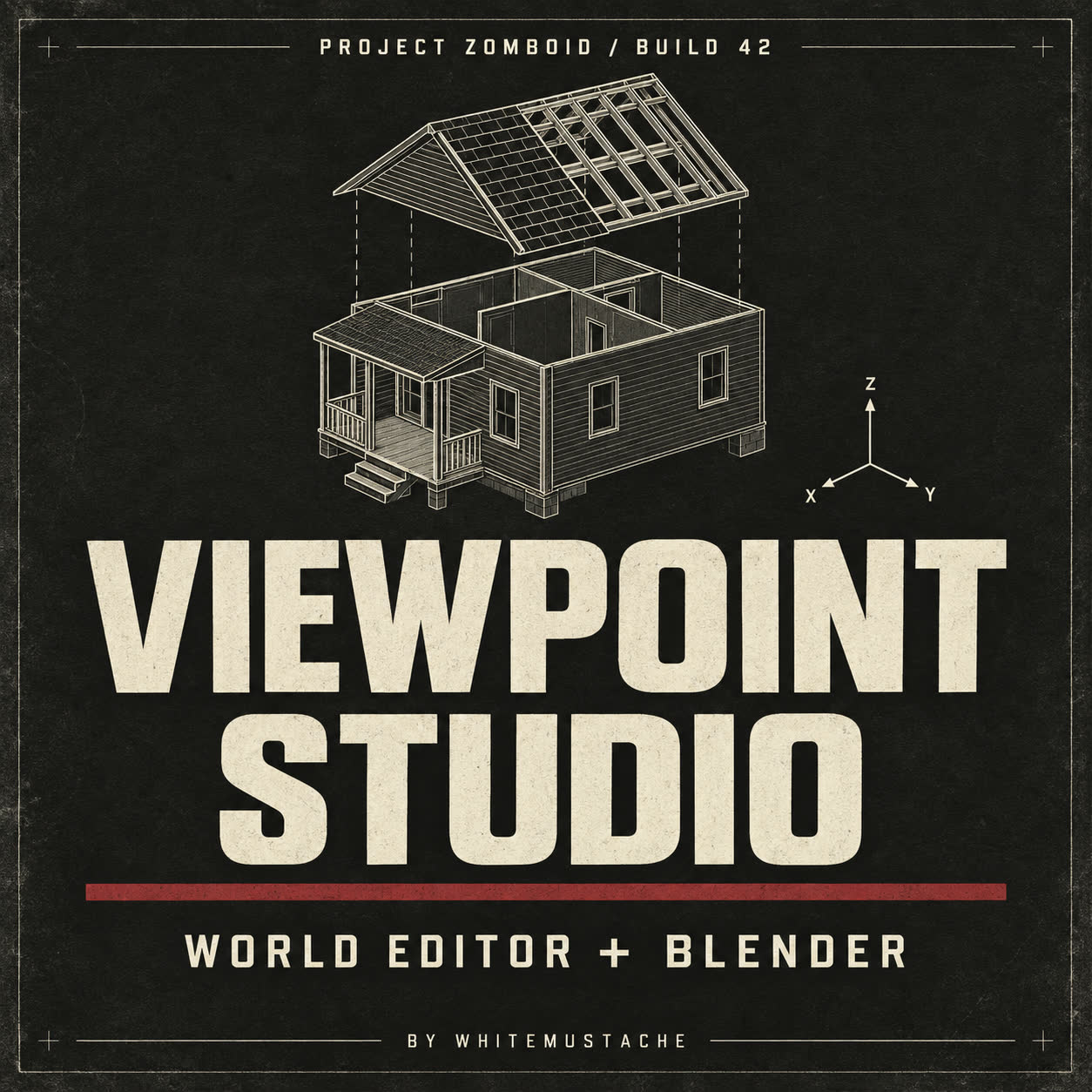
Cover artwork generated with OpenAI image generation. Gallery images are full-resolution frames from the actual game/Blender demo. Roof reconstruction in the video uses a Blender script.
Highlights
From source dataFootprint
Rated a light load on a server.
Last update
Its author last shipped an update 26d ago.
Viewpoint Studio 1.1.1 | World Editor & Blender Bridge on Nxeon
From our catalogue- One-click install
- Supported on Nxeon Project Zomboid servers. We download it from Steam Workshop, place it, and restart the server.
- Server load
- light
- Smallest plan we suggest
- Project Zomboid — 6 GB (6 GB RAM). This follows our own load rating above, not a benchmark.
- Latest build
- 2026-10-09, released 2026-10-09
Game versions by loader
| Loader | Game versions | Newest |
|---|---|---|
| Workshop |
From 1 recorded build of Viewpoint Studio 1.1.1 | World Editor & Blender Bridge.
Dependencies
- Required: ZombieBuddy
- Required: Project Viewpoint
Declared by the newest build that lists any. Required ones are installed with it on one-click installs.
Run Viewpoint Studio 1.1.1 | World Editor & Blender Bridge on a Project Zomboid server
Pick a server or deploy a new one above; it is installed in one click.
What kind of mod it is
From the catalogBuilding & decoration
Blocks, furniture, decorations and building tools.
Compatibility
- Game
- Project Zomboid
Verified at the source
- ✓Steam WorkshopOfficial listing, checked 2026-10-09Open ↗
- ✓AuthorЮра Миниган, as published on Steam Workshop
- ✓LicenseNot published by the sourceFree