
About Health Modifier
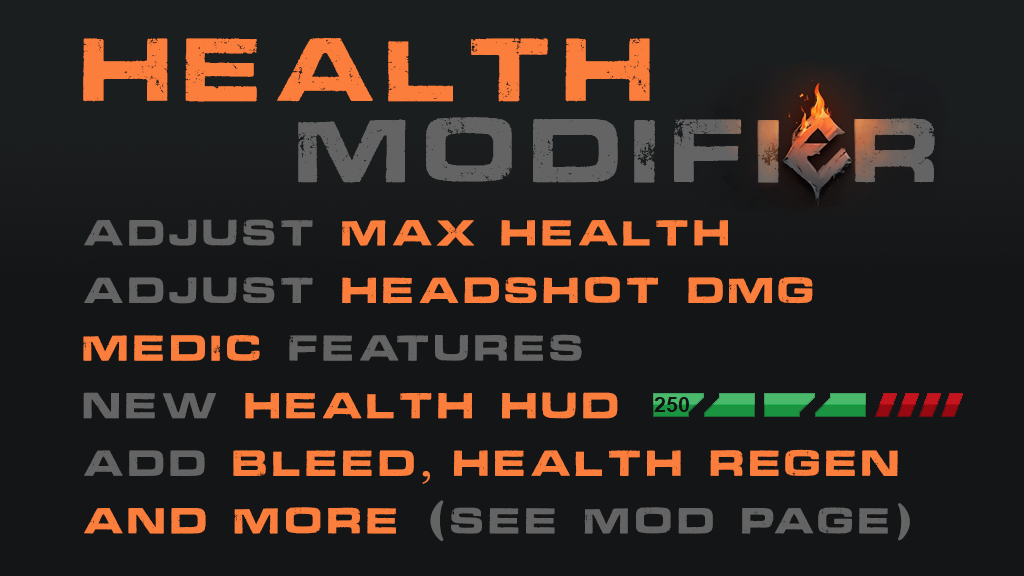
From mod.ioThe mod allow customization over max HP and headshot multiplier, add a bleed system & also a lightweight medic system
The mod allow customization over max HP and headshot multiplier, add a bleed system, a lightweight medic system and huds (HP, bleed, medic).
Mainly for Checkpoint but may work in other gamemodes.
The mod doesn't use modified theaters and should not interfere with modified theaters.
Medic usage info :
Any class could be medic, just specify the max allowed number of medic per team, but can be restricted.
The following command could be used, by passing them using the chat (often acessible by pressing "y"), type the following command :
To hide the mod hud : /hud
To show the healthbar : /hud 1
To show the healthbar and bleedbar : /hud 2
To hide the medic hud : /mhud
To show the medic hud without the medic key hint : /mhud 1
To show the medic hud with the medic key hint : /mhud 2
To promote yourself as medic : /medic!
To de-promote : /!medic
To rebind the medic key (where T is the specific key name, see reference below) : /mkey T
Key name could be found here : https://docs.unrealengine.com/udk/Three/KeyBinds.html
The following actions could be performed by pressing & holding the medic key, default is "T" :
To heal (look at the player to heal, be close to him - see heal distance and don't move)
To self-heal (look down)
To stem the bleeding (don't look down, look away from other soldier if close so heal to not activate if medic, also must be bleeding!)
To revive (look down close to the floating medic icon)
To drag (walk mode, press the "use" key as you walk backward looking at the medic icon, no ADS, may took a while to make it consistent)
Stem bleeding and revive will be automatic when triggered, no need to continue pressing "T", but also character input are locked during the process.
Added a cancel function while reviving and stem bleeding, pressing & holding "T" (cancel after 2 seconds) :
Stem bleeding do not require a medic class to be perform.
Note that the bleed rate will be enforced during sprinting and running!
Reinforce usage info :
Any class could be command the reinforce, but can be restricted.
The following command could be used, by passing them using the chat (often acessible by pressing "y"), type the following command :
To reinforce one person or the wave : /re ou /reinforce
Ex. to reinforce three soldiers : /re 3
To setup the mod :
1. Add to Mods.txt (mod ID is 1734153) and add mutator "healthmodifier"
2. Default value for game.ini config :
Starting with the mod header:
[/healthmodifier/Mutators/healthmodifier.healthmodifier_C]
Under the header, copy-paste the config variables you want to change (duration in second and distance in unreal unit [cm] if not specified):
Highlights
From source dataFootprint
Rated a light load on a server.
Last update
Its author last shipped an update 16 mo ago.
Health Modifier on Nxeon
From our catalogue- One-click install
- Not available. One-click install isn't available for this game's mods yet. Download it and upload it to your server in Files.
- Server load
- light
- Smallest plan we suggest
- Insurgency: Sandstorm — 3 GB (3 GB RAM). This follows our own load rating above, not a benchmark.
- Latest build
- 1.33c1, released 2025-07-12
Run Health Modifier on a Insurgency: Sandstorm server
Deploy a server above, then upload the file in Files.
What kind of mod it is
From the catalogGame modes & minigames
Game modes, minigames and competitive formats for your server.
Compatibility
- Game
- Insurgency: Sandstorm
Verified at the source
- ✓mod.ioOfficial listing, checked 2026-11-04Open ↗
- ✓AuthorEIOVAL, as published on mod.io
- ✓LicenseNot published by the sourceFree