







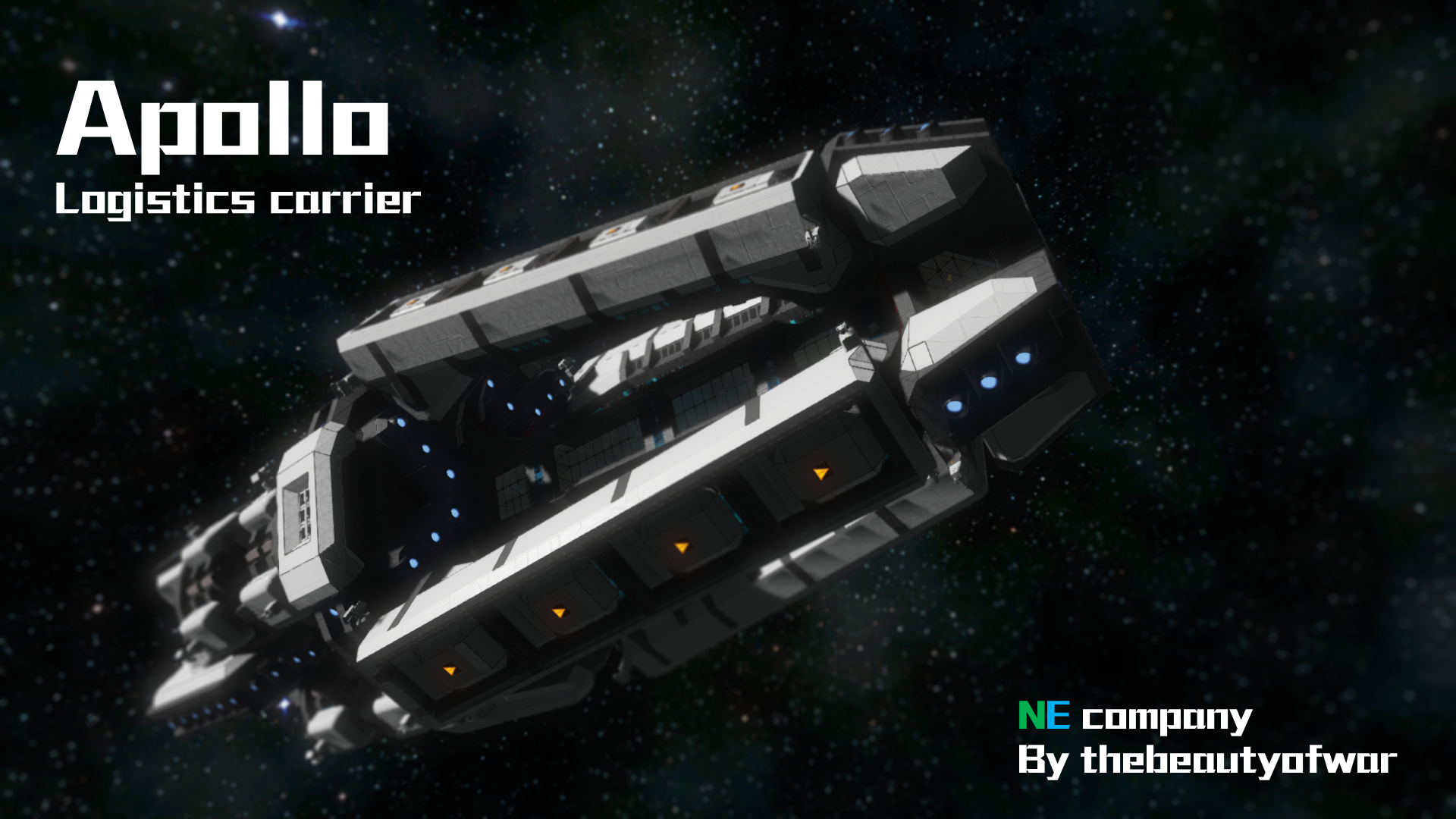
About Apollo(modless)
From Steam WorkshopPlease open this blue print in a world with indestuctible block!!!!!!!!! 270m long 115m wide and height 16 hangar 8 large reactors 4 refinery, 16 assembler. All equiped with productive module. 144…
Please open this blue print in a world with indestuctible block!!!!!!!!!
270m long 115m wide and height 16 hangar 8 large reactors 4 refinery, 16 assembler. All equiped with productive module. 144 large tank. 20 gatling turrets, 16 missle turrets.
All light armor.
Done with no mod.
HOW TO CONTROL THIS SHIP:
You should see four seats on the bridge.
Blue, red, yellow and brown.
BLUE one is the main control seat.
BLUE_PAGE 1 1~8. Group 1~8 gyro override control on/off; 9. Jump drive
RED one control all jump drive and oxygen system
RED_PAGE 1 1,3,5,7. Group 1~4 jump drive recharge on/off; 2,4,6,8. Group 1~4 jump drive protection hangar door open/close;
RED_PAGE 2 1~4. Group 1~4 oxygen generator on/off; 6. Oxygen tanks on/off; 8. All turrets on/off
YELLOW one control all the lights , reactors and antenna
YELLOW_PAGE 1 1.Bridge lights on/off; 2.Energy and production area lights on/off; 3.Living area lights on/off; 4.Hangar lights on/off; 5.Main tunnel lights on/off; 6.Top desk lights on/off
YELLOW_PAGE 2 1.Top desk gravity on/off; 2.Energy and production area gravity on/off; 4~7.Group 1~4 reactors on/off;
YELLOW_PAGE 3 1.All antenna on/off; 2.Increase antenna broadcast range; 3.Decrease antenna broadcast range; 4.Antenna broadcast on/off; 5.Show ship name on/off; 7.Beacon on/off; 8.Increase beacon range; 9.Decrease beacon range
BROWN one control all hangars
BROWN_PAGE 1 1.All hangar door open; 3.All hangar door close; 5~8.Group 1~4 hangar door open/close;
BROWN_PAGE 2~5 1.Hangar camera; 2~5. Hangar door open/close;
【I watched the vedio from last stand gamer, so, here is the instruction of that 3D printer~
3D_PRINTER
1.extend the piston by pressing the 3rd button. 2.open the projector by pressing the 2nd button. 3.open the welder by pressing the 1st button. 4.reverse the piston by pressing the 3rd button. 】
Hope you like this ship! If there is any question, just leave a message and I'll reply~
Highlights
From source dataFootprint
Rated a light load on a server.
Last update
Its author last shipped an update 11 yr ago.
Apollo(modless) on Nxeon
From our catalogue- One-click install
- Not available. One-click install isn't available for this game's mods yet. Download it and upload it to your server in Files.
- Server load
- light
- Smallest plan we suggest
- Space Engineers — 8 GB (8 GB RAM). This follows our own load rating above, not a benchmark.
- Latest build
- 2016-01-21, released 2016-01-21
Game versions by loader
| Loader | Game versions | Newest |
|---|---|---|
| Workshop |
From 1 recorded build of Apollo(modless).
Run Apollo(modless) on a Space Engineers server
Deploy a server above, then upload the file in Files.
What kind of mod it is
From the catalogTechnology & automation
Machines, power, logistics and automation.
Compatibility
- Game
- Space Engineers
Verified at the source
- ✓Steam WorkshopOfficial listing, checked 2026-11-01Open ↗
- ✓AuthorDropPodB, as published on Steam Workshop
- ✓LicenseNot published by the sourceFree












