







About (AR) Realistic Progress
From Steam WorkshopDescription: Devices needed to research new technologies. Now survival mode can be really difficult. You can't build what you want. Use what you have and improve your technologies. Notes: New…
Description:
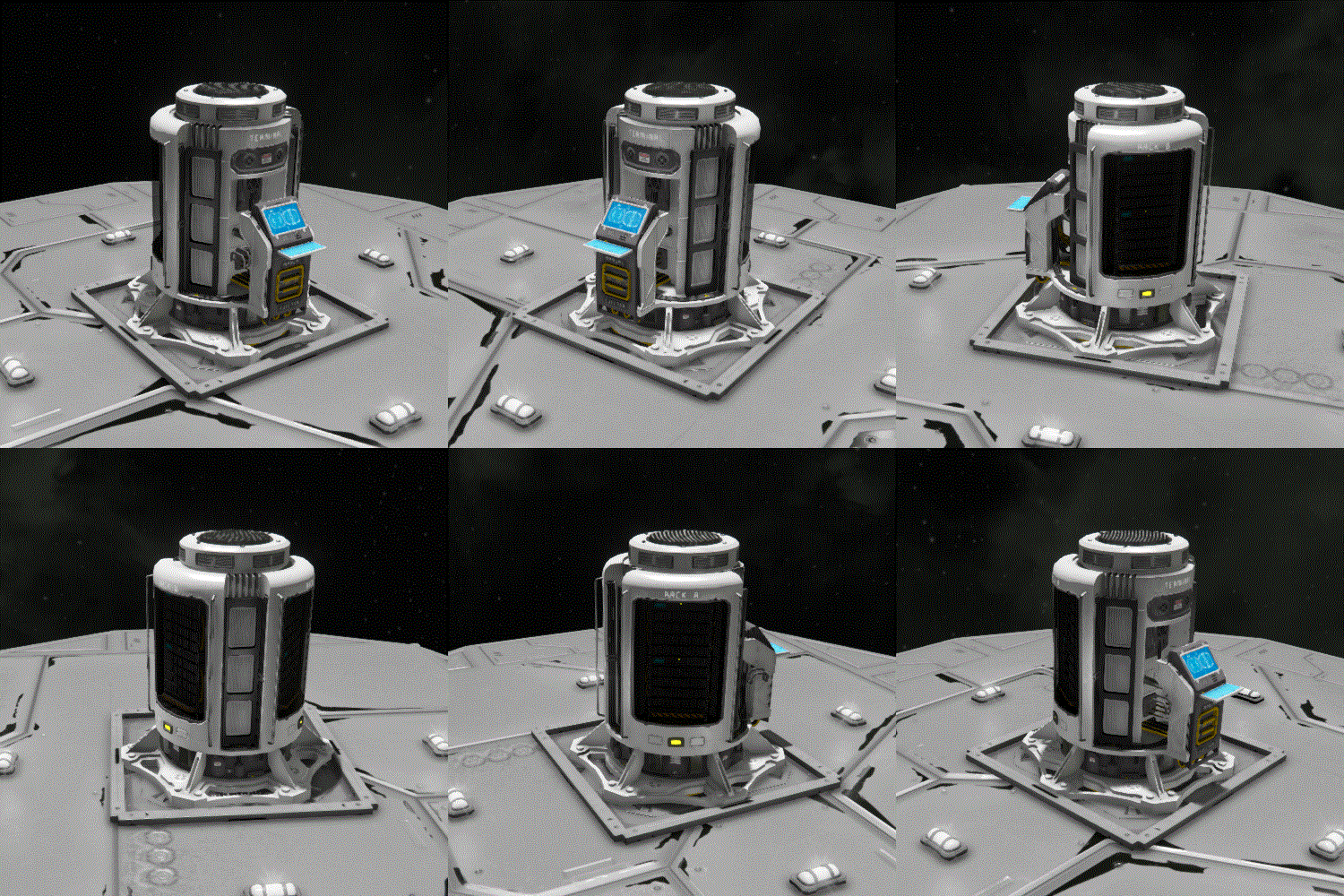
Devices needed to research new technologies. Now survival mode can be really difficult. You can't build what you want. Use what you have and improve your technologies.
Notes:
New progress system. Supercomputer produces a new type of component - blueprints. Use blueprint for building blueprint desk that unlock access to new blocks. High grade blueprints require more time to research, but you can build computing cores to decrease this time. All engine, wheels, thrusters from DLC are more effective, powerful ect.
Content:
[table] [tr] [th] New ↴ [/th] [th]  [/th] [/tr] [tr] [th]
 --- Large Grid --- [/th] [th] Supercomputer Supercomputer can help with structural design. (temporary model) [/th] [/tr] [tr] [th]
 --- Large Grid --- [/th] [th] Computing Core Extra prosessors for increase supercomputer productivity. [/th] [/tr] [tr] [th]
 --- Large Grid --- [/th] [th] Blueprint desk New type of blocks. Open access to new blocks. [/th] [/tr] [/table] [table] [tr] [th]

 If you want to see this mod in a public server, like and subscribe. Mods with higher ratings have more reason to be added to public servers.


FAQ:
[olist] [*]Can I change research speed? Yes. You can change researxh speed in the ModConfig.xml (read Rettings) [*]Will you add supercomputer for small grid? Yes. I will. [*]Can you open new blocks after blueprint is picked up? No. It's connected with game engine. You should build the block. [*]Can you add blueprints in trade station? No. Trade station doesn't support big prises. Cheap blueprint it's bad idea. [*]Will you add all your mods in new progress system. Yes. I already did it. [*]Why some blocks from DLCs has changed characteristics? For balanse. I think it's logical, real research tree. With high level block. [*]Can you make all first blueprints not required? It's logical. No. It's connected with game engine. [*]I see all computing cores in assemblers list. They can't produse anything. It's normal. Computing core using assblers code base. I can't remove them from the list. [*]Is it contains Frame mod? Yes. It's for good balanse. [/olist]
Settings:
This mod support users configurations. You can change block components for your server without reuploding. Custom component from another mods are supported. So if you want to change some parameters, you should: [olist] [*]Subscribe and add mod to world. [*]Load world once to generate ModConfig.xml [*]Exit from the sesion. [*]Open - C:\Users\<username>\AppData\Roaming\SpaceEngineers\Saves\<SteamId>\<SaveGameName>\Storage\<ThisModName>\ModConfig.xml [*]Make changes into the file and save. [*]Load back into world. Changes will be added. [/olist] This would be work in the solo/multiplayer/dedicated server.
Edit progress tree:
After first start in mod storage you'll find NotAddedBlocks.xml. It contains all blocks from another mods. Add them in TechTree.xml. Storage - C:\Users\<username>\AppData\Roaming\SpaceEngineers\Saves\<SteamId>\<SaveGameName>\Storage\<ThisModName> [olist] [*]<string>Blueprint_00</string> - subtype name. Attention! Number should be equals index number in the list. [*]<string>ResearchTimeSec=1800</string> no comments =) [*]<string>DisplayName=default</string> - for default blueprints. DisplayName=any_name - name for new blueprint (after last game update doesn't work). [*]<string>Icon=default</string> - for default blueprints. Icon=244850\2749313462\Textures\GUI\Icons\Blueprints\Bp_atom_I.dds - icon from this mod. Can use icons from other mods. [*]<string>*MyObjectBuilder_Datapad/Datapad=3</string> - components for producing blueprint element. You can use any custom ore/ingot/component. [*]<string>MyObjectBuilder_HydrogenEngine/LargeBlockBatteryBlock</string> - blocks in the progress group Attention! You can add block only if it has ResearchBlock.sbc. If hasn't, you'll see alert: "Can't find ResearchBlock.sbc for: MyObjectBuilder_Assembler/Furnace". File can be added in another mod. [/olist]
Warning! You can use all my mods or components as you wish. I give my permission.
Highlights
From source dataFootprint
Rated a light load on a server.
Last update
Its author last shipped an update 5 yr ago.
(AR) Realistic Progress on Nxeon
From our catalogue- One-click install
- Not available. One-click install isn't available for this game's mods yet. Download it and upload it to your server in Files.
- Server load
- light
- Smallest plan we suggest
- Space Engineers — 8 GB (8 GB RAM). This follows our own load rating above, not a benchmark.
- Latest build
- 2022-03-08, released 2022-03-08
Game versions by loader
| Loader | Game versions | Newest |
|---|---|---|
| Workshop |
From 1 recorded build of (AR) Realistic Progress.
Run (AR) Realistic Progress on a Space Engineers server
Deploy a server above, then upload the file in Files.
What kind of mod it is
From the catalogGameplay & overhauls
New mechanics, content and overhauls that change how the game plays.
Compatibility
- Game
- Space Engineers
Verified at the source
- ✓Steam WorkshopOfficial listing, checked 2026-11-01Open ↗
- ✓AuthorAll right!, as published on Steam Workshop
- ✓LicenseNot published by the sourceFree












