






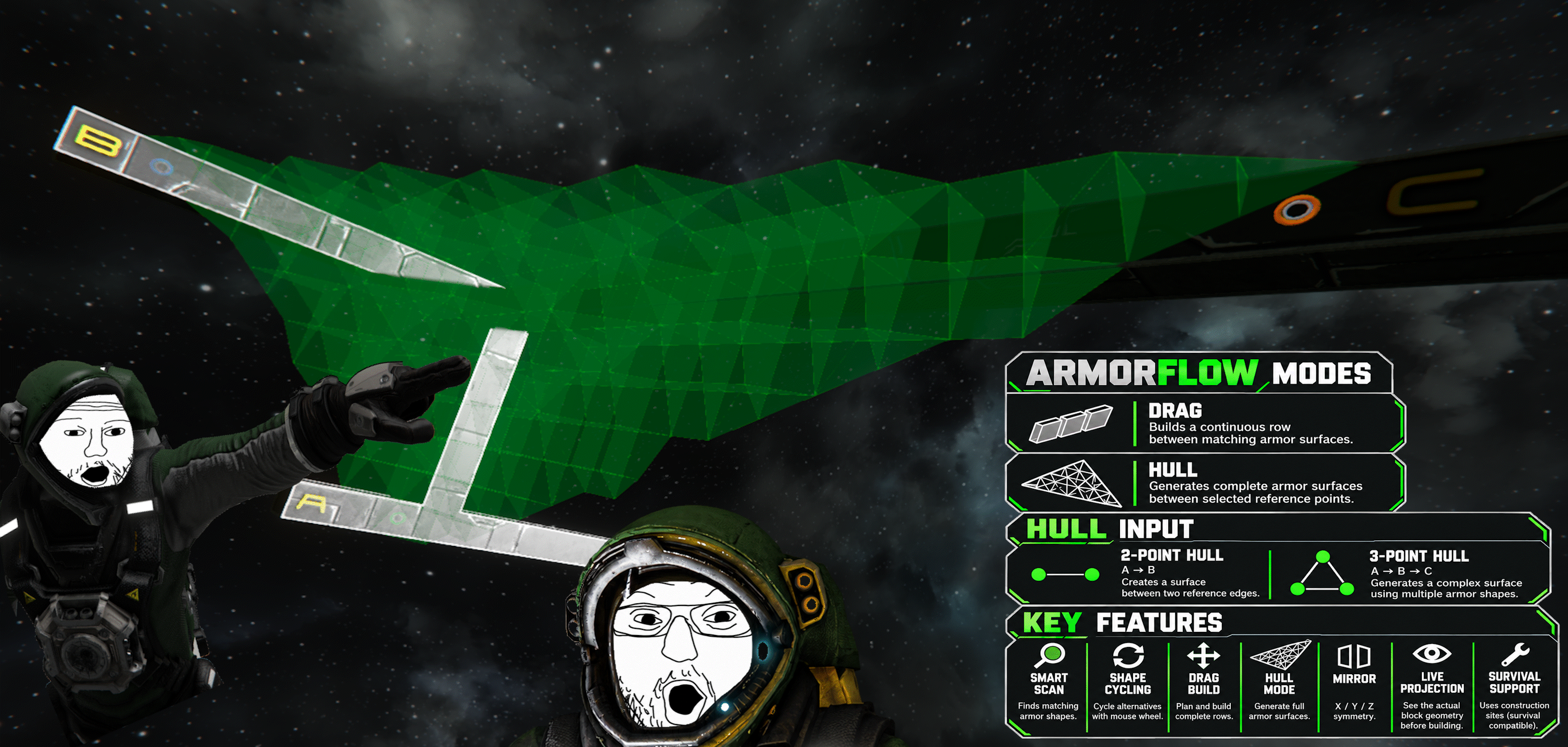
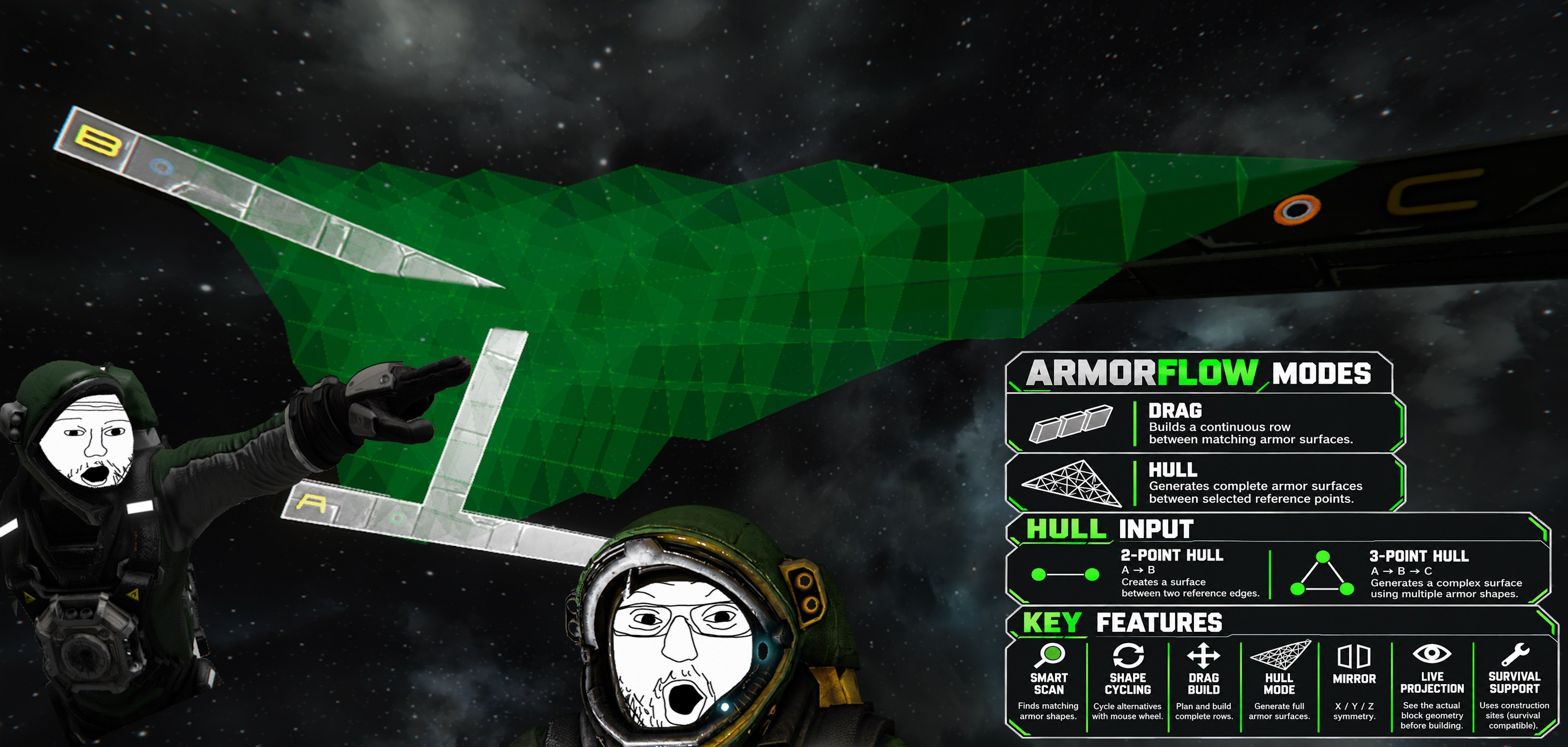
About ArmorFlow – Smart Armor Building
From Steam WorkshopArmorFlow – Smart Armor Building Stop searching for the right armor block. Start building the shape you actually want. ArmorFlow analyzes existing armor geometry and helps you find, preview and build…
ArmorFlow – Smart Armor Building
Stop searching for the right armor block. Start building the shape you actually want.
ArmorFlow analyzes existing armor geometry and helps you find, preview and build matching armor shapes.
Works in both Creative and Survival.
V3 UPDATE
- Added DRAG FREE for dynamic surface-aware planning
- Added DRAG FOLLOW for predictable contour continuation
- Drag results now freeze before placement - inspect, then confirm with LMB
- Major N-Scan and modded armor geometry improvements
- Improved Survival building and Hull / Small Grid performance
- Major solver, GridBridge, logging and stability improvements
Shift + Scan: DRAG FREE → DRAG FOLLOW → HULL
DRAG FREE dynamically chooses a suitable path toward your cursor. DRAG FOLLOW locks the initial direction and follows the selected contour.
Tested Modded Armor
These mods are not required. ArmorFlow works from available block geometry rather than a fixed supported-block list.
Rich HUD Master is OPTIONAL. It enables ArmorFlow's enhanced world-space build and material HUD.

SMART SCAN
Point at an existing armor block and press your Scan Key.
IMPORTANT: DEFAULT SCAN KEY = N
[b]"Scan Key" means your configured ArmorFlow key - it is NOT a key named "Scan".
If you did not change the keybind: PRESS N.[/b]
ArmorFlow analyzes its geometry and finds compatible armor shapes. Use the mouse wheel to cycle through matching alternatives.

BUILD MODES
Drag
Scan an existing armor surface and start building from it.
ArmorFlow plans continuous armor rows while adapting block geometry and orientation to the structure.
Release LMB to freeze the finished preview. LMB confirms it; RMB / Esc cancels.
With Rich HUD Master, the panel stays anchored at the Drag start and shows build counts and Survival materials.

Hull
Generate connected armor surfaces from reference points.
Set A and B for a basic Hull, add C for a 3-point surface, or D for 4-point / Quad Hull generation.
Further scans reposition D. RMB removes the last point: D → C → B → A. Hold RMB for 3 seconds to clear all Hull points.
Mouse wheel profiles:
Straight - Direct transition Concave / Concave+ - Inward profiles Convex / Convex+ - Outward profiles

LIVE PROJECTION
ArmorFlow previews the actual block geometry before building.
Existing or obstructed cells are evaluated as part of the preview rather than invalidating the entire operation.
MIRRORING
ArmorFlow includes its own X / Y / Z mirror system for symmetrical building outside Creative Mode.
Drag and Hull builds can use the active Mirror Plane.

Mirror Controls
Ctrl + Scan + Mouse Wheel - Select X / Y / Z Release Ctrl or Scan - Set Mirror Plane RMB - Clear Mirror Planes Shift - Cancel Ctrl + Shift + Scan - Toggle Mirroring
Setting and clearing Mirror Planes currently requires Singleplayer or Host.
SURVIVAL READY
Survival placement creates normal construction sites using the regular Space Engineers building system.
With Rich HUD Master:
PLACE - Components required to place planned blocks FULL - Components required to fully build them
New construction inherits the color and armor skin of the scanned reference. Hull uses point A as its style reference.

CONTROLS
“Scan” means your configured ArmorFlow Scan Key. Default: N.
[table] [tr][th]INPUT[/th][th]DRAG[/th][th]HULL[/th][/tr] [tr][td]Scan[/td][td]Scan armor[/td][td]Set A → B → C → D[/td][/tr] [tr][td]Shift + Scan[/td][td]FREE → FOLLOW → HULL[/td][td]→ DRAG FREE[/td][/tr] [tr][td]Mouse Wheel[/td][td]Cycle candidates[/td][td]Cycle profiles[/td][/tr] [tr][td]LMB[/td][td]Place / confirm[/td][td]Build READY cells[/td][/tr] [tr][td]Hold LMB[/td][td]Plan row[/td][td]-[/td][/tr] [tr][td]Release LMB[/td][td]Freeze preview[/td][td]-[/td][/tr] [tr][td]RMB / Esc[/td][td]Cancel[/td][td]Remove / cancel[/td][/tr] [tr][td]Hold RMB 3 sec[/td][td]-[/td][td]Clear points[/td][/tr] [/table]
Commands
/af key - Show Scan Key /af key Mouse5 - Set Scan Key /af key reset - Reset to N
Supported: A-Z, F1-F12 except F7/F8, Mouse4, Mouse5 and MiddleMouse.
/af mirror - Toggle Mirroring /af mirror status - Show mirror status /af mirror clear - Clear planes /af mirror x/y/z - Set axis plane
/af or /af help - Quick overview /af debug on/off/status - Diagnostic logging /sbf can be used instead of /af.
CURRENT LIMITATIONS
Large Small-Grid Hulls - Complex SG / AGS 3-point Hulls can require more calculation time than equivalent Large-Grid Hulls.
Multiplayer - Not officially supported yet.
Console / mod.io - Not currently supported.
Space Engineers 2 - No SE2 version currently.
FEEDBACK & BUG REPORTS
Highlights
From source dataFootprint
Rated a light load on a server.
Last update
Its author last shipped an update 34d ago.
ArmorFlow – Smart Armor Building on Nxeon
From our catalogue- One-click install
- Not available. One-click install isn't available for this game's mods yet. Download it and upload it to your server in Files.
- Server load
- light
- Smallest plan we suggest
- Space Engineers — 8 GB (8 GB RAM). This follows our own load rating above, not a benchmark.
- Latest build
- 2026-10-01, released 2026-10-01
Game versions by loader
| Loader | Game versions | Newest |
|---|---|---|
| Workshop |
From 1 recorded build of ArmorFlow – Smart Armor Building.
Run ArmorFlow – Smart Armor Building on a Space Engineers server
Deploy a server above, then upload the file in Files.
What kind of mod it is
From the catalogWeapons, items & crafting
New weapons, gear, items and the recipes to make them.
Compatibility
- Game
- Space Engineers
Verified at the source
- ✓Steam WorkshopOfficial listing, checked 2026-10-11Open ↗
- ✓AuthorRadKreuzWerfer, as published on Steam Workshop
- ✓LicenseNot published by the sourceFree












