






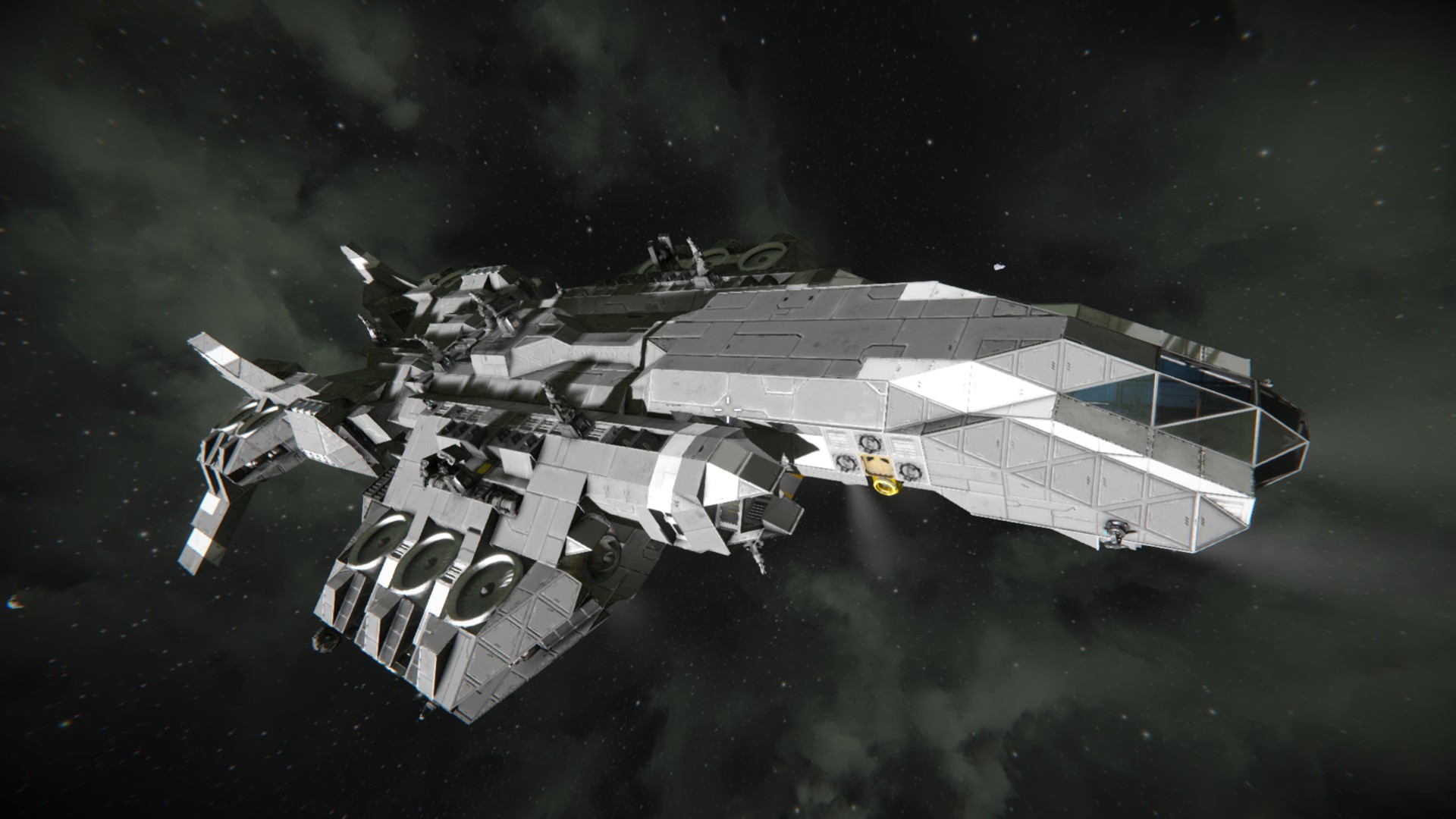
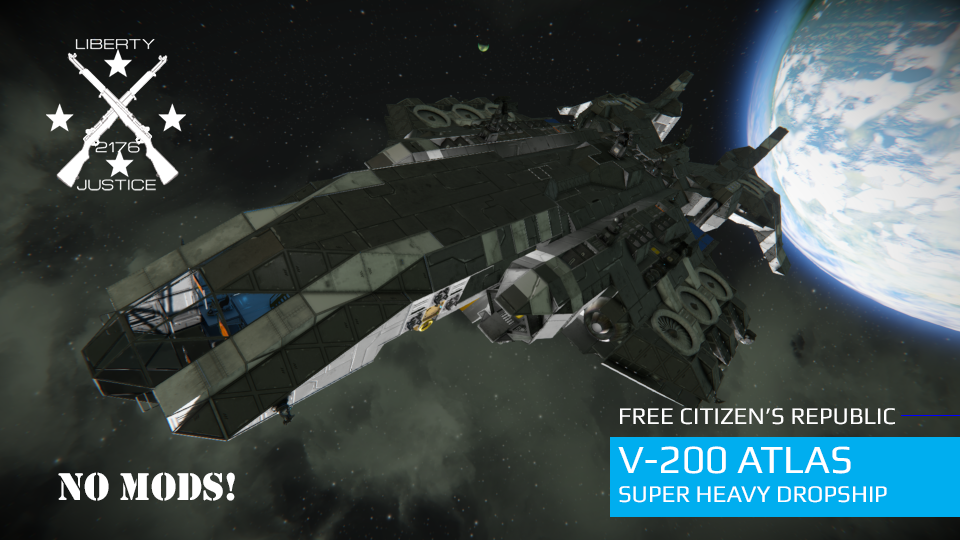
About Atlas Super Heavy Dropship
From Steam WorkshopMassive Dropship for transporting Vehicles, Modules and Cargo anywhere. FEATURES: Can fly and hover in any environment or planet. DISPLACEMENT: 4,596,893 kg PCU: 31,710 BLOCKS: 3,589…
Massive Dropship for transporting Vehicles, Modules and Cargo anywhere.
FEATURES: Can fly and hover in any environment or planet. DISPLACEMENT: 4,596,893 kg PCU: 31,710 BLOCKS: 3,589
________________________________________________________________ MODULES: ________________________________________________________________ 6x Assemblers 2x Refineries with Modules 2x Small Reactors 1x Large Reactors 4x Hydrogen Tanks 4x O2/H2 Generators 4 Jump Drives: Theoretical Jump Range 2,175 km 1x Med Bay 6x CryoChambers
1x Repair Projector 1x Small Aft Hangar for small grid ship 1x Large Hangar for small grid ships 1x Gravity Generator
11x Gatling Turrets 3x Missile Turrets 10x Interior Turrets (Point Defense) 3x Interior Turrets (Hangar Security)
________________________________________________________________ HISTORY ________________________________________________________________
The V-200 Atlas was born out of the need for a heavy transport capable of carrying large vehicle and equipment to the surface of planets and moons during the post-revolution construction period.
Thanks to its flexible load capabilities, the Atlas can set up a small outpost quickly by ferrying pre-fabricated base modules, construction and mining vehicles, as well as supplies to any planetoid surface.
Its long range jump capabilities, combined with its armament allows the Atlas to travel independently into the Traverse.
Because of its large Cargo capabilities, the Atlas is also used by many shipping companies throughout the Republic.
________________________________________________________________ SPECIAL CREDITS ________________________________________________________________
Earnest Heavy Goods Vehicle by @5URG3 : https://steamcommunity.com/sharedfiles/filedetails/?id=1921070226
________________________________________________________________ CONTROLS (From the Captain's Chair) ________________________________________________________________
************************************** Tab 1- Flight Operations ************************************** 1- Forward View Camera 2- Atmospheric Thrusters Toggle 3- Ion Thrusters Toggle 4- Hydrogen Thrusters Toggle 5- Atlas Landing Gears Lock Switch 6- Point Defense System (Interior Turrets) Toggle 7- Gatling Turrets Toggle 8- Missile Turrets Toggle 9- Jump (set distance and coordinates in the menu first, otherwise it's set to blind jump at max distance)
************************************** Tab 2- Skycrane Operations ************************************** 1- Skycrane Camera View 2- Skycrane Connector Lock Switch 3- Skycrane Merge Block On/Off 4- Skycrane Landing Gear Lock Switch 7- All Lights Toggle 8- Navigation Lights Toggle 9- Spotlights Toggle
************************************** Tab 3- Docking Operations ************************************** 1- Port Docking Camera View 2- Port Docking Connector Lock Switch 3- Port Docking Merge Blocks Toggle 4- Starboard Docking Camera View 5- Starboard Docking Connector Lock Switch 6- Starboard Docking Merge Blocks Toggle
************************************** Tab 4- Engineering ************************************** 1- Main Reactor Toggle 2- Auxiliary Reactors Toggle 3- Hydrogen Engine Toggle 7- Antenna Toggle 8- Ore Detector Toggle 9- Repair Projector Toggle
************************************** Tab 5- Hangar Operations ************************************** 1- Forward Hangar Door Toggle 2- Forward Air Vents Decompression Toggle 3- Rear Hangar Door Toggle 4- Rear Hangar Air Vents Decompression Toggle 5- All Hangar Turrets (Interior Turrets) Toggle 6- Control Forward Hangar Turret 2 7- Control Forward Hangar Turret 1 8- Control Rear Hangar Turret
Highlights
From source dataFootprint
Rated a light load on a server.
Last update
Its author last shipped an update 7 yr ago.
Atlas Super Heavy Dropship on Nxeon
From our catalogue- One-click install
- Not available. One-click install isn't available for this game's mods yet. Download it and upload it to your server in Files.
- Server load
- light
- Smallest plan we suggest
- Space Engineers — 8 GB (8 GB RAM). This follows our own load rating above, not a benchmark.
- Latest build
- 2020-05-03, released 2020-05-03
Game versions by loader
| Loader | Game versions | Newest |
|---|---|---|
| Workshop |
From 1 recorded build of Atlas Super Heavy Dropship.
Run Atlas Super Heavy Dropship on a Space Engineers server
Deploy a server above, then upload the file in Files.
What kind of mod it is
From the catalogVehicles & ships
Cars, boats, aircraft, ships and other things to drive or fly.
Compatibility
- Game
- Space Engineers
Verified at the source
- ✓Steam WorkshopOfficial listing, checked 2026-11-01Open ↗
- ✓AuthorWildcard, as published on Steam Workshop
- ✓LicenseNot published by the sourceFree












