






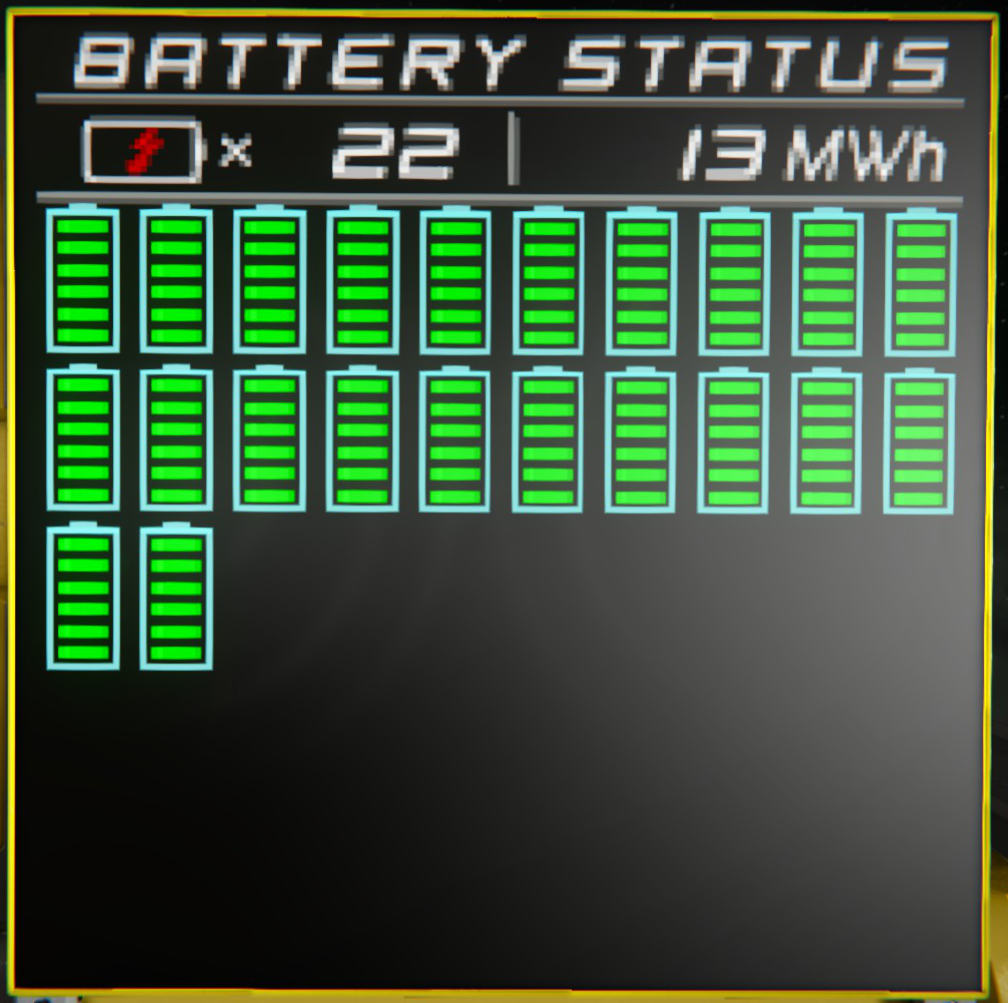
About BatteryStatus
From Steam WorkshopImportant Note Actually a complete revision of this script was planned. The reason was that it is not possible to extend the display without making everything completely new. For example, the…
Important Note
Actually a complete revision of this script was planned. The reason was that it is not possible to extend the display without making everything completely new. For example, the information can not be shown in the displays of a cockpit. This was changed with the Sprite System for LCD's. The development of this revision was stopped, in favour of another script. Which I am currently working on. It contains among other things the here presented battery display plus many more possibilities for displaying information.
New Script: https://steamcommunity.com/sharedfiles/filedetails/?id=1984514349 Possible representation: https://github.com/dmorigin/se_mod_vis/wiki/BatteryStatus ------------------------------------------------------
Description: This is a revised version of the script Battery Status Script from Lightwolf Adventures. It contains the complete functionality of the original script. Some bugs have been fixed as well as the removal of obsolete functions. The code itself has also been reworked. Several string operations, unused operations and unnecessary loop passes have been removed.
The complete code is publicly available on GitHub: https://github.com/dmorigin/se_mod_battery_status
Configuration: The configuration is no longer done in the script itself. Instead the configuration was moved to the CustomData field of the programmable block. The script fills this field with a default configuration. If nothing is contained in the CustomData field. To restore the default configuration, the script can be called with the argument "restoreDefault". If changes have been made, the configuration must be called with the argument "readConfig".
The following configuration parameters are available:
Section "battery" - NameTag [noparse][string][/noparse]: Sets the name that will be used in specific batteries to find. - OnlyWithNameTag [noparse][false|true][/noparse]: Show only batteries that have the NameTag in their name. - OnlyLocalGrid [noparse][false|true][/noparse]: Search only within your own grid.
Section "lcd" - NameTag [noparse][string][/noparse]: Sets the name used in the LCD panels to be found. - OnlyLocalGrid [noparse][false|true][/noparse]: Search only within your own grid. - Widescreen [noparse][false|true][/noparse]: The LCD panel is a wide screen. - Brightness [noparse][0..255][/noparse]: Sets the brightness of the screen.
Section "system": - UpdatingEnabled [noparse][false|true][/noparse]: Enables automatic updating. - UpdateInterval [noparse][Integer][/noparse]: Sets the automatic update interval.
Section "display": - OnlySmallSigns [noparse][false|true][/noparse]: Show only small symbols. - ShowBatteryTitle [noparse][false|true][/noparse]: Display the title. - ShowUnderlineBelowTitle [noparse][false|true][/noparse]: Show a line under the title. - ShowUnderlineBelowStatus [noparse][false|true][/noparse]: Show a line under the status. - ShowSeperatorInStatus [noparse][false|true][/noparse]: Show a separator in the status. - ShowBatteryAmount [noparse][false|true][/noparse]: Show the number of batteries. - ShowTotalStoredPower [noparse][false|true][/noparse]: Show the amount of stored energy.
Notice If changes are made to the script, they will be found in the GitHub repository in advance. Since I want to avoid that immature functions or errors end up in the workshop. However, it can not be excluded that these will end up in the workshop.
Highlights
From source dataFootprint
Rated a light load on a server.
Last update
Its author last shipped an update 8 yr ago.
BatteryStatus on Nxeon
From our catalogue- One-click install
- Not available. One-click install isn't available for this game's mods yet. Download it and upload it to your server in Files.
- Server load
- light
- Smallest plan we suggest
- Space Engineers — 8 GB (8 GB RAM). This follows our own load rating above, not a benchmark.
- Latest build
- 2019-04-21, released 2019-04-21
Game versions by loader
| Loader | Game versions | Newest |
|---|---|---|
| Workshop |
From 1 recorded build of BatteryStatus.
Run BatteryStatus on a Space Engineers server
Deploy a server above, then upload the file in Files.
What kind of mod it is
From the catalogTechnology & automation
Machines, power, logistics and automation.
Compatibility
- Game
- Space Engineers
Verified at the source
- ✓Steam WorkshopOfficial listing, checked 2026-11-01Open ↗
- ✓AuthorDMOrigin, as published on Steam Workshop
- ✓LicenseNot published by the sourceFree












