






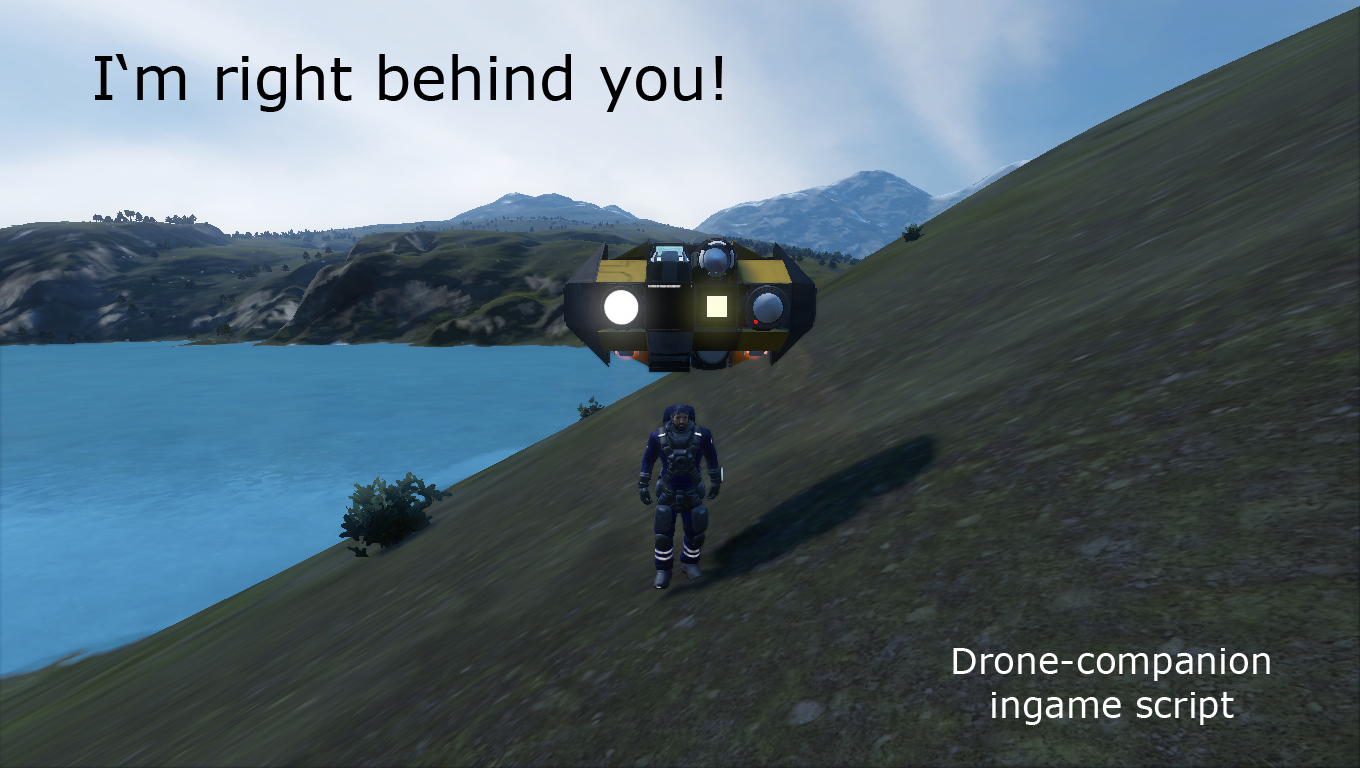

About "Behind you" drone-companion script
From Steam WorkshopHello everyone! WARNING! Finally I rewrote script from the scratch! I tried to optimise internal script structure, so it became lighter both in terms of symbols and system load. Short description…
Hello everyone!
WARNING!
Finally I rewrote script from the scratch! I tried to optimise internal script structure, so it became lighter both in terms of symbols and system load.
Short description
With help of this script you could create your own drone-companion, that can follow you, remember it's connection point, remember path to it. It has obstacle detection and can work in natural gravity field correctly.
Current functions:
-Follows directly to the target (target point could be configured). -Remembers target movements and follow them. -Remembers connection points. Up to 2, for cargo transfer, as example. -Remembers own movements and reply them to follow from start point to end point. Could be combined with connection points to create full route form one to another. -Lands drone on safe speed level by command. -Has simplified landing sequence, if drone was started fom connector. -Checks path for obstacles and stops the drone until route is safe again (need cameras for it). -Optimises remembered waypoints an deletes unnecessary. -Shows own status, using Beacon or Antenna. -Shows own mode, using any light source (interior Light, Spotlight or Text Panel). -Has automatic calculation of thrust vector for correct movement. -Has automatic calculation of gyros override, according to drone's directions. -Corrects work in natural gravity field (Bottom thrusters always look down, parallel to gravity vector). -Can use landing gears to connect/disconnect together with connector, determinated for this script. -Decreases calculation rate, while waiting or parked. -...
Short installation guide:
Scroll down and you will find...
Vital/Non-vital blocks:
Minimal setup (vital): -Programmable block (for script). -Remote Control block (used for calculating drone's direction and position) -Sensor for target detecting (detect player for following)
Appendixes, determinated in the script: All blocks, used by script (gyros, thrusters, sensor, etc.) should have "_Follow" in the name.
Optimal setup(not so vital, but useful) -full list above -Cameras (obstacle detection). -Text panel (external memory, helps to remember waypoints, connection points) -Antenna or Beacon (for staus information) -Connector for auto drop/take/transfer goods (separate connector only for this function)
Script parameters:
You can find this parameters in the beginning of the script. They could be changed to your own needs.
Name appendix (for searching blocks on a grid): Name_Appendix - suffix for all Terminal blocks, used by this script
Variables for fine tuning: Follow_Distance - drone tries to follow target on that distance + 1/2 of the drone's grid bounding box. Follow_Height - minimal height between your position (player's position calculates somewhere near feets) and follow point for the drone + 1/4 of the drone's grid bounding box.. Maximum_Speed - mximum speed to follow you. Minimal_Speed - minimal safe speed to follow you.
Commands for programmable block
You can type commands directly to the argument box in programmable block, but i recommend you to use Button Panels.
"start" - starts script to runs itself. Initial boot. "stop" - typed once, stops script. Typed twice, resets parameters. "follow" - switch on/off follow mode for drone. "pause" - pauses current mode. "land" - push drone directly down on a safe speed (parallel to natural gravity vector, if it's exist). WP commands works only if you install text panel! "wp" or "wp:s" - if drone has no remembered waypoints, it starts to write them to external memory. if it's currently write waypoints, it stops process. If it has pre-written waypoints, it starts to follow them. "wp:c" - if drone is not writing waypoints at this moment, it starts/continue to write them to external memory. if it's currently write waypoints, it stops process. "wp:d" - deletes all waypoints and connection points. "wp:r" - if drone is currently in follow waypoints mode, it reverses current follow waypoints mode (forward to reverse, and vice versa).
Connector's automation:
Automation for connector works only if you install text panel! if you have connector and want drone to drop/take/transfer goods, you should use correct name appendix. This connector can initiate four events for drone: -connector was locked - shut down thrusters, reset gyros override, switch to "Parked" mode. -connector was locked and drone writes own waypoints - same as above and stops to write waypoints and write final connection point to the external memory. -connector was unlocked and no waypoints in the external memory - it start to write waypoints and write first connection point to external memory. -connector was unlocked and drone has waypoints in the external memory - switch to follow waypoints mode and checks, which direction drone should fly.
Updates:
Examples:
Simple drone ion thrusters Large drone ion thrusters Simple drone atmo thrusters Cargo drone atmo thrusters Companion (player defender) ...
Big thanks to:
tachweave W.A.L.I. - W.A.L.I.3 был крут! MMaster Configurable Automatic LCDs
Highlights
From source dataFootprint
Rated a light load on a server.
Last update
Its author last shipped an update 5 yr ago.
"Behind you" drone-companion script on Nxeon
From our catalogue- One-click install
- Not available. One-click install isn't available for this game's mods yet. Download it and upload it to your server in Files.
- Server load
- light
- Smallest plan we suggest
- Space Engineers — 8 GB (8 GB RAM). This follows our own load rating above, not a benchmark.
- Latest build
- 2022-04-19, released 2022-04-19
Game versions by loader
| Loader | Game versions | Newest |
|---|---|---|
| Workshop |
From 1 recorded build of "Behind you" drone-companion script.
Run "Behind you" drone-companion script on a Space Engineers server
Deploy a server above, then upload the file in Files.
What kind of mod it is
From the catalogVehicles & ships
Cars, boats, aircraft, ships and other things to drive or fly.
Compatibility
- Game
- Space Engineers
Verified at the source
- ✓Steam WorkshopOfficial listing, checked 2026-11-01Open ↗
- ✓AuthorSkleroz, as published on Steam Workshop
- ✓LicenseNot published by the sourceFree












