







About Blarg's Ascent Cruise Control
From Steam Workshop2023-09-12 Fixed! Sorry for taking ages, this script now works again. Tired of wasting fuel when leaving a gravity well? What you need is cruise control! This script adjusts the thrust of your rear…
2023-09-12 Fixed! Sorry for taking ages, this script now works again.
Tired of wasting fuel when leaving a gravity well? What you need is cruise control!
This script adjusts the thrust of your rear thrusters to the lowest possible without losing speed.
What thrusters you have doesn't really matter as long as they can take you to space. It works with inertia dampeners on as well, if you don't want to go straight up.
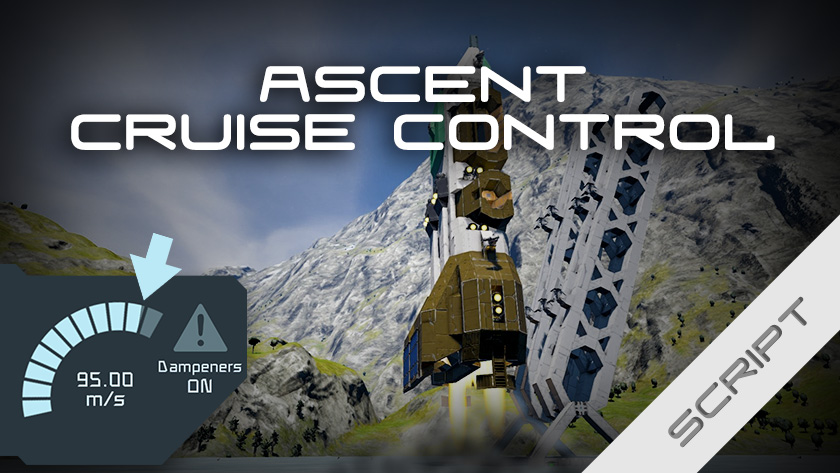
What difference does it make? Here's the results from the ship in the thumbnail, leaving earth in the standard solar system start. [table] [tr] [th]Method[/th] [th]H2 before[/th] [th]H2 after [/th] [th]H2 used[/th] [/tr] [tr] [td]Full throttle, 100m/s[/td] [td]100% 2 500 000L[/td] [td]34.8% 871 181L[/td] [td]65.1% 1 628 819L[/td] [/tr] [tr] [td]This script set to 99m/s[/td] [td]100% 2 500 000L [/td] [td]82.5% 2 061 503L[/td] [td]17.5% 438 497L[/td] [/tr] [/table] This ship, with the script can get to orbit 5 times on one tank, full throttle wouldn't even do it twice.
 1. Install script. 2. Sit in flight seat and add the script to the toolbar: 'Run' and leave argument empty.
The script looks for an occupied flight seat every 10 seconds, to determine what is forward. Once one is found, it stops looking and will remember it, even if you get out or recompile the script.
 Press the button from step 2 above and the cruise control will engage. Press it again and it turns off. When engaged, your front thrusters will be off, your rear thrusters will be adjusted automatically.

LCDs/Lights
The script can show status on LCDs, both regular and corner. It can also show if it's engaged or not using a light.
In either case, just add the tag #ACC to the name of the light/LCD.
You can have more than one light/LCD.
Timer blocks
If the option to disable the cruise control once exiting the gravity well is on, it will trigger any timer block tagged with #ACC as well. Allowing you to have things happen automatically once you've reached space.
Arguments
Cruise Control can also be engaged via a button, a sensor, or any other action.
These are the arguments to control the script. All of them must be triggered as an action, i.e. from the toolbar, a sensor, a button etc.. All of them can be used while cruise control is engaged. [table] [tr] [th]Argument[/th] [th]Does this[/th] [/tr] [tr] [td][/td] [td](Empty argument) Toggles cruise control on or off, depending on its current state.[/td] [/tr] [tr] [td]on*[/td] [td]Turn cruise control on, if it's not.[/td] [/tr] [tr] [td]off*[/td] [td]Turn cruise control off, if it's not.[/td] [/tr] [tr] [td]95**[/td] [td](accepts any number, including negative) Sets the new target speed.[/td] [/tr] [tr] [td]swap**[/td] [td]Swap between using rear and bottom thrusters.[/td] [/tr] [/table] * Optional. ** Optional and can also be changed in the settings.
Controlled descent
This was an unintended feature, but since the script can do it, why not keep it. If you set the target speed to a negative value, point the ship's back towards the planet, and engage cruise control; the script will hold that speed. Be careful when aligning the ship though. And don't forget to take over for the actual landing.
 Are found in Custom Data of the programmable block. After changing one, press run with an empty argument field, or start the cruise control.
[table] [tr] [th]Setting[/th] [th]Default value[/th] [th]Possible values[/th] [/tr] [tr] [td]Tag[/td] [td]#ACC[/td] [td]Any word, I recommend keeping the pund sign. [/td] [/tr] [tr] [td]Target Speed (m/s)[/td] [td]95[/td] [td]Any number, including negative.*[/td] [/tr] [tr] [td]Disable when exiting gravity[/td] [td]yes[/td] [td]yes, no[/td] [/tr] [tr] [td]Select thrusters[/td] [td]auto[/td] [td]auto, rear, bottom[/td] [/tr] [tr] [td]Thrust effectiveness cutoff (%)[/td] [td]5[/td] [td]0-100[/td] [/tr] [/table] * Setting a target speed to the same or above the speed limit of your world will ruin the performance. Keep it a couple of m/s below.

Thanks for checking it out! I hope it comes in handy, and please like if you do!
Highlights
From source dataFootprint
Rated a light load on a server.
Last update
Its author last shipped an update 3 yr ago.
Blarg's Ascent Cruise Control on Nxeon
From our catalogue- One-click install
- Not available. One-click install isn't available for this game's mods yet. Download it and upload it to your server in Files.
- Server load
- light
- Smallest plan we suggest
- Space Engineers — 8 GB (8 GB RAM). This follows our own load rating above, not a benchmark.
- Latest build
- 2023-09-12, released 2023-09-12
Game versions by loader
| Loader | Game versions | Newest |
|---|---|---|
| Workshop |
From 1 recorded build of Blarg's Ascent Cruise Control.
Run Blarg's Ascent Cruise Control on a Space Engineers server
Deploy a server above, then upload the file in Files.
What kind of mod it is
From the catalogTechnology & automation
Machines, power, logistics and automation.
Compatibility
- Game
- Space Engineers
Verified at the source
- ✓Steam WorkshopOfficial listing, checked 2026-11-01Open ↗
- ✓AuthorBlargmode, as published on Steam Workshop
- ✓LicenseNot published by the sourceFree












