







About Blarg's Fancy Ruler
From Steam WorkshopThis script allows you to measure the distance between your camera and some asteroid or whatever. It shows you some basic info about the object: What it is, if it’s hostile, how far away it is, and…
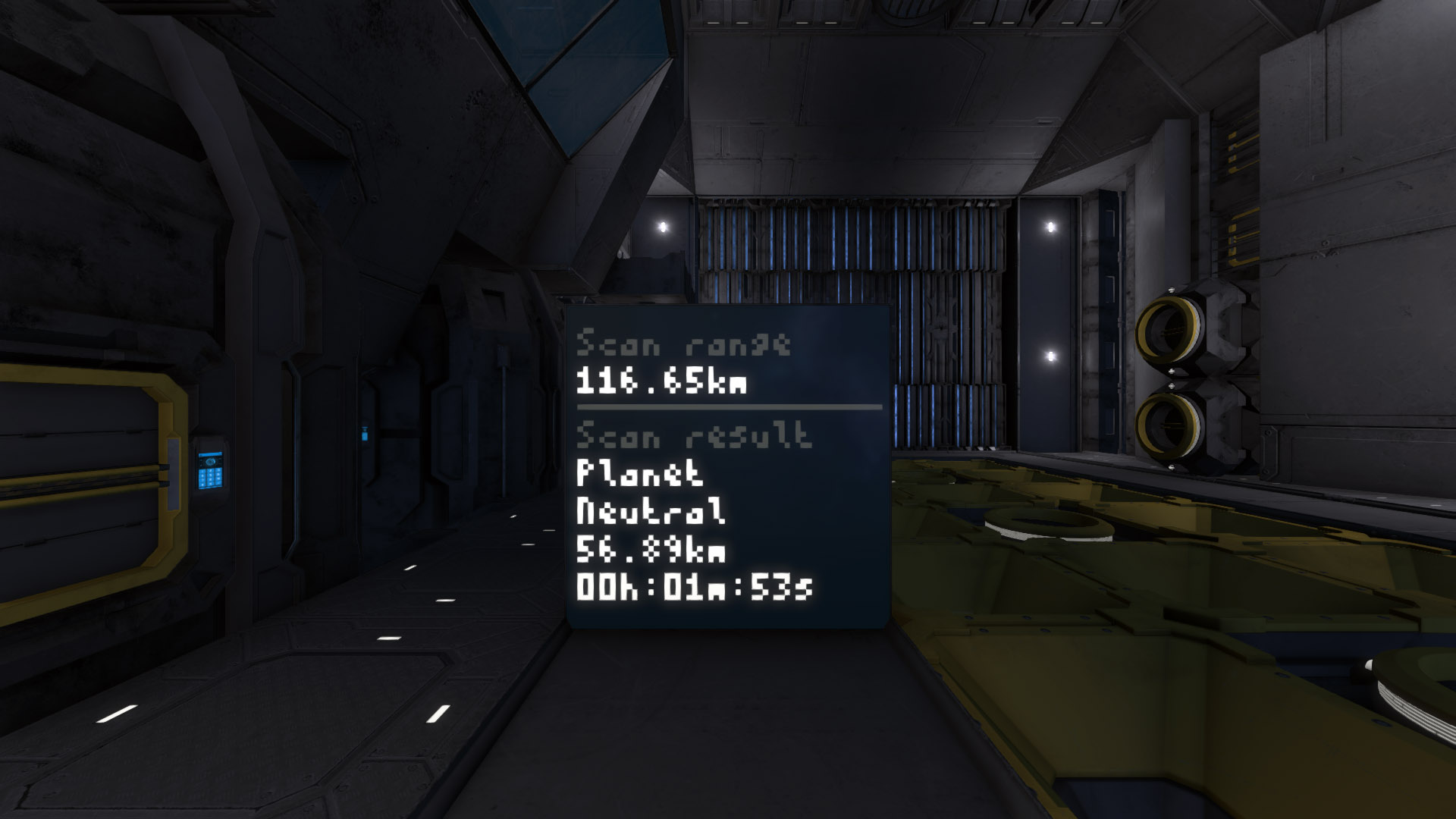
This script allows you to measure the distance between your camera and some asteroid or whatever. It shows you some basic info about the object: What it is, if it’s hostile, how far away it is, and how long it will take you to get there.
It uses the either Monospace pixels to display data on the main LCD, or regular text, and regular text on a secondary corner LCD. Of course, you don’t need to use either of the LCDs, you can just look in the programmable block’s output. Or you can have 12 main and 50 corner-LCDs.
You’ll find the GPS coordinates to what you scanned in the Custom Data field. Both on the PB and the LCDs.
Range: The range increases with 2000m per second. By default it tries to measure as far as possible and all of the built up charge is consumed. You can limit the range to conserve charge, and therefore be able to measure several times in rapid succession.
Note that the pictures above are taken with one of my mods active. It’s called Reduced Bloom and it does exactly what is says on the tin. Vital for anyone using LCDs.
Setup
You need:
- One Programmable block.
- One Camera with the tag #Ruler in the name.
- #Ruler tags on the LCDs you want to use. To get the graphic panel, add #Fancy as well.
Usage
- Run with the argument “scan” to measure the distance to whatever the camera is pointing at.
Additional ways to use it
- Run with the argument “scan #” to ignore the range setting and shoot a ray # meters long.
- Run with the argument “range #” to change the range setting on the fly (can also be changed in the settings).
- Tag a Timer block or a Sensor with #Ruler to trigger them when you scan something.
- Tag a programmable block to run it when you can something, with the GPS coordinates of what you scanned as the argument.
- Previous 2 points can be set to only trigger if the target is an enemy.
- Create GPS-points on your hud by copying the coordinates from Custom Data of the programmable block or LCD panels.
Also, try using this with my Dot Matrix font! It looks way better on large LCDs.
Highlights
From source dataFootprint
Rated a light load on a server.
Last update
Its author last shipped an update 9 yr ago.
Blarg's Fancy Ruler on Nxeon
From our catalogue- One-click install
- Not available. One-click install isn't available for this game's mods yet. Download it and upload it to your server in Files.
- Server load
- light
- Smallest plan we suggest
- Space Engineers — 8 GB (8 GB RAM). This follows our own load rating above, not a benchmark.
- Latest build
- 2018-01-28, released 2018-01-28
Game versions by loader
| Loader | Game versions | Newest |
|---|---|---|
| Workshop |
From 1 recorded build of Blarg's Fancy Ruler.
Run Blarg's Fancy Ruler on a Space Engineers server
Deploy a server above, then upload the file in Files.
What kind of mod it is
From the catalogTechnology & automation
Machines, power, logistics and automation.
Compatibility
- Game
- Space Engineers
Verified at the source
- ✓Steam WorkshopOfficial listing, checked 2026-11-01Open ↗
- ✓AuthorBlargmode, as published on Steam Workshop
- ✓LicenseNot published by the sourceFree












