






About Build Colors
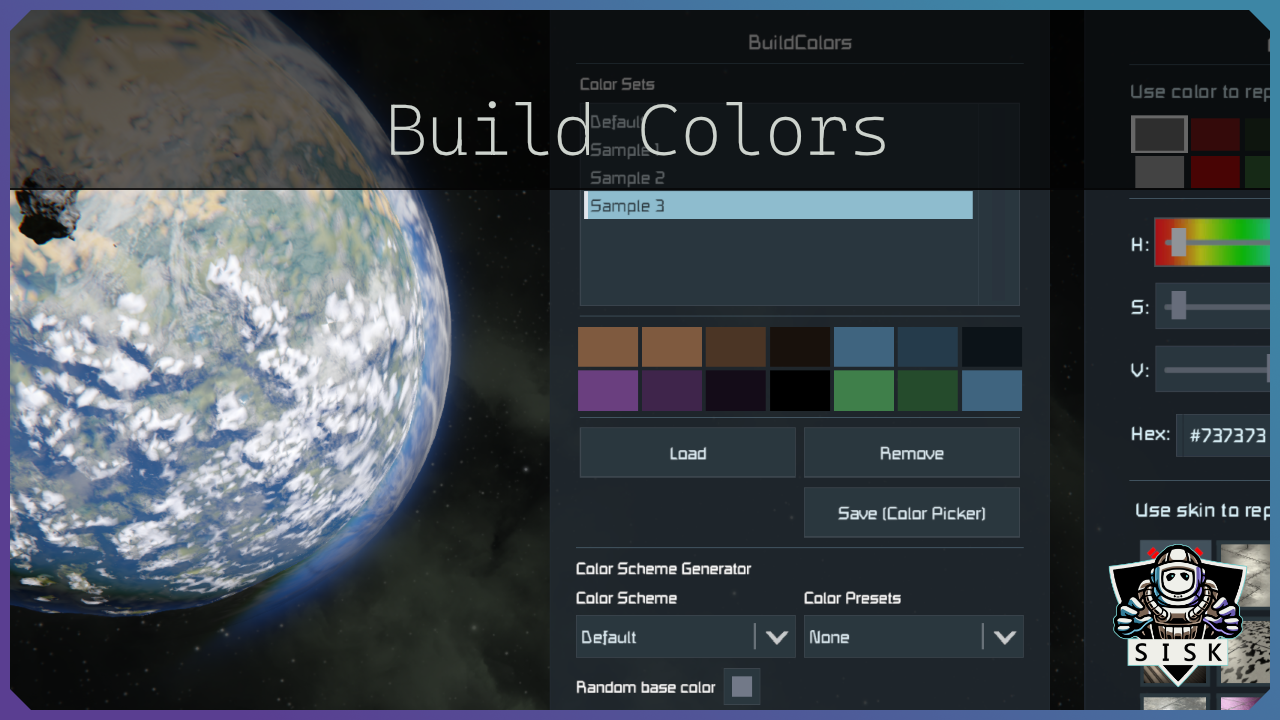
From Steam WorkshopBuild Colors Save your build palette under a name and load it in any world, on any server. Let the mod roll a matching palette for you. And set up paint jobs that repaint a whole grid with one…
Build Colors
Save your build palette under a name and load it in any world, on any server. Let the mod roll a matching palette for you. And set up paint jobs that repaint a whole grid with one keypress: armor dark, damaged blocks red, a gradient from keel to deck. Sets and jobs can be handed straight to another player.
Best used with Rich HUD Master, add it to your world too.
[hr][/hr]
The panel
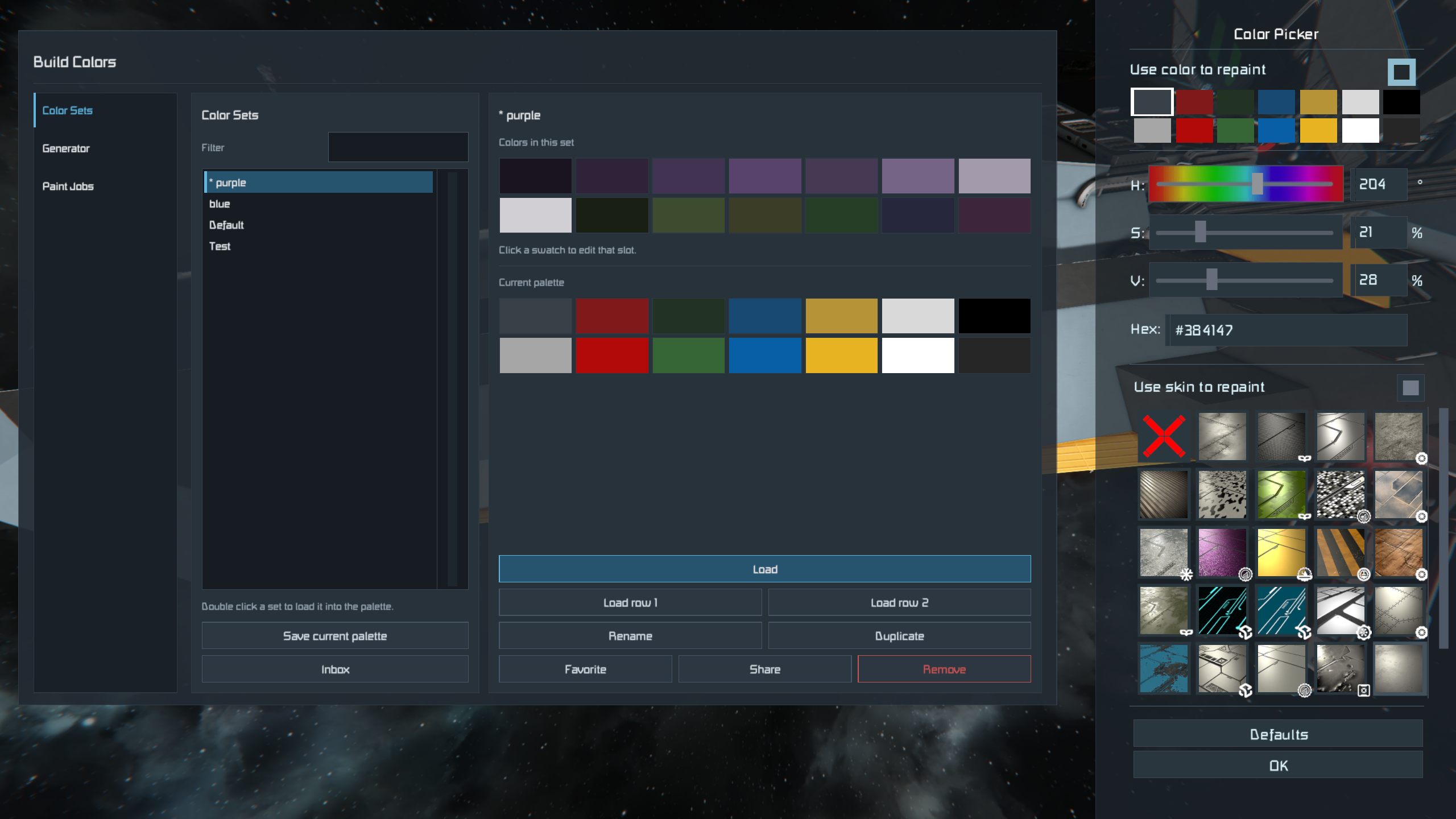
Open the game's color picker (default P). The mod sits in the free space left of the vanilla controls, with three pages: Color Sets, Generator and Paint Jobs.
[hr][/hr]
Color Sets
A color set is your fourteen build color slots under a name, shown next to your current palette so you can compare before loading.
- Double click loads a set and replaces your whole palette, Load row 1 / Load row 2 load only that half
- Click a swatch to change a single slot, Save current palette stores what you have now
- Rename, duplicate, favourite, share or remove from the same page
Favourites sit at the top, and the filter box narrows a long list as you type.
[hr][/hr]
Generator
Pick a color scheme (analogous, complementary, triadic, monochromatic, hull and accent, and more), optionally a preset for the mood, choose where the base color comes from (random, your palette, sampled from the grid you look at, or by hand), then hit Generate.
Row one is a light-to-dark ramp of the main color, row two the accents plus as many slightly tinted greys as you want. Click a swatch to edit it, right click to lock it: locked colors survive the next roll, so you can work a palette out color by color. Save it as a color set when you are happy.
[hr][/hr]
Paint Jobs
A paint job is a list of rules applied to the grid you are looking at. Each rule says which blocks (heavy armor, damaged, a certain block, a size, a skin) and what they get: a color, an armor skin, or both. Rules are checked top down and the first match wins, so put special cases above your catch-all.
Besides a flat color a rule can paint a gradient along an axis, camo patches, scatter (random per block, with weights) or a pattern of stripes or checkers. The same job on the same build always gives the same result.
Jobs, rules and rule details sit side by side on the Paint Jobs page. Edits save themselves. Copy a rule to build a variant, untick Rule enabled to try the job without it, and type into the filter above the block list to find a block fast.
Hotkeys
The active job is the one you last selected. These work with no menu open and can be rebound in the Rich HUD terminal under Build Colors ▸ Controls.
[table] [tr][th]Default[/th][th]Does[/th][/tr] [tr][td]Alt + your color change key (P)[/td][td]Apply the active paint job[/td][/tr] [tr][td]Alt + Z[/td][td]Undo the last application[/td][/tr] [tr][td]Alt + your cycle color right / left key (. and ,)[/td][td]Next / previous paint job[/td][/tr] [/table]
The defaults follow the keys you have the game's own color controls on. One exception: if you walk with Z, as a ZQSD player does, undo starts on Alt + Shift + your apply key (Alt + Shift + P by default).
The last ten applications can be undone, until you leave the world.
[hr][/hr]
Sharing
Share sends a set or job to one player or to everyone online. It lands in their Inbox, and only Accept keeps it, saved under a free name so nothing of theirs is overwritten. Only online players are reached, and the inbox is emptied when you leave.
[hr][/hr]
Chat commands
Everything the panel does works in chat too. /bc help shows the full list.
/bc [command] [arguments][/code]

[table]
[tr][td]save / load / remove [name][/td][td]Save, load or delete a color set.[/td][/tr]
[tr][td]list / jobs[/td][td]List your color sets or paint jobs.[/td][/tr]
[tr][td]generate [scheme] [preset][/td][td]Roll a palette. Both optional.[/td][/tr]
[tr][td]showjob / applyjob [job][/td][td]Show or apply a paint job.[/td][/tr]
[tr][td]undojob[/td][td]Undo the last application.[/td][/tr]
[tr][td]share [name] / sharejob [job] [player][/td][td]Send it. Without a player, to everyone online.[/td][/tr]
[tr][td]shares / accept / decline [name][/td][td]List, keep or drop what others sent you.[/td][/tr]
[/table]

Names with spaces go in quotes: [b]/bc applyjob "My Hull"[/b]. A position from the listing works too, like [b]#2[/b].

[hr][/hr]
[h2]Where your stuff is saved[/h2]
In your global storage, so it follows you into every world:
[code]%appdata%\SpaceEngineers\Storage\ColorSets.xml
%appdata%\SpaceEngineers\Storage\PaintJobs.xml
[hr][/hr]
Support
It would be nice if you could consider supporting me.

My other mods are in my Workshop. Source at GitHub under MIT: use the code as you like, but please do not flood the workshop with copies. Missing a feature? Ask first.
Thanks Dark Helmet for the awesome UI library, Rich HUD Master.
Highlights
From source dataFootprint
A 2 MB download, rated a light load on a server.
Last update
Its author last shipped an update 14d ago.
Build Colors on Nxeon
From our catalogue- One-click install
- Not available. One-click install isn't available for this game's mods yet. Download it and upload it to your server in Files.
- Server load
- light
- Smallest plan we suggest
- Space Engineers — 8 GB (8 GB RAM). This follows our own load rating above, not a benchmark.
- Latest build
- 2026-10-02, released 2026-10-02, 2 MB
Game versions by loader
| Loader | Game versions | Newest |
|---|---|---|
| Workshop |
From 1 recorded build of Build Colors.
Dependencies
- Required: Rich HUD Master
Declared by the newest build that lists any. Required ones are installed with it on one-click installs.
Run Build Colors on a Space Engineers server
Deploy a server above, then upload the file in Files.
What kind of mod it is
From the catalogBuilding & decoration
Blocks, furniture, decorations and building tools.
Compatibility
- Game
- Space Engineers
- File size
- 2 MB
Verified at the source
- ✓Steam WorkshopOfficial listing, checked 2026-10-11Open ↗
- ✓Author🅂🄸🅂🄺, as published on Steam Workshop
- ✓LicenseNot published by the sourceFree












