
About Build Info (ALL credit to Digi the creator)
From mod.ioDisplays more information about the block you're holding or aiming at, along with other features listed below. Air leak finder was moved to a standalone version! This means you can use that without all the other stuff this mod provides.
Displays more information about the block you're holding or aiming at, along with other features listed below.
Air leak finder was moved to a standalone version! This means you can use that without all the other stuff this mod provides.
Highlight features
- Config/ModMenu - Player customizable and toggleable features
Most of this mods' features can be customized or turned off entirely.
Easiest way to do so is by using the TextAPI mod menu, open chat and press F2, then a button will appear top-left. (Screenshot #6)
Alternatively you can edit the config.ini yourself, found in: %appdata%\SpaceEngineers\Storage\514062285.sbm_BuildInfo\config.ini which can then be reloaded mid-game using /bi reload in chat. - Equipped/aimed block information
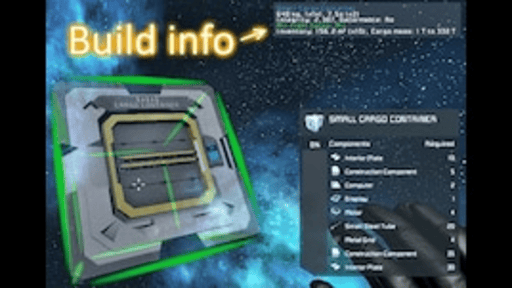
Equipping a block to place will show a text box showing various info about it, like its mass, integrity, time to build, aswell as block-specific data like inventory capacity, power drain/storage, etc. (Screenshot #3)
Aiming at a block with welder/grinder (ship ones too) will also show this box with data relevant to its current state instead of definition data. (Screenshot #1)
It shows projected block info aswell, even ones that can't be welded so that you know why they can't be and can see overlays for them too.
Overlays can also be locked to stay on an aimed real block using Shift+Reload (Shift+R default) and you can also still see overlays for your equipped block at the same time.
Additionally, the vanilla block info has some colored line additions for critical, ownership and components that grind into something else (e.g. power cells on battery block, Screenshot #1). - Overlays
Showing mount points, airtight cell faces, conveyor/upgrade/terminal ports and various other block-specific data like ship tool influence area, thruster damage, weapon accuracy cone, etc. (Screenshot #3/Screenshot #4)
Cycled by pressing Ctrl + (can be changed in config/modmenu).
Also by aiming at a block and pressing Shift ToggleCubeSize (default Shift R) you activate overlay lock-on to keep it visible without needing to keep aiming. - Terminal extra info
Fills in missing info from the block's bottom-right info in the terminal.
Stuff like inventory usage+mass, power stats, production status, etc.
Cockpits/RCs also contain grid-wide power stats.
Selecting multiple blocks also shows some combined stats for them (affected by GUI transparency unfortunately). - Toolbar Info
This covers a wide range of things for toolbars:
- On-HUD toolbar info for the currently controlled cockpit/RC (Screenshot #5)
- In-menu toolbar info (right side) for any toolbar, very useful to remind what PB argument that one slot has.
- Event toolbar descriptions (left side) to explain when each slot gets triggered (for example in sensor's toolbar).
- Block actions in toolbars have improved text status that includes block-group-aware status too.
Block Actions also have customized icons for clarity and distinction because vanilla ones are blurry and very few.
You can also rename slots per cockpit for the in-HUD one using CustomData with [Toolbar] header and page-slot = name format, see /bi help for more details. - ConveyorVis / Conveyor network visualization
Using /bi conveyorvis or /bi cn in chat while aiming at a ship will map out the conveyor networks.
(Screenshot #2)
It automatically refreshes when ship blocks or connections change.
- Blocks that have no ports connected to anything will pulse all their ports red. While broken/unfinished blocks will flash their connected ports a bit orange-ish red.
- Yellow, Cyan, Orange, Blue, SpringGreen, SkyBlue, LimeGreen are the colors used for networks, they cycle if you happen to have more than the colors of course.
- Dots same colors as the network indicate blocks with a single port (dead end).
- Pink dots mean the block can connect to another grid (connectors, rotors, etc).
- Transluscent boxes indicates inventory (and shows how many inventories with multiple boxes). - ... and many more little things
But this description is too large for steam to let me write, so I've moved the full feature list to a separate page: Full feature list[gist.github.com]
Highlights
From source dataFootprint
Rated a light load on a server.
Last update
Its author last shipped an update 9 mo ago.
Build Info (ALL credit to Digi the creator) on Nxeon
From our catalogue- One-click install
- Not available. One-click install isn't available for this game's mods yet. Download it and upload it to your server in Files.
- Server load
- light
- Smallest plan we suggest
- Space Engineers — 8 GB (8 GB RAM). This follows our own load rating above, not a benchmark.
- Latest build
- 158, released 2026-02-18
Run Build Info (ALL credit to Digi the creator) on a Space Engineers server
Deploy a server above, then upload the file in Files.
What kind of mod it is
From the catalogListed on mod.io as “Mods”
Building & decoration
Blocks, furniture, decorations and building tools.
Compatibility
- Game
- Space Engineers
Verified at the source
- ✓mod.ioOfficial listing, checked 2026-10-30Open ↗
- ✓AuthorCBJaxx, as published on mod.io
- ✓LicenseNot published by the sourceFree