About Cargo Scanner
From Steam WorkshopVersion 2 Complete rewrite Complete multiplayer re-architecture Improved game mechanics Scan Player and NPC ships for valuable cargo Multiplayer / Dedicated Server / Single Player Short range scanner…
Version 2
- Complete rewrite
- Complete multiplayer re-architecture
- Improved game mechanics
Scan Player and NPC ships for valuable cargo
Multiplayer / Dedicated Server / Single Player
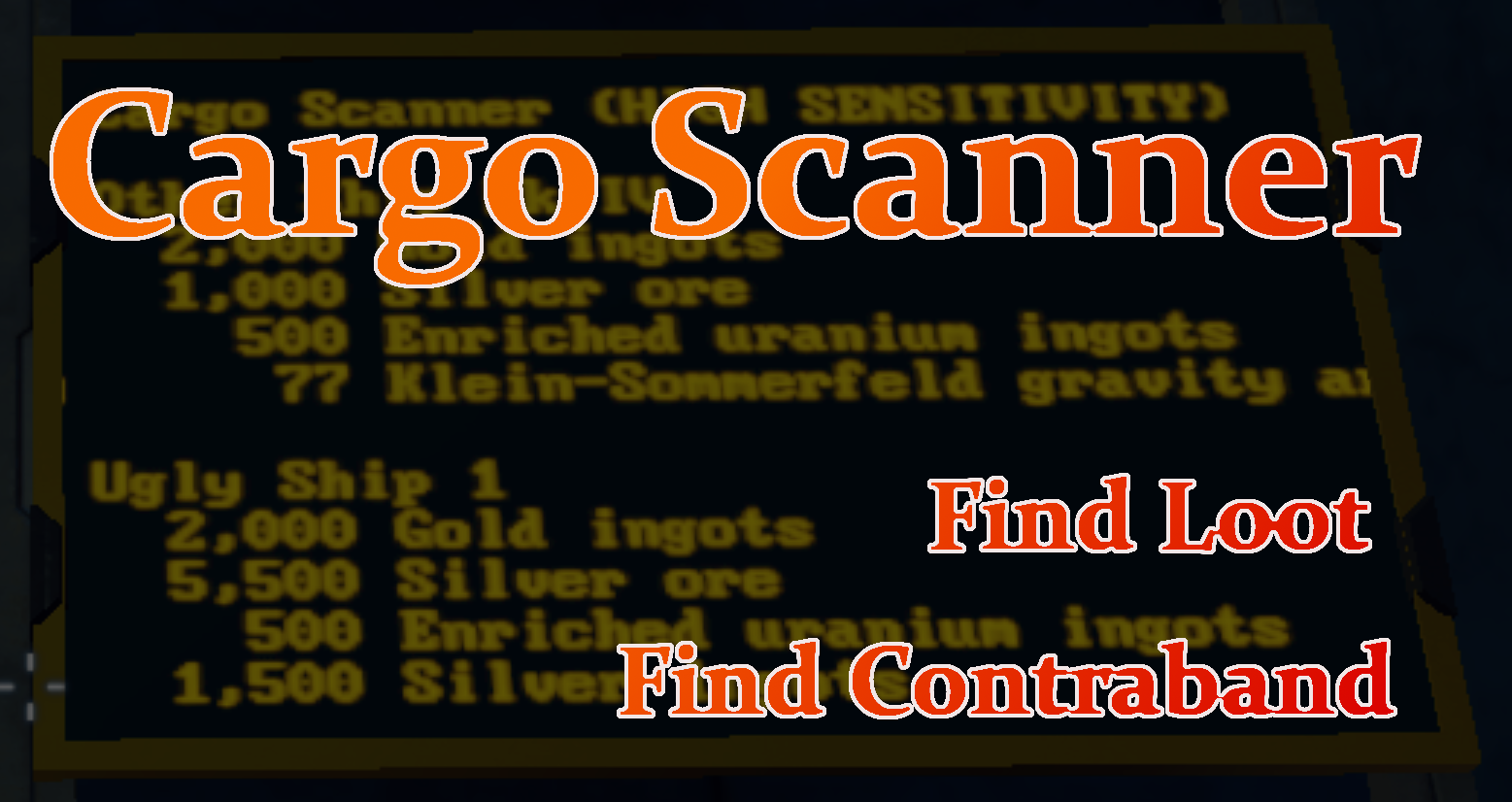
Short range scanner that detects valuable cargo on other ships and displays the information for the player. Works with modded ores, building materials, and 'tech" components.
Design Specifications
- Only scans large-grid craft
- Only detects items in cargo containers
- Only detects "large quantities" of items (quantity can be customized)
- TSS can be used to display scanner results to any LCD
- Large grid and small grid scanners
Use the Sensitivity setting to adjust the block's behavior.
- High sensitivity is more likely to detect items, and produces more accurate results, however the scanning distance is very short.
- Low sensitivity has a higher chance of missing items, however the scanning distance is much farther.
- During a scan, the block broadcasts the scanning ship's location at a radius twice the distance of the scan.
LCDs can be set to display the scan results from any scanner on the ship.
[h1]Is it worth it?[/h1] You know what they've got, but is the juice worth the squeeze? Weapon Scanner What are they really made of? Material Scanner
Configurable Options
Your configuration file is located here after you initially create your game.
~AppData\Roaming\SpaceEngineers\Saves\76561199002779266\{save game name}\Storage\Cargo Scanner_CargoScanner[/code]

[b]Minimum Range[/b]
(kilometers) This is the scanner's range when set to its highest sensitivity.
[i]Default is 0.5 km[/i]

[b]Maxmimum Range[/b]
(kilometers) This is the scanner's range when set to its lowest sensitivity.
[i]Default is 2.5 km[/i]

[b]Small Grid Range Factor[/b]
(scalar) This is a multiple applied to the defined range and used for small grid cargo scanners.
[i]Default is 0.35[/i]

[b]Minimum Detection Probability[/b]
(0-1.0) The probability of detecting each particular item on another ship. This value is used when set to the lowest sensitivity.
[i]Default is 0.65[/i]

[b]Maximum Detection Probability[/b]
(0-1.0) The probability of detecting each particular item on another ship. This value is used when set to the highest sensitivity.
[i]Default is 0.995[/i]

[b]Normal Power Usage[/b]
(MW) The power used by the scanners when idle.
[i]Default is 0.5 MW[/i]

[b]Work Power Usage[/b]
(MW) The power used by the scanners when conducting a scan.
[i]Default is 15 MW[/i]

[b]Small Grid Power Factor[/b]
(scalar) This is a multiple applied to the power usage and used for small grid cargo scanners.
[i]Default is 0.25[/i]

[b]Work Duration[/b]
(seconds) How long the scanner must "scan" before it produces results.
[i]Default is 20 seconds[/i]

[b]Cooldown Duration[/b]
(seconds) How long the scanner must cool down before it can be used again.
[i]Default is 5 seconds[/i]

[b]Enable Broadcast Ping on Scan[/b]
(true | false) When a ship scans, it broadcasts its location to everyone in the area.
[i]Default is true[/i]

[b]Broadcast Factor[/b]
(scalar) The broadcast distance is this value multiplied by the detection distance.
[i]Default is 2[/i]

[b]Scan Message[/b]
(text) Any ships in the area will see this message while the scanner is active.
[i]Default is "Scanning your ship"[/i]

[b]Detectable Items[/b]
(Detectable Item) Items the cargo scanner is capable of detecting in other ships.
[i]Default items
[list]
[*]Uranium ore and ingots
[*]Platinum ore and ingots
[*]Gold ore and ingots
[*]Silver ore and ingots
[*]Magnesium ore and ingots
[*]Superconductors
[*]Reactor components
[*]Thruster components
[*]Gravity components
[*]Medical components
[/list][/i]
[h1]Detectable Item[/h1]
These define each thing the scanners can see.

[b]Display Name[/b]
(text) What the sensor displays when the item is detected, e.g. "Gravity Generator Parts"

[b]Item Type[/b]
(text) The <TypeId> taken from the .sbc file[b]*[/b] (see below) that defines the item, e.g., Ore, Ingot, PhysicalItem, etc. Leave blank to detect only by subtype. For example, use no TypeId and a SubtypeId of "Gold" to detect both gold ore and gold ingots.

[b]Item Subtype[/b]
(text) The <SubtypeId> taken from the .sbc file[b]*[/b] (see next) that defines the item, e.g., SpaceCredits, Uranium, etc. Leave blank to detect only by type. For example, use TypeId of "Ingot" and no SubtypeId to detect all types of ingots.

[code]<PhysicalItem>
    <Id>
        <TypeId>Ore</TypeId>
        <SubtypeId>Nickel</SubtypeId>
    </Id>
- Materials such as ore and ingots are defined in PhysicalItems.sbc and PhysicalItems_Economy.sbc.
- Components such as metal grids and steel plates are defined in Components.sbc and Components_Economy.sbc.
- Modded and custom items will be found in a .sbc file within the mod defining the item.
Minimum Quantity (any positive number) This is the minimum amount of an item that must be present in order to be eligible for detection. Anything below this amount cannot be detected. Leave empty to detect any amount.
Detection Modifier (0-1.0) Modifier of the scanner's detection probability for this particular item. Use this to reduce the chance of detection of some items.
Bug Reports
Discord I don't troubleshoot, give technical advice, or have discussions in the comment section. That's what the Discord is for. Comments get lost to time, but discord histories can be searched and referenced.
Other Mods You Might Like
Highlights
From source dataFootprint
Rated a light load on a server.
Last update
Its author last shipped an update 2 yr ago.
Cargo Scanner on Nxeon
From our catalogue- One-click install
- Not available. One-click install isn't available for this game's mods yet. Download it and upload it to your server in Files.
- Server load
- light
- Smallest plan we suggest
- Space Engineers — 8 GB (8 GB RAM). This follows our own load rating above, not a benchmark.
- Latest build
- 2024-10-15, released 2024-10-15
Game versions by loader
| Loader | Game versions | Newest |
|---|---|---|
| Workshop |
From 1 recorded build of Cargo Scanner.
Run Cargo Scanner on a Space Engineers server
Deploy a server above, then upload the file in Files.
What kind of mod it is
From the catalogVehicles & ships
Cars, boats, aircraft, ships and other things to drive or fly.
Compatibility
- Game
- Space Engineers
Verified at the source
- ✓Steam WorkshopOfficial listing, checked 2026-11-01Open ↗
- ✓AuthorPatrick, as published on Steam Workshop
- ✓LicenseNot published by the sourceFree