






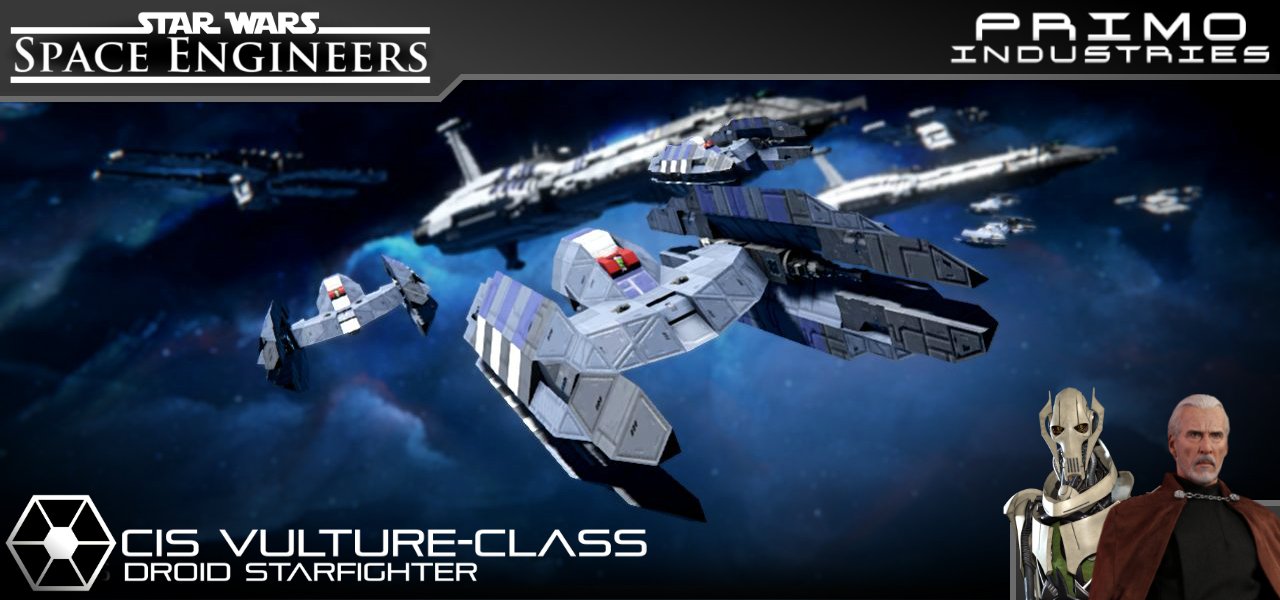
About CIS Vulture-class Starfighter [Flight Configuration]
From Steam WorkshopIf you like this build, Please Like, Favorite and Subscribe!!! Do also keep on a look out for more Star Wars content! May the Force Be with You! Variable Geometry Self-Propelled Battle Droid, Mark I…
If you like this build, Please Like, Favorite and Subscribe!!! Do also keep on a look out for more Star Wars content!
May the Force Be with You!
Variable Geometry Self-Propelled Battle Droid, Mark I
[Source: Star Wars: Episode III]
The Variable Geometry Self-Propelled Battle Droid, Mark I (also known as the Vulture-class droid starfighter or simply as the vulture droid) was a droid starfighter used by the Trade Federation. Later, in much greater numbers, it was utilized by the Confederacy of Independent Systems. It participated heavily in the Clone Wars, at engagements such as the Battles of Kamino and Coruscant.
Like most of the Trade Federation's armed forces, it carried no living pilot, but rather a droid brain that was linked to a central control computer, often aboard a Lucrehulk-class Droid Control Ship. Each Trade Federation battleship carried 1,500 such droid starfighters.
The Vulture-class was designed by Haor Chall Engineering, which was founded by the fanatical Xi Char, a religious order dedicated to high-precision manufacturing. As a result, it represented classic Xi Charrian design— an insectoid appearance, multiple weapons emplacements, and a compact body that offered only a small target for enemy fighters. Production information
> Manufacturer: Baktoid Fleet Ordnance and Haor Chall Engineering > Product line: Droid starfighters > Model: Variable Geometry Self-Propelled Battle Droid, Mark I > Class: Starfighter
Technical information
> Armament: Blaster cannons Energy torpedo launchers > Crew: Integrated droid brain
Instructions [Pilot]:
01.) The Vulture can only be operated via remote control. Set up a ship or station with an antenna, then proceed to activate the Vulture’s antenna.
02.) When seated on the ship/station, go to Remote Access and select the Vulture Droid. Press 2 on the toolbar to access the Vulture’s camera.
Controls [Toolbar 01]: [/h1] [1]: Blaster cannons - (Fire) [2]: Camera - (View) [3]: -Empty- [4]: -Empty- [5]: -Empty- [6]: -Empty- [7]: -Empty- [8]: -Empty- [9]: -Empty-
Controls [Toolbar 02]: [1]: Antenna - (On/Off) [2]: -Empty- [3]: -Empty- [4]: -Empty- [5]: -Empty- [6]: -Empty- [7]: -Empty- [8]: -Empty- [9]: -Empty-
Additional Credits:
>(DX11) Star Wars Weapons by "Razortron": https://steamcommunity.com/sharedfiles/filedetails/?id=598138548
>(ARMCO) Repulsor Engines by “Spacebar” and Kreeg”: https://steamcommunity.com/sharedfiles/filedetails/?id=1656790406&searchtext=armco
Highlights
From source dataFootprint
Rated a light load on a server.
Last update
Its author last shipped an update 7 yr ago.
CIS Vulture-class Starfighter [Flight Configuration] on Nxeon
From our catalogue- One-click install
- Not available. One-click install isn't available for this game's mods yet. Download it and upload it to your server in Files.
- Server load
- light
- Smallest plan we suggest
- Space Engineers — 8 GB (8 GB RAM). This follows our own load rating above, not a benchmark.
- Latest build
- 2019-11-01, released 2019-11-01
Game versions by loader
| Loader | Game versions | Newest |
|---|---|---|
| Workshop |
From 1 recorded build of CIS Vulture-class Starfighter [Flight Configuration].
Dependencies
- Required: S - Modular Thruster - DX11
- Required: [Discontinued] Star Wars Weapons
- Required: (ARMCO) Repulsor Engines
Declared by the newest build that lists any. Required ones are installed with it on one-click installs.
Run CIS Vulture-class Starfighter [Flight Configuration] on a Space Engineers server
Deploy a server above, then upload the file in Files.
What kind of mod it is
From the catalogBuilding & decoration
Blocks, furniture, decorations and building tools.
Compatibility
- Game
- Space Engineers
Verified at the source
- ✓Steam WorkshopOfficial listing, checked 2026-11-01Open ↗
- ✓AuthorPrimoSuperT, as published on Steam Workshop
- ✓LicenseNot published by the sourceFree












