






About DUTC Build And Repair
From Steam WorkshopDUTC Build & Repair Companion script for the SKO Nanobot Build and Repair System mod. Place a BaR block - it configures itself. Parts missing - they queue themselves. Everything visible on clean,…
DUTC Build & Repair
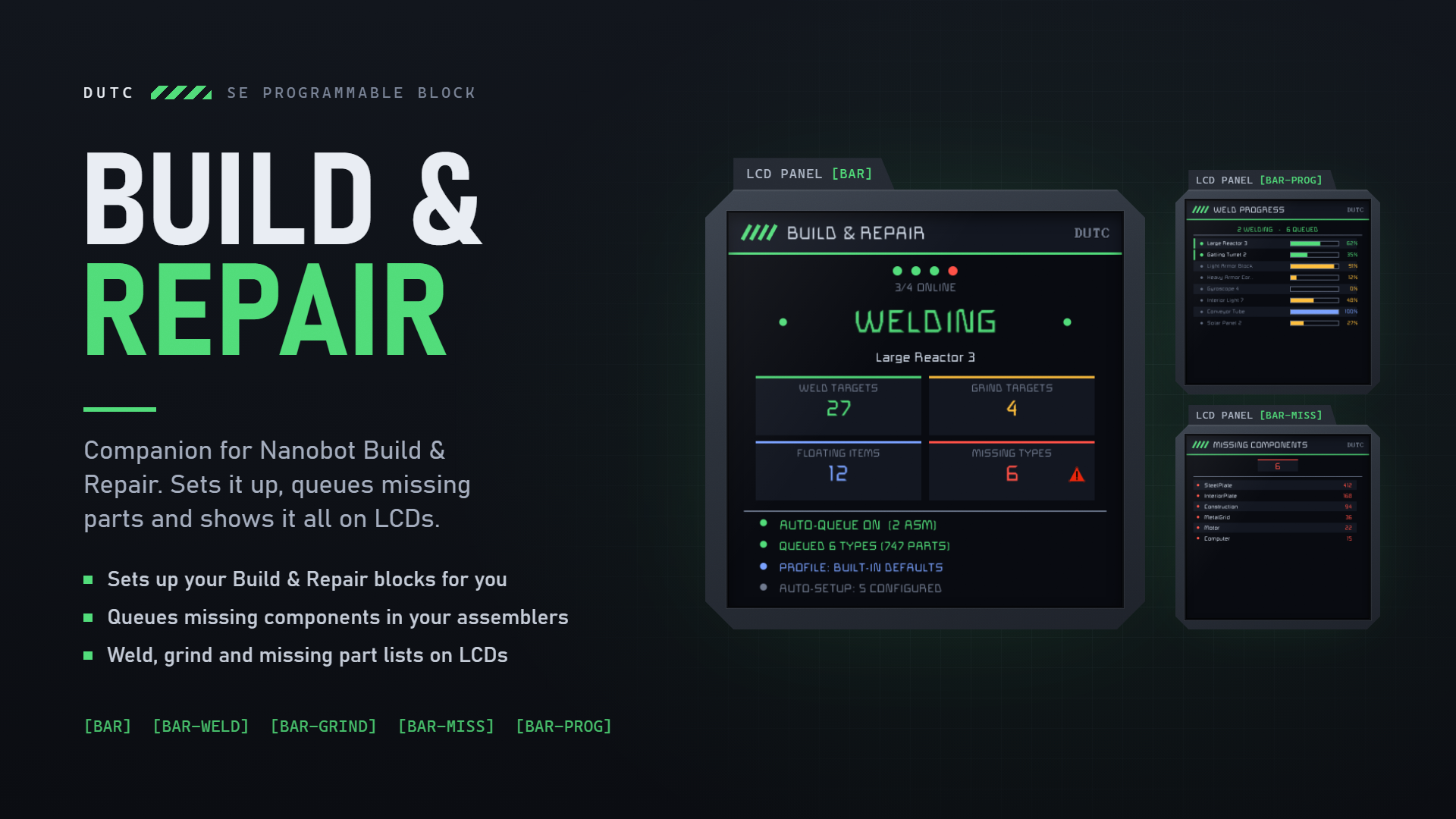
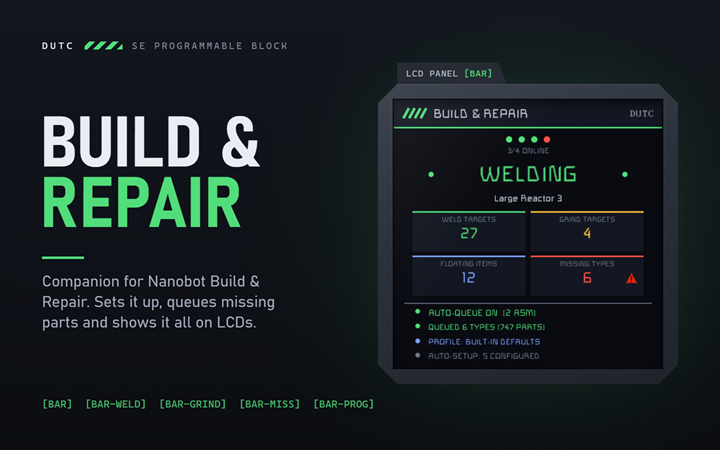
Companion script for the SKO Nanobot Build and Repair System mod. Place a BaR block - it configures itself. Parts missing - they queue themselves. Everything visible on clean, modern LCDs.
Features
- Auto-Setup - every newly placed BaR block gets your settings applied automatically within seconds. Work mode, weld mode, janitor options, area size, priorities - all of it. Configure once, never again.
- Settings Capture - run capture to save the settings of an existing BaR block as your profile. Or just edit the defaults at the top of the script.
- Smart Auto-Queue - missing components are queued to your assemblers automatically. Only fully built, powered assemblers in assembly mode get jobs - never half-welded ones, never disassemblers, never survival kits (configurable).
- Multi-grid support - default reach is your own ship (local grid plus rotors/pistons). Connector-joined multi-grid ships: set GRID_MODE = 3 and it works across connectors too.
- Live weld progress - dedicated screen showing every block in work order with progress bars, actively welded blocks pinned at the top.
- All builders merged - targets from every BaR system are combined and deduped, so builders covering different areas all show up. Lists ordered by what gets welded next.
- Queue diagnostics - the status screen tells you exactly what auto-queue is doing (queued / no assemblers / wrong mod version) instead of failing silently.
- Zero configuration - finds BaR blocks, assemblers and screens by itself.
Setup
[olist] [*]Install the SKO Nanobot Build and Repair System mod (maintained version - the original mod lacks the queue API). [*]Load this script into a Programmable Block. Done - it runs automatically. [*]Optional: tag LCDs with the screen tags below. [*]Optional: run the PB with argument capture to store your own BaR settings as the profile (tag the source block [BAR-SRC] if you have several). [/olist]
Screens
Put a tag anywhere in an LCD or cockpit name:
- [BAR] - status overview (state banner, stat tiles, per-system health dots, queue status)
- [BAR-PROG] - live weld progress: active welds pinned on top with pulsing markers, progress bar + % per block, ordered by what happens next
- [BAR-WELD] - weld target list in work order
- [BAR-GRIND] - grind target list
- [BAR-MISS] - missing components with amounts, biggest first
Cockpit screens: [BAR:1] = second surface, [BAR-PROG:2] = third, and so on.
Arguments
- capture - save settings from your BaR block as the profile
- apply - force-apply the profile to ALL BaR blocks now
- queue - toggle auto-queuing on/off
- asm - list exactly which assemblers the script found (debug)
- on / off - enable/disable all BaR systems
Configuration
Editable defaults at the top of the script: search mode, work mode, weld mode, janitor options, area size, grid reach (GRID_MODE), survival kit usage, auto-queue, assembler group, page flip speed. A captured profile (stored in the PB's Custom Data) overrides the built-in defaults - delete the Custom Data to fall back.
Requirements
- SKO Nanobot Build and Repair System (Maintained) mod
- In-game scripts enabled in world settings
- A Programmable Block
Part of the DUTC script series.
Highlights
From source dataFootprint
Rated a light load on a server.
Last update
Its author last shipped an update 4d ago.
DUTC Build And Repair on Nxeon
From our catalogue- One-click install
- Not available. One-click install isn't available for this game's mods yet. Download it and upload it to your server in Files.
- Server load
- light
- Smallest plan we suggest
- Space Engineers — 8 GB (8 GB RAM). This follows our own load rating above, not a benchmark.
- Latest build
- 2026-10-30, released 2026-10-30
Game versions by loader
| Loader | Game versions | Newest |
|---|---|---|
| Workshop |
From 1 recorded build of DUTC Build And Repair.
Run DUTC Build And Repair on a Space Engineers server
Deploy a server above, then upload the file in Files.
What kind of mod it is
From the catalogBuilding & decoration
Blocks, furniture, decorations and building tools.
Compatibility
- Game
- Space Engineers
Verified at the source
- ✓Steam WorkshopOfficial listing, checked 2026-11-03Open ↗
- ✓AuthorDutchess77, as published on Steam Workshop
- ✓LicenseNot published by the sourceFree












