About Fancy Status Displays v2
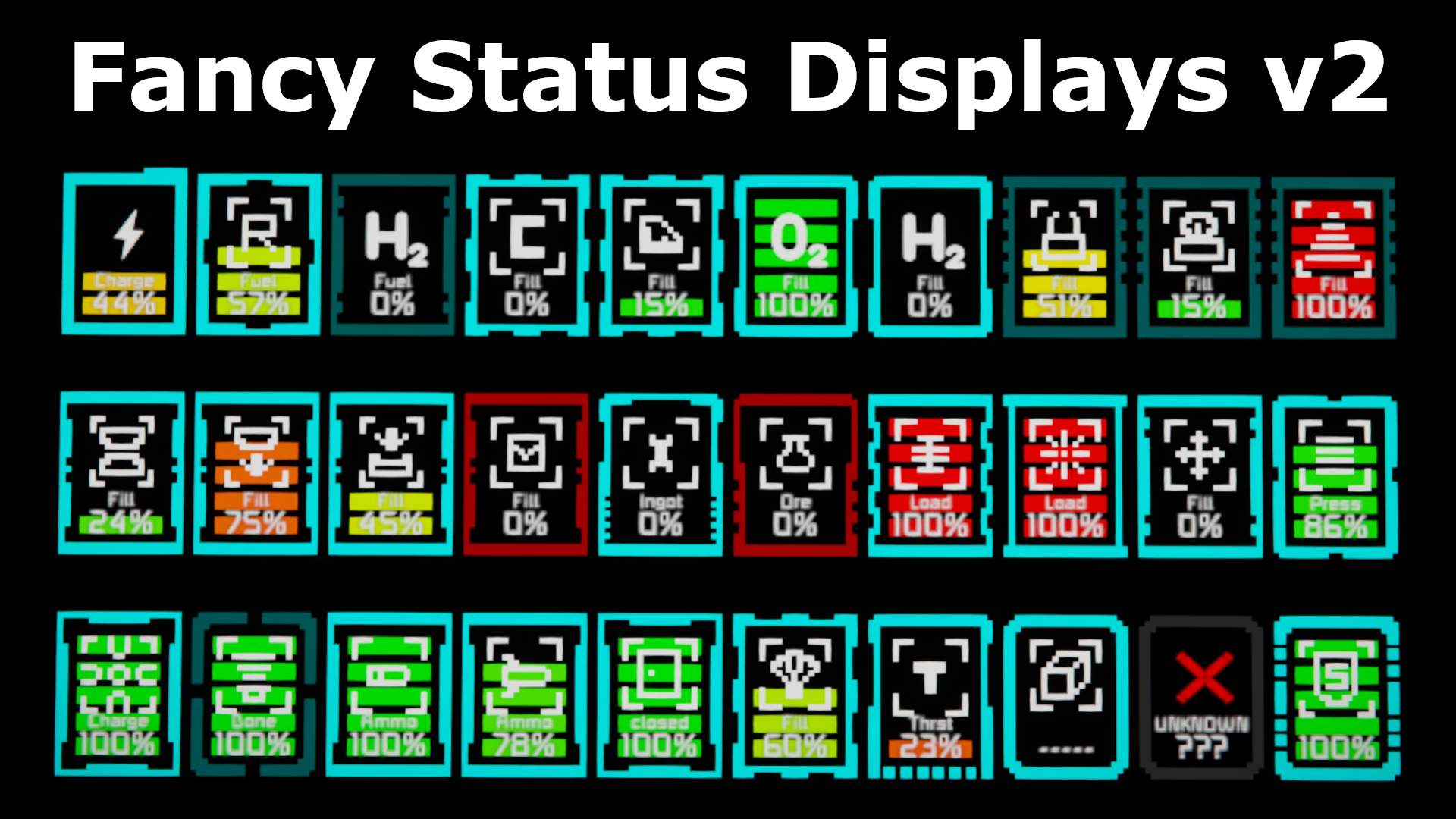
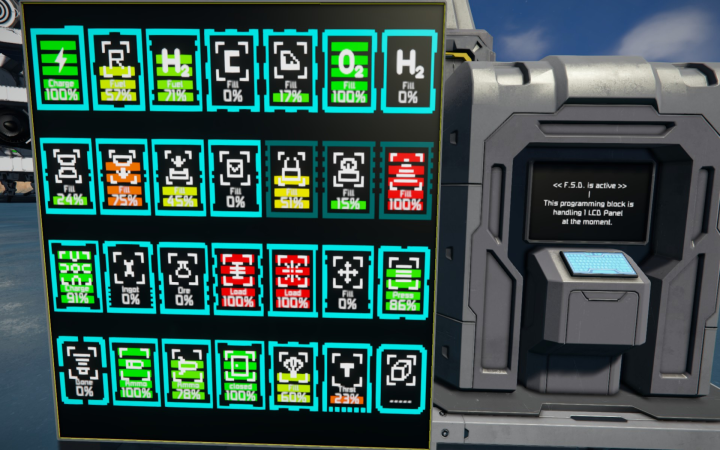
From Steam WorkshopThe Thing continues! What is new in FSD v2: more supported blocks (Vents, Parachute Crates, Sorters, Cockpits, Doors, Gates etc.) optional display of block integrity optional display of block size…
The Thing continues!
What is new in FSD v2:
- more supported blocks (Vents, Parachute Crates, Sorters, Cockpits, Doors, Gates etc.)
- optional display of block integrity
- optional display of block size and type
- (Large Grid or Small Grid, Large Medium or Small Size)
- optional identification of which information is displayed (like fuel load or power load)
- the bar graphs change color gradually from red to green (not abruptly red / cyan / green)
- the frame color now indicates the status of the block (working / not working / damaged)
- the ability to condense a whole group of icons into a single one (displaying the average)
- the ability to display missing blocks
- even unsupported terminal blocks can be displayed(only block integrity / health)
- all elements can be individually colored (without changing the script code)
- a new fast mode (for higher framerates)
- the ability to show different display layouts on a single display
- (basically a slideshow showing different screens on a single LCD)
- a sequencer to control the change of display layouts
- the ability to change some values via buttons / sensors / timers / etc.
- (Framerate / display layouts / change rate of display layout)
- patching the problem when SE is running with Cyrillic font
- tons of bugfixes, optimizations and other stuff
Back in April 2020 Coffee created Fancy Status Displays. https://steamcommunity.com/sharedfiles/filedetails/?id=2071102021 Then in Mai Coffee allowed me to join the team. Many additions and bugfixes were made. Then in August I sadly lost contact to Coffee. With this I lost the ability to commit updates. So I had to publish a new version of FSD.
What is FSD? This thing is a script, not a mod. It must not appear in any modlist. Just subscribe as a client, and load it into a programmable block in game.
Configure your cockpits, control stations, programmable blocks, lcds' (basically everything that has a screen) to display the fill level of your grid blocks.
Finally the New Guide: (with all the new features) https://steamcommunity.com/sharedfiles/filedetails/?id=2362849801
Quick Example:
Data-Set Example for the Custom Data field in a normal screen:
ShowStats
Battery
Hydrogen Engine
Reactor,optional
Cargo 2
Data-Set Example for the Custom Data field in a cockpit with multiple screens:
ShowStats
Panel 0
Battery,optional:WideBar
Hydrogen
Panel 3
Cargo
Panel 1
Drill
Connector
CAUTION When using several instances of FSD on connected grids: FSD is using a mechanism to prevent interference between the programmable blocks (PB). In such cases the PB will likely report: "This Programming block is handling 0 LCD Panels at the moment" In such a case insert the following line (at the very top) into the CustomData field of the PB: FSD options: NoSubgridLCDs
Blocks which are supported so far: [table] [tr] [th]Air Vents[/th] [th]Airtight Hangar Doors[/th] [th]Assemblers[/th] [th]Batteries[/th] [/tr] [tr] [th]Cargo Container[/th] [th]Cockpits[/th] [th]Collectors[/th] [th]Connectors[/th] [/tr] [tr] [th]Doors[/th] [th]Ejectors[/th] [th]Flight Seats[/th] [th]Gates[/th] [/tr] [tr] [th]Gatling Guns[/th] [th]Gatling Turrets[/th] [th]Hinges[/th] [th]Hydrogen Engines[/th] [/tr] [tr] [th]Hydrogen Tanks[/th] [th]Interior Turrets[/th] [th]Jumpdrives[/th] [th]Missile Launchers[/th] [/tr] [tr] [th]Missile Turrets[/th] [th]O2/H2 Generators[/th] [th]Oxygen Tanks[/th] [th]Parachute Crates[/th] [/tr] [tr] [th]Pistons[/th] [th]Projectors[/th] [th]Reactors[/th] [th]Refineries[/th] [/tr] [tr] [th]Rotors[/th] [th]Ship Drills[/th] [th]Ship Grinders[/th] [th]Ship Welders[/th] [/tr] [tr] [th]Solar Panels[/th] [th]Sorters[/th] [th]Thrusters (all atypes)[/th] [th]Wind Turbines[/th] [/tr] [/table]
This version also supports many other visual additions.
Also a big, big thanks to: Malware for his visual studio plugin Whiplash141 for his Image Converter Coffee for the initial script and all of you for your ideas and suggestions
P.S. All screenshot are made with only FSD v2 running. None other scripts or graphical mods were used to generate the graphics shown.
Highlights
From source dataFootprint
A 462 KB download, rated a light load on a server.
Last update
Its author last shipped an update 2 yr ago.
Fancy Status Displays v2 on Nxeon
From our catalogue- One-click install
- Not available. One-click install isn't available for this game's mods yet. Download it and upload it to your server in Files.
- Server load
- light
- Smallest plan we suggest
- Space Engineers — 8 GB (8 GB RAM). This follows our own load rating above, not a benchmark.
- Latest build
- 2024-10-15, released 2024-10-15, 462 KB
Game versions by loader
| Loader | Game versions | Newest |
|---|---|---|
| Workshop |
From 1 recorded build of Fancy Status Displays v2.
Run Fancy Status Displays v2 on a Space Engineers server
Deploy a server above, then upload the file in Files.
What kind of mod it is
From the catalogQuality of life & UI
Small conveniences, tweaks and interface improvements players notice straight away.
Compatibility
- Game
- Space Engineers
- File size
- 462 KB
Verified at the source
- ✓Steam WorkshopOfficial listing, checked 2026-10-10Open ↗
- ✓AuthorEkuah, as published on Steam Workshop
- ✓LicenseNot published by the sourceFree