






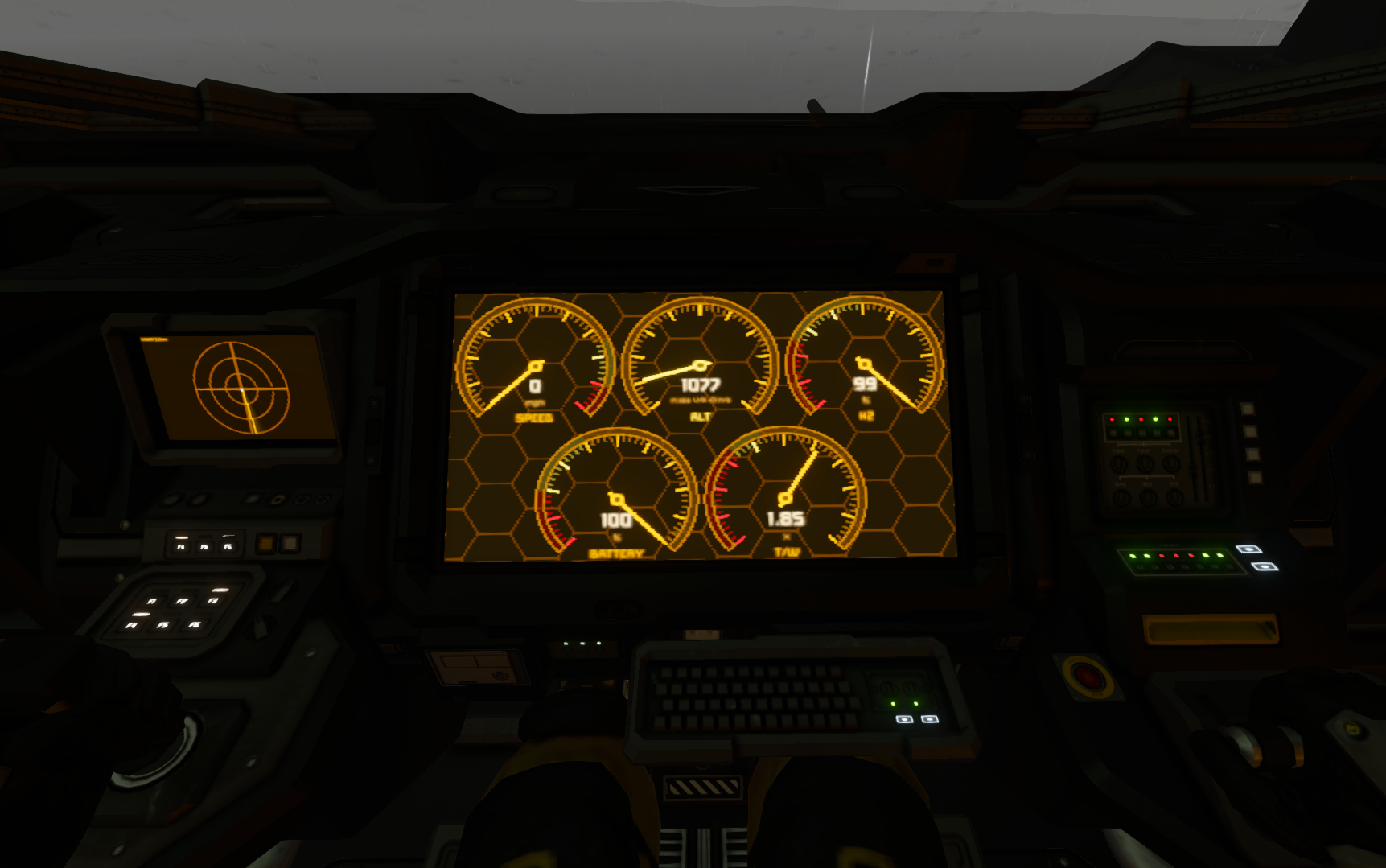
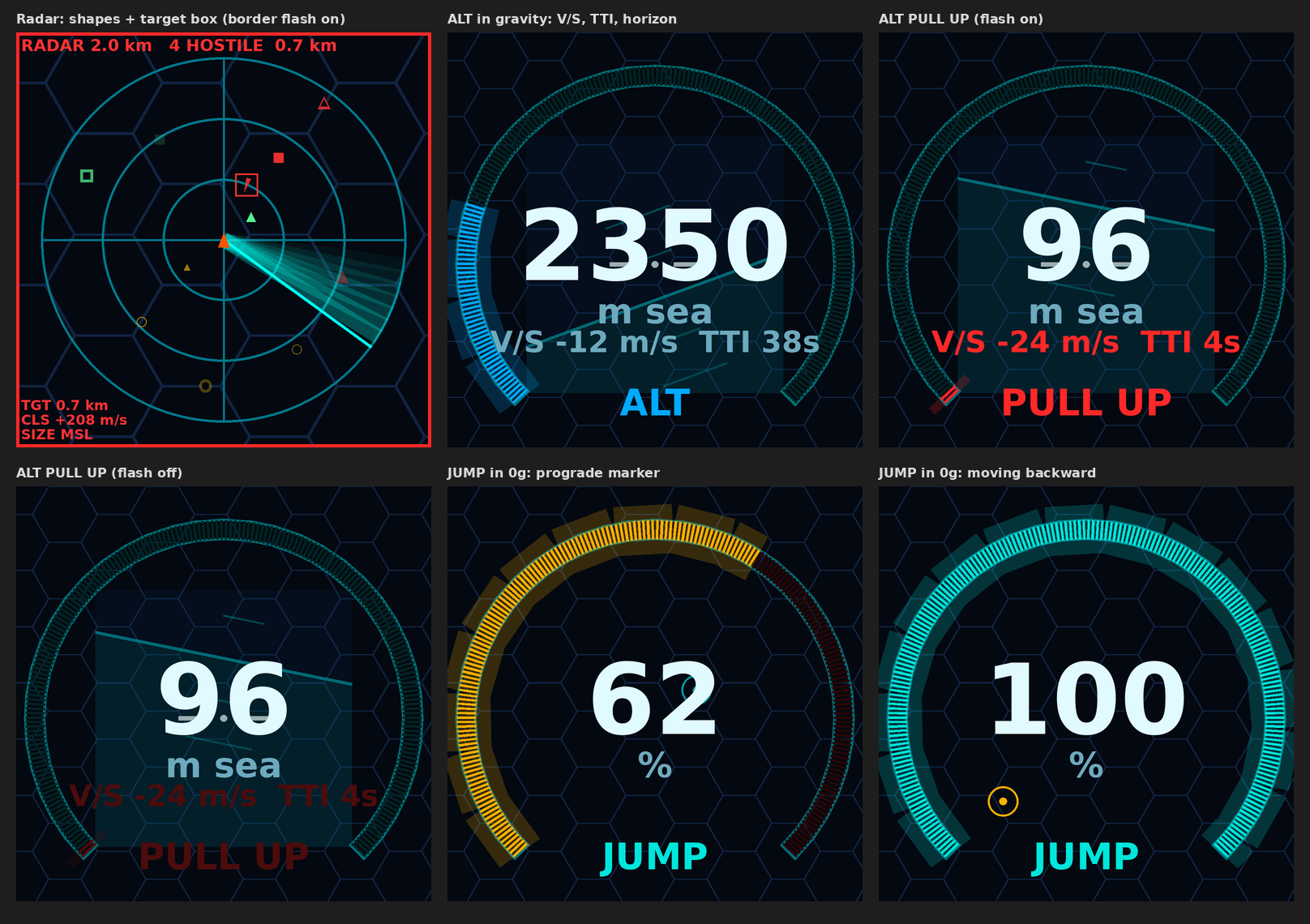
About Gauges + Radar
From Steam WorkshopGauges + Radar Round gauges and a sweeping radar for cockpits and LCDs. Works on its own or next to ShipOS. Pairs with ShipOS: https://steamcommunity.com/sharedfiles/filedetails/?id=3828301715 Radar…
Gauges + Radar Round gauges and a sweeping radar for cockpits and LCDs. Works on its own or next to ShipOS. Pairs with ShipOS: https://steamcommunity.com/sharedfiles/filedetails/?id=3828301715 Radar blueprint: https://steamcommunity.com/sharedfiles/filedetails/?id=3832624090 v1.1 - Scan rotor: [Dash Scan] rotor spins [Radar] cameras at the fastest rate camera charge allows - Hinges and limited rotors sweep back and forth - Sweep arm follows the scan rotor - Gauge faces: face=bars, dial or digital, per screen (faceN= for cockpit screens)
Features - 5 gauges: SPEED, ALT/JUMP, H2, BATTERY, T/W - Gauge faces: bars, round dials with needles, or digital - ALT shows vertical speed, time to impact and a PULL UP warning - Faint artificial horizon behind ALT (velocity marker in space) - Radar from turrets, Custom Turret Controllers, sensors and cameras - Scan rotor spins cameras for full 360 deg coverage - Contact shapes: square large grid, triangle small grid, arrow missile, ring asteroid - Nearest hostile boxed with distance, closing speed and size - Shares contacts between ships and bases over antennas - Red flash and sound alarm on hostiles, PULL UP, low H2 or low battery - Themes: cyan, violet, green, amber - Shares blocks with other scripts like ShipOS or MMaster's Automatic LCDs
Setup 1. Put the script on its own programmable block. It does not need ShipOS. 2. Cockpit screens set themselves up. 4+ screens: 0 gauges, 2 radar, 3 big ALT. 2-3 screens: 0 gauges, 1 radar. 3. Gauges on an LCD: add [Dash] to its name, or put LCDs in a group named Dash. 4. Radar on an LCD: add [Dash Radar] to its name, or put LCDs in a group named Dash Radar. 5. Second cockpit: add [Dash] to its name for the full layout. Gauges follow the cockpit in use. 6. Gauge face: face= in the PB's Custom Data sets all screens. face= in an LCD's or cockpit's Custom Data sets that block. faceN= sets one cockpit screen (e.g. face2=dial). 7. Radar sources: turrets and Custom Turret Controllers work as is. Add [Radar] to sensors and cameras. 8. Scan rotor: add [Dash Scan] to a rotor carrying [Radar] cameras. It spins at the fastest rate camera charge allows for camRange. Point cameras different ways (e.g. 2 sides or 4 at 90 deg) for faster full coverage. 9. With a scan rotor, the sweep arm follows the rotor. 10. Alarm: add [Dash] to a sound block and pick a sound. 11. Network: needs a broadcasting antenna on each grid, same netCh. 12. Base: put it on a PB with no cockpit for radar on the PB screen and tagged LCDs.
With ShipOS v2.4.1 In ShipOS Custom Data set gaugeSurface=-1, radarSurface=-1 and statusSurface=1. Don't name a Gauges + Radar LCD [Radar] or put it in a group named Radar. ShipOS will take it.
Custom Data color=cyan cyan, violet, green, amber face=bars bars, dial or digital radarRange=2000 m sweep=3 s speedMax=225 mph altMax=10000 m h2Warn=25 % batWarn=20 % camRange=5000 m camCone=30 deg (max 45) scanRows=3 rows per column scanRpm=5 max rpm rocks=false cameras report asteroids net=true share contacts netCh=Dash.Radar channel pullUp=5 s to impact alarm=true sound blocks horizon=true horizon on ALT bars=200 lower = less lag glow=true hex=true gauge background surface=N gauge screen, -1 off radarSurface=N radar screen, -1 off altSurface=N ALT screen, -1 off layout=auto off = only what you set
Colors to match your other screens cyan: bars 0, 230, 220 / background 4, 8, 16 violet: bars 70, 120, 255 / background 6, 4, 18 green: bars 0, 200, 80 / background 0, 0, 0 amber: bars 255, 160, 30 / background 10, 6, 2 Warning: 255, 176, 0 (amber theme 255, 230, 120) Critical: 255, 40, 40 on all themes ShipOS status text: set that screen's Font Color to the bars color and Background Color to the background color.
Commands rescan (also runs every 10 s) radar 5000 (range in m until rescan)
Lag If a server lags, set bars=100, glow=false or hex=false.
Highlights
From source dataFootprint
Rated a light load on a server.
Last update
Its author last shipped an update 2d ago.
Gauges + Radar on Nxeon
From our catalogue- One-click install
- Not available. One-click install isn't available for this game's mods yet. Download it and upload it to your server in Files.
- Server load
- light
- Smallest plan we suggest
- Space Engineers — 8 GB (8 GB RAM). This follows our own load rating above, not a benchmark.
- Latest build
- 2026-11-02, released 2026-11-02
Game versions by loader
| Loader | Game versions | Newest |
|---|---|---|
| Workshop |
From 1 recorded build of Gauges + Radar.
Run Gauges + Radar on a Space Engineers server
Deploy a server above, then upload the file in Files.
What kind of mod it is
From the catalogQuality of life & UI
Small conveniences, tweaks and interface improvements players notice straight away.
Compatibility
- Game
- Space Engineers
Verified at the source
- ✓Steam WorkshopOfficial listing, checked 2026-11-04Open ↗
- ✓AuthorObvioustoaster, as published on Steam Workshop
- ✓LicenseNot published by the sourceFree













