







About Graphical 3D Radar Script
From Steam WorkshopThis is a script for programming blocks. It will not show up in your mod list, it will only show up in your scripts list when you edit programming blocks. This script plots any targets that your…
This is a script for programming blocks. It will not show up in your mod list, it will only show up in your scripts list when you edit programming blocks.
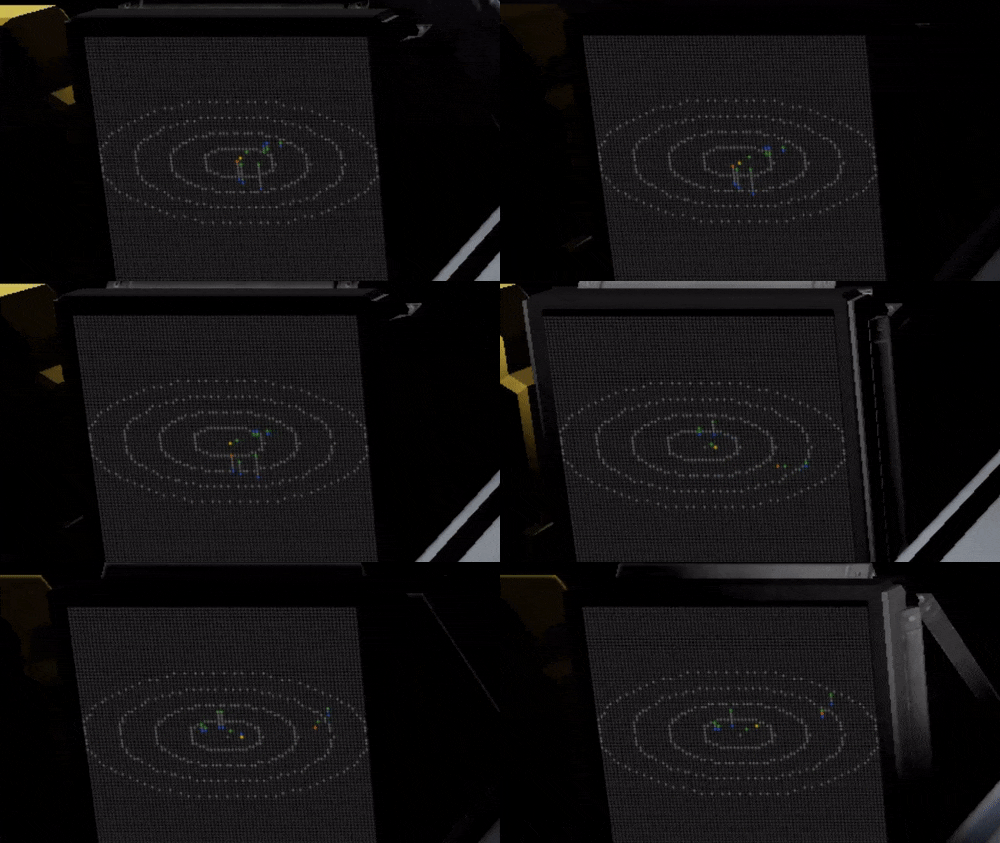
This script plots any targets that your sensors detect, so you need to use your creativity to figure out a good sensor system to detect targets at a distance, and you probably will want to use modded sensors with increased range for this to be effective. Rotors are not necessary. For example, you could tag targets manually with a front sensor, or just expand the sensor field in all directions, or put one sensor on every side of your ship. But all solutions has their advantages and drawbacks. The sensor block can only detect one target at a time in its field.
Example ship: http://steamcommunity.com/sharedfiles/filedetails/?id=641929039
Features:
- 3D scanning: Ability to detect and display targets above and below your grid - Realtime updating of detected target positions relative to your grid orientation - Plotting of friendly and enemy grids in different colors - Support for modded sensors with increased range - Adjustable colors - Adjustable lcd screen resolution, 40x40 - 160x160 - Adjustable script refresh rate - Status screen with formatted GPS coordinates - Homemade number font - Support for multiple sensors - Argument support for switching between display ranges: -- "range [range in meters]", Examples: "range 50", "range 200", "range 1000"
Instructions:
- Place a power source, a Timer, a Programmable Block, and a Text Panel / LCD - Set up one or several sensors to be able to detect targets as efficiently as possible - Add "RADAR" to the sensor name / names (you can have more than one) - Add "RADAR DISPLAY" to the Text panel / LCD name (you can have more than one) - Edit the programmable block, "Browse workshop" and find this script in the list, press "ok" - Change the forwardBlockName so it has the exact name of any block on your grid that is pointing forward - Press "Remember & Exit" - Setup "Actions" in the Timer Block like this: -> add the Programmable Block -> add the Timer Block itself and set it to "Trigger Now" - Trigger the Timer Block with "Trigger Now"
Instructions for extra GPS Stats Display
- Follow previous instructions - Add another LCD / Text panel, add "RADAR STATS" to its name (you can have more than one) - Open the script for editing, but just press "Remember & Exit" to recompile it - Trigger the Timer
Update 1.1
- Fixed issue with targets showing up in the wrong direction on some grids
Update 1.2
- Compatibility
Update 1.3
- Compatibility with new API introduced in 1.162
Highlights
From source dataFootprint
Rated a light load on a server.
Last update
Its author last shipped an update 10 yr ago.
Graphical 3D Radar Script on Nxeon
From our catalogue- One-click install
- Not available. One-click install isn't available for this game's mods yet. Download it and upload it to your server in Files.
- Server load
- light
- Smallest plan we suggest
- Space Engineers — 8 GB (8 GB RAM). This follows our own load rating above, not a benchmark.
- Latest build
- 2016-11-25, released 2016-11-25
Game versions by loader
| Loader | Game versions | Newest |
|---|---|---|
| Workshop |
From 1 recorded build of Graphical 3D Radar Script.
Run Graphical 3D Radar Script on a Space Engineers server
Deploy a server above, then upload the file in Files.
What kind of mod it is
From the catalogTechnology & automation
Machines, power, logistics and automation.
Compatibility
- Game
- Space Engineers
Verified at the source
- ✓Steam WorkshopOfficial listing, checked 2026-11-01Open ↗
- ✓Authoralex, as published on Steam Workshop
- ✓LicenseNot published by the sourceFree












