






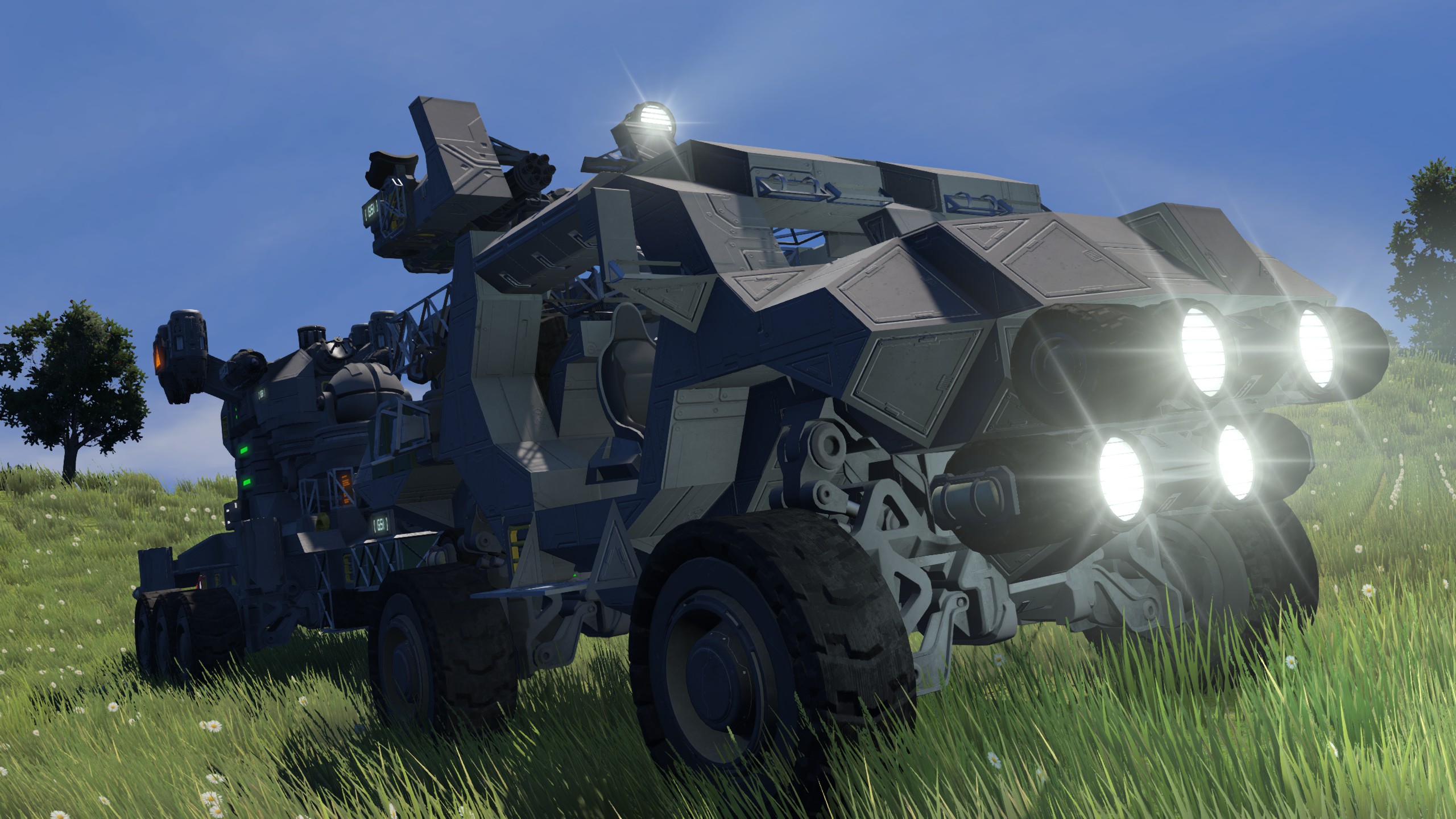
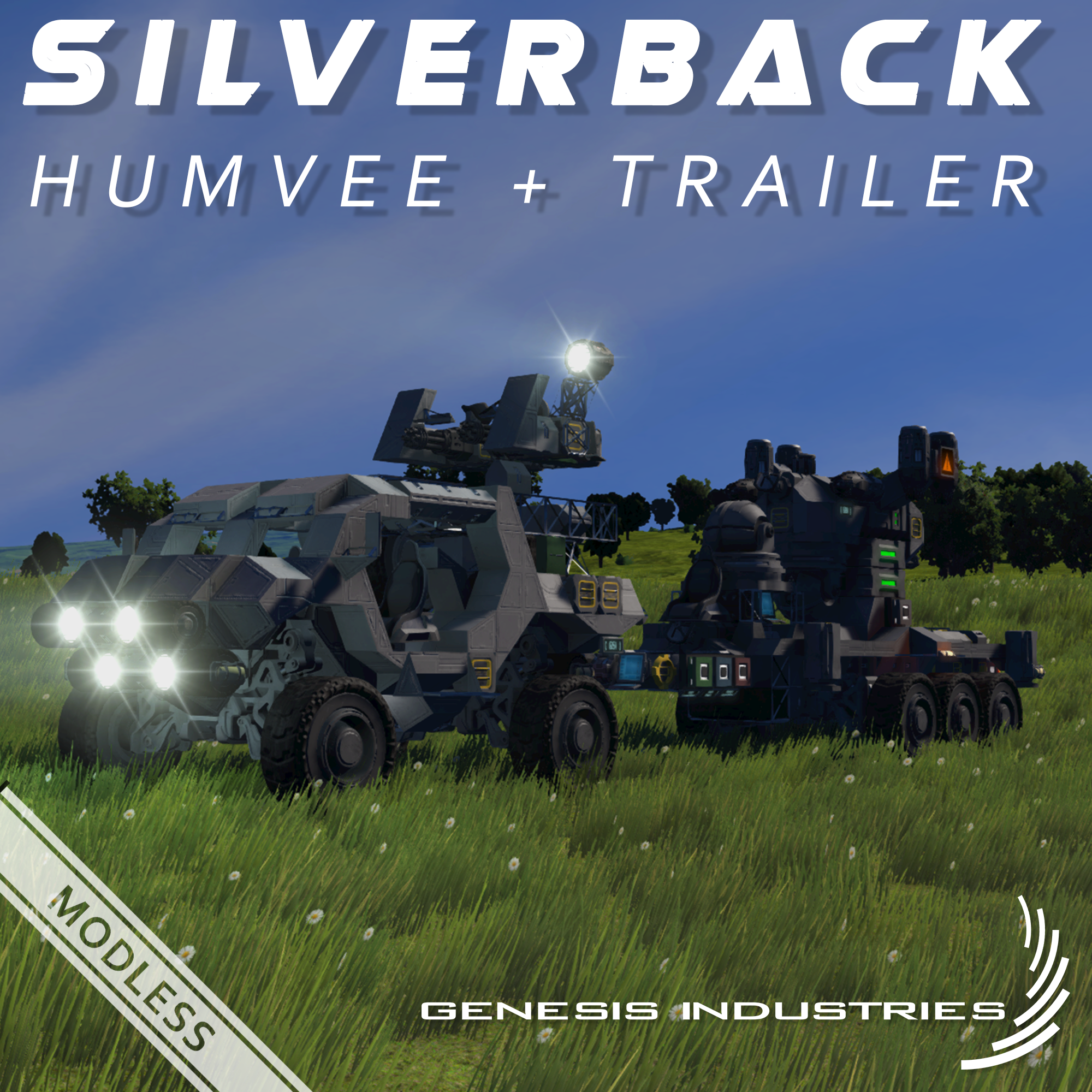
About [GSI] Silverback Humvee + Drone Trailer [Modless]
From Steam Workshophttp://i.imgur.com/0NliNTY.gif https://i.imgur.com/ac3INHu.png https://i.imgur.com/swXDoeJ.gif http://i.imgur.com/lDwHY8m.png http://i.imgur.com/virnwGx.gif A humvee with dual gatling gun turret and…
[b]


A humvee with dual gatling gun turret and a trailer carrying a light combat/recon drone linked to a laser antenna for stealth operations (also just regular atenna too.) Be sure to check out the video, too! https://youtu.be/3Fsj27Zp5F0
"Drone warfare, lets throw our tech at the enemy."
 [i]Fast, powerful and can carry your friends around. Be sure no one else but the driver is controlling a remote control on the same grid!
If you like this vehicle, be sure to leave a vote! :D[/i]

[i]Warning: trailer rotors and turret are pre-safty locked. Manual unlocking required! ( button [3] turret and [5] trailer )
Warning: Uses rotors and pistons, use caution!
Warning: keep line-of-sight with BOTH laser antennas or loss of control may occure!
Notice: To fire gatling guns on turret, Press [C] (to avoid firing gatling gun on drone)
Notice: recomended for planets
Notice: Only one person can control the turret and drive, not 1 Control and 1 Drive; Sorry but this is a game limitation.
Notice: Turnsignals: Tab 2 button [1] for left, button [3] for right. press same button again to disable
Controlling the Turret and Driving:
1) Access the remote control by going to the terminal and finding the first group named "!CONTROL Driver/Gunner"
2) Unlock the Turrets rotors safty lock by pressing [3] and the trailers with [5] on the toolbar
3) Drive around and shoot things up by pressing [C] (to avoid firing the gatling gun on the drone)
4) Press [P] to disable Parking Break
Flying Drone:
1) Come to a stop and be sure to sit in a seat that is connected to the same or sub-grid of the laser antenna mounted to the trailer
2) Link the laser antennas by going to the terminal and finding one in the list
3) go down to "known Laser Antennas" and connect to the one displayed
4) Detach the merge block by toggling it off ([Drone] Merge Block or [Trailer] merge Block)
5) Press Shift + K to open connection window. Connect to "small Grid XXXX" (game limitation- considers it a new grid)
6) Keep line-of-sight with BOTH laser antennas or loss of control may occure!
Detatching the Trailer:
1) Come to a complete stop to avoid clang. Unlock trailers rotor safty lock with [5] on the toolbar
2) Lower pistons named "[Trailer] Pistons"
3) Detach the rotor named "[Trailer] Rotor [Hitch]"
4) Drive away.
Reattach the Trailer:
1) allign trailer with hitch
2) exit the vehicle and push button on left side labled "raise Hitch"
3) once in range of hitch rotor, press "attach"
4) Press "Raise Hitch" again to disable
5) ensure safty locks are disabled
6) Raise Pistons[/i]

 • Self-Controlled Aimable Turret • Combat/Recon Drone on a trailer • Turn Signals • Custom turret crosshair • realistic driving experience • Roll over Gyroscope override • Repair Projector • Scripts: Whip's Custom Rotor Angle Script, Whip's Rotor Turret Control Script, Whip's Horizon Script and MMaster's Automatic LCDs 2 Script
 • 1 Custom turret • 3 Total Gatling Turret
 • 6 Small Reactors • 1 Battery • 6 Spotlights • 1 Connector • 4 Gyroscopes • 3 Cameras • 4 Timer Blocks [1 Open] • 6 Programmable Blocks • 3 Ore Detectors • 4 Antennas • 2 Beacons • 2Laser Antennas • 3 Remote Control Blocks • 2 Projectors • 4 Passenger Seats
 • 11 Small Cargo Containers • 1 Medium Cargo Containers

 Weight: 53,690 kg Blocks: 362 Triangles: 316,388 Grid: Small Grid Length/Width/Heigth: 39x11x9 Blocks; 19.5m x 5.5m x 4.5m Survival Ready: Yes Planet Ready: Yes Moon Ready: Kinda Airtight: No Crew Members: 4 Environment: Planets, Moons
 Class: Silverback Type: Humvee Role: Offence, Defence, Patrol, Escort, Recon, Transport Generation: First Generation Identification Number: T-PGR34D-ACV Manufacture: Genesis Industries Faction: Sol Corp.

Whiplash14's Workshop - Hriozon, Turret Script
MMaster's Workshop - Automatic LCDs 2 Script


Highlights
From source dataFootprint
Rated a light load on a server.
Last update
Its author last shipped an update 9 yr ago.
[GSI] Silverback Humvee + Drone Trailer [Modless] on Nxeon
From our catalogue- One-click install
- Not available. One-click install isn't available for this game's mods yet. Download it and upload it to your server in Files.
- Server load
- light
- Smallest plan we suggest
- Space Engineers — 8 GB (8 GB RAM). This follows our own load rating above, not a benchmark.
- Latest build
- 2017-10-01, released 2017-10-01
Game versions by loader
| Loader | Game versions | Newest |
|---|---|---|
| Workshop |
From 1 recorded build of [GSI] Silverback Humvee + Drone Trailer [Modless].
Run [GSI] Silverback Humvee + Drone Trailer [Modless] on a Space Engineers server
Deploy a server above, then upload the file in Files.
What kind of mod it is
From the catalogVehicles & ships
Cars, boats, aircraft, ships and other things to drive or fly.
Compatibility
- Game
- Space Engineers
Verified at the source
- ✓Steam WorkshopOfficial listing, checked 2026-11-01Open ↗
- ✓AuthorExtevious, as published on Steam Workshop
- ✓LicenseNot published by the sourceFree












