About Gun Fire Control System Mk3 [discontinued/broken, do not use]
From Steam WorkshopAuthor's note: this mod is not supported anymore due to game engine updates. Unfortunately, due to life commitments I was not able to keep it updated, but I hope it was useful to you guys while it…
Author's note: this mod is not supported anymore due to game engine updates. Unfortunately, due to life commitments I was not able to keep it updated, but I hope it was useful to you guys while it worked! Please see the comments for suggested alternatives!
---
> Read the full guide to the GFCS script here. <
Video example (old version) Showcase/tutorial world (old version)
WHAT THIS SCRIPT DOES
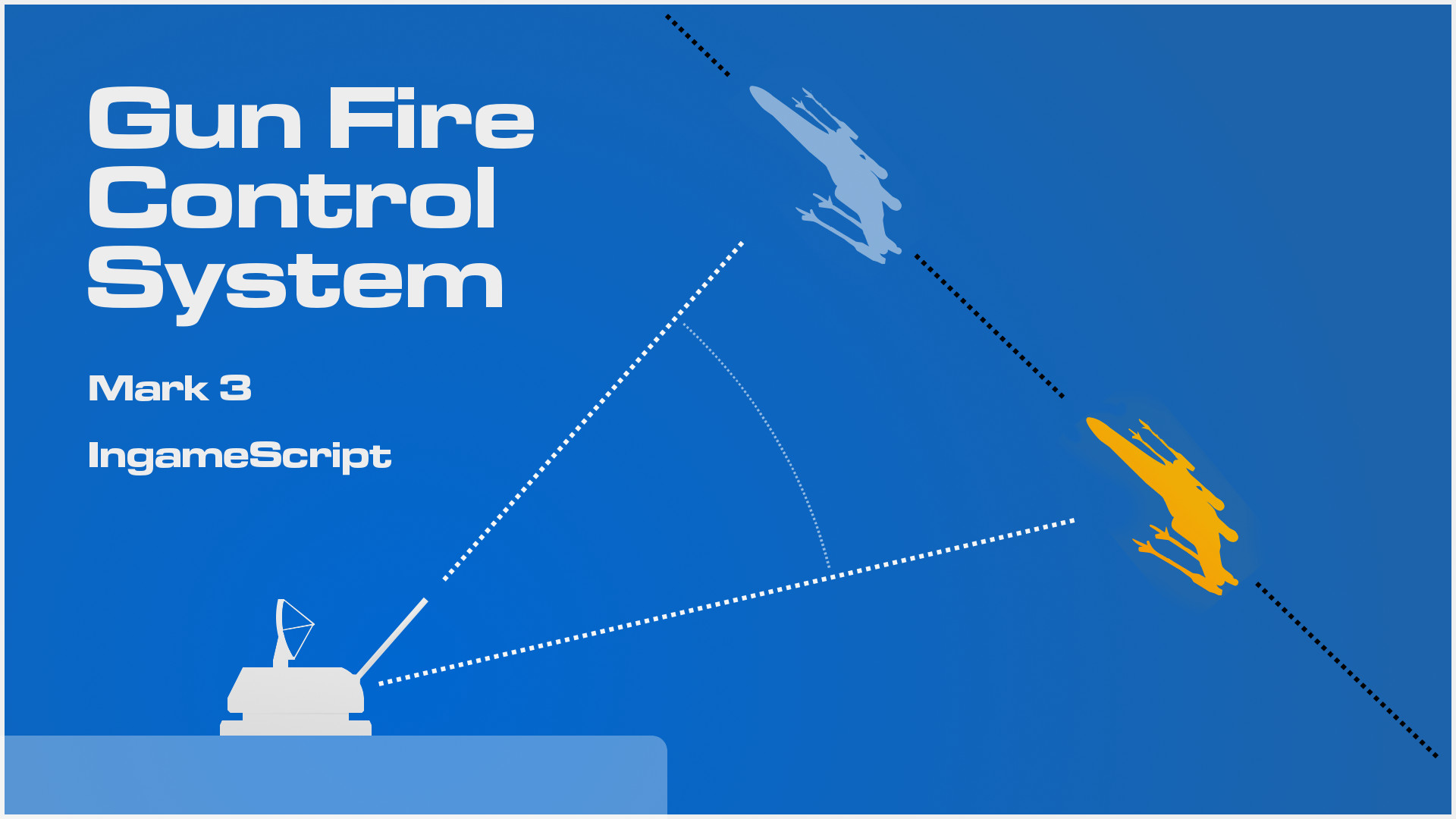
This script lets you control multiple turrets in order to aim and shoot at a stationary or moving target, calculating the right lead if necessary. It can also control and fire the turrets autonomously. This script works with both turret blocks and custom-built rotor-based turrets. It also works with gravity-based weapons. This script is best used with the BlueG Radar mod, although it can work without it (with some limitations). You can also use my own modified version of the BlueG Radar instead, which ignores ship debris.
HOW TO USE THIS SCRIPT
You'll need the following things (make sure that all blocks are set to the same ownership):
- 1 timer block set to run the programmable block and to trigger itself (not start itself).
- a text or LCD panel called “Text panel GFCS”
- any number of turret blocks or rotor turrets (any combination)
- any number of “director turrets” (see the section on director turrets)[/list]
- And the BlueG Radar components:
- [list][*] 1 antenna
- 1 beacon with [radar] in its name
- up to 20 sensors. The first sensor should have [radarg] in its name, the second sensor should have [radarg1], the third [radarg2] and so on up to [radarg19] for the 20th sensor. Each sensor will detect one extra target.[/list]
- To run the script, trigger the timer block. To stop the script, turn off the PB or the timer block.
- [h1]Using the script without the BlueG Radar mod[/h1]
- Please refer to the GFCS full guide for this.
- [h1]1. HOW TO BUILD THE DIRECTOR TURRET(S)[/h1]
- The director turret is a turret used to aim all other turrets. The script mirrors the movement of all other turrets to match the movement of the director. You may have multiple directors, although only one can be used at the same time. By default, controlling a director will shift control of the turrets to that director. A director turret can be a custom rotor turret or a single turret block (like the vanilla Gatling Turret).
- [h1]Rotor-based director[/h1]
- Example picture
- A rotor-based director must have a remote control block (to tell the script the orientation of the director) called “Director Remote Control”.
- Additionally, you may place these blocks:
- - a horizontal rotor called “Director RotorX”
- - a vertical rotor called “Director RotorY”
- If these blocks are found, the director's rotors will be locked in place (turned on) while the remote is not controlled and unlocked (turned off) while it's not controlled. You'll also want a gyroscope and camera to point the director. If you want to have multiple directors, add the number after “Director”. For example, the second director would have these blocks: “Director2 Remote Control”, “Director2 RotorX”, and “Director2 RotorY”.
- [h1]Turret block director[/h1]
- Example picture
- Turret block directors should simply be named “Director”. If you want to have multiple directors, name them “Director2”, “Director3”, and so on. Known issue: modded turret block directors may have some aiming inaccuracy. If you wish not to use any director, at the top of the script look for the line bool no_director = false; and replace false with true.
- [h1]2. HOW TO BUILD THE GUN TURRETS[/h1]
- Each turret is identified by a letter and a number (like A1, D4 or G7). This is to make it easy to choose and edit settings for multiple turrets (as described in the next section). Like directors, turrets can also be rotor-based or consisting of a single turret block.
- [h1]Rotor-based turrets[/h1]
- Example picture
- Rotor-based turret “A1” should have the following blocks:
- [list][*] “Turret A1 Remote Control” (exactly 1 remote control block, placed according to the orientation of the turret)
- “Turret A1 RotorX” (up to 1 horizontal rotor)
- “Turret A1 RotorY” (any number of vertical rotors)
- “Turret A1 Gun” (any number of guns)
- "Turret A1 Sensor" (any number of sensors)[/list]
- For turrets with different identifiers (like A2 or B1), change the names accordingly (like “Turret B1 Remote Control”). You may use Digi's Conveyor Hinges instead of any rotor. If a rotor turns the wrong way, add “Reverse” to its name (for example “Turret A1 RotorY Reverse”). If a turret's sensor detects something, the script will turn the turret's guns off.
- [h1]Single block turrets[/h1]
- Example picture
- For single turrets, simply name them “Turret”+identifier. For example, “Turret A” or “Turret D”. Single turrets don't need to have a number, but you can add it if you want.
- [h1]3. HOW TO USE THE GFCS TEXT PANEL[/h1]
- Example picture
Highlights
From source dataFootprint
Rated a light load on a server.
Last update
Its author last shipped an update 11 yr ago.
Gun Fire Control System Mk3 [discontinued/broken, do not use] on Nxeon
From our catalogue- One-click install
- Not available. One-click install isn't available for this game's mods yet. Download it and upload it to your server in Files.
- Server load
- light
- Smallest plan we suggest
- Space Engineers — 8 GB (8 GB RAM). This follows our own load rating above, not a benchmark.
- Latest build
- 2015-11-10, released 2015-11-10
Game versions by loader
| Loader | Game versions | Newest |
|---|---|---|
| Workshop |
From 1 recorded build of Gun Fire Control System Mk3 [discontinued/broken, do not use].
Dependencies
- Required: BlueG Radar - Modified for the GFCS
Declared by the newest build that lists any. Required ones are installed with it on one-click installs.
Run Gun Fire Control System Mk3 [discontinued/broken, do not use] on a Space Engineers server
Deploy a server above, then upload the file in Files.
What kind of mod it is
From the catalogWeapons, items & crafting
New weapons, gear, items and the recipes to make them.
Compatibility
- Game
- Space Engineers
Verified at the source
- ✓Steam WorkshopOfficial listing, checked 2026-11-01Open ↗
- ✓Authorimivi, as published on Steam Workshop
- ✓LicenseNot published by the sourceFree