






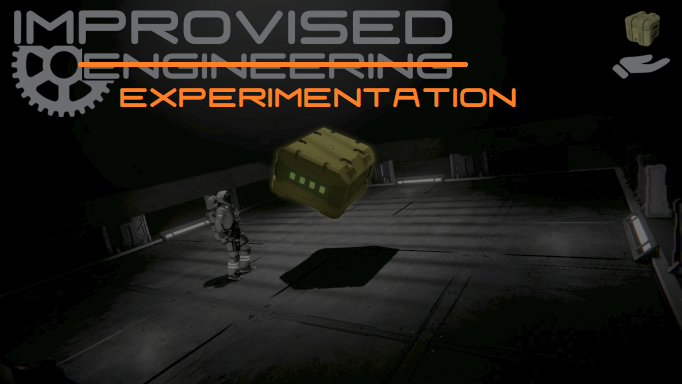
About Improvised Experimentation
From Steam WorkshopImprovised Engineering – Experimental Version This is the most recent and most stable version of Improvised Engineering. The old “main” version is outdated. Technically it still works and has most…
Improvised Engineering – Experimental Version
This is the most recent and most stable version of Improvised Engineering.
The old “main” version is outdated. Technically it still works and has most features, but it is missing multiplayer support, newer bugfixes, commands, and various quality-of-life improvements. Just use this one.
The “buffed” version is a older version of this mod with a adjusted config for creative mode.
Creative version: Improvised Experimentation CREATIVE MODE BUFF
Old main (legacy): Improvised Engineering (Legacy Main)
Feedback
I actively support my mods (even if it doesn't look like it sometimes xD), and I WANT to hear your feedback.
So please tell me what you like, what could be improved, or if something is just really annoying.
The best and quickest way to reach me is via Discord. I made a server a while back, so join if you want to talk to me, report bugs, or suggest other mods. I am always looking for new stuff to code, but no promises :P
Or reach out to me directly: mz00956
I don't bite ^^ Most of the time.
What this mod does
A fully networked grid pickup / holding / manipulation system.
You can:
- Grab grids (default up to 20x20x20m)
- Carry / drag them around
- Rotate them using vanilla rotation keybinds
- Throw [spoiler]warheads[/spoiler] at your friends
- Carry a small self-built Gatling gun around
- Grab from the exact hit point or snap to the grid's Center of Mass
- Align held grids to your camera or another grid
- Store per-grid rotation/alignment settings automatically while connected
Use /IME or /IME help in chat for commands.
Multiplayer
Works in:
- Singleplayer
- Client-hosted worlds
- Dedicated servers
Clients can move and rotate grids normally. Forces and rotation are handled through the server-authoritative multiplayer system.
Disconnect handling has also been improved so grids are properly released if a player disappears while holding one.
Controls
[table] [tr][th]Action[/th][th]Key[/th][th]Description[/th][/tr] [tr][td]Grab / Drop[/td][td]R (Reload binding)[/td][td]Pick up or release a grid[/td][/tr] [tr][td]Rotation Mode[/td][td]LMB (Primary tool action)[/td][td]Hold or toggle rotation mode, depending on configuration[/td][/tr] [tr][td]Snap to Center[/td][td]RMB (Secondary tool action)[/td][td]Toggle between the original hit point and the grid's Center of Mass[/td][/tr] [tr][td]Throw[/td][td]LMB hold + RMB[/td][td]Throw the held grid forward[/td][/tr] [tr][td]Distance[/td][td]Scrollwheel (hardcoded)[/td][td]Move the held grid closer or farther away[/td][/tr] [tr][td]Reference Grid[/td][td]MMB (hardcoded)[/td][td]Aim at another grid and press MMB to use it as the alignment reference. Aim at empty space + MMB to use the camera instead[/td][/tr] [tr][td]Toggle Alignment[/td][td]Shift (hardcoded)[/td][td]Enable / disable alignment to the current reference. Disabled while holding W / sprinting[/td][/tr] [tr][td]Cycle Facing[/td][td]Alt (hardcoded)[/td][td]Change which grid face points toward the reference[/td][/tr] [tr][td]Cycle Up Face[/td][td]Ctrl (hardcoded)[/td][td]Change which grid face points upward relative to the reference[/td][/tr] [/table]
Important: Alignment controls only work while Rotation Mode is active.
The mod now shows hints if you try to use rotation/alignment controls while rotation mode is inactive.
MMB also shows which grid is currently being used as the alignment reference and reminds you of the Shift / Alt / Ctrl controls.
Rotation Controls
Rotation uses your normal Space Engineers rotation bindings.
There is also an optional second input set:
CTRL + WASDQE
This is controlled by keyboard2.
keyboard2 ON
- Also reads the secondary keyboard rotation bindings
- For the default Space Engineers setup, this gives you CTRL+WASDQE rotation
keyboard2 OFF
- Only the primary rotation bindings are used
New configs default to keyboard2 ON.
Use:
/IME kb2 on
/IME kb2 off
Close-grid hand offset
The offset option changes where very close held grids are positioned.
offset ON
- When the grid gets close to you, it gradually moves slightly down and to the right toward your hand
- Useful for small grids that otherwise block most of your view
offset OFF
- The grid stays centered directly in front of you
New configs default to offset OFF.
Use:
/IME offset on
/IME offset off
In-game Configuration
Options that can be changed in chat:
In-game settings:
- /IME modes – show/hide notifications
- /IME rotation – toggle/hold rotation
- /IME keyboard2 – enable CTRL+WASDQE rotation
- /IME grabTool – grab with tool equipped
- /IME holdUi – keep holding during menus/chat
- /IME offset – toggle close-grid offset
- /IME lockUse – interaction while holding
Other:
- /IME news – show last update message
- /IME supporters – list supporters
Dev:
- /IME debug – toggle debug info
- /IME state – show config values
- /IME reset – clear per-grid states
Most commands accept on/true / off/false (if nothing then they toggle). There are more settings (like max size, force to lift, etc. but those can only be changed via the config.xml file in the world folder.)
Highlights
From source dataFootprint
A 854 KB download, rated a light load on a server.
Last update
Its author last shipped an update 50d ago.
Improvised Experimentation on Nxeon
From our catalogue- One-click install
- Not available. One-click install isn't available for this game's mods yet. Download it and upload it to your server in Files.
- Server load
- light
- Smallest plan we suggest
- Space Engineers — 8 GB (8 GB RAM). This follows our own load rating above, not a benchmark.
- Latest build
- 2026-08-26, released 2026-08-26, 854 KB
Game versions by loader
| Loader | Game versions | Newest |
|---|---|---|
| Workshop |
From 1 recorded build of Improvised Experimentation.
Run Improvised Experimentation on a Space Engineers server
Deploy a server above, then upload the file in Files.
What kind of mod it is
From the catalogWorkshop
Its source category doesn’t say more about what it does, so NxLabs lists it under Other.
Compatibility
- Game
- Space Engineers
- File size
- 854 KB
Verified at the source
- ✓Steam WorkshopOfficial listing, checked 2026-10-10Open ↗
- ✓Authormz, as published on Steam Workshop
- ✓LicenseNot published by the sourceFree












