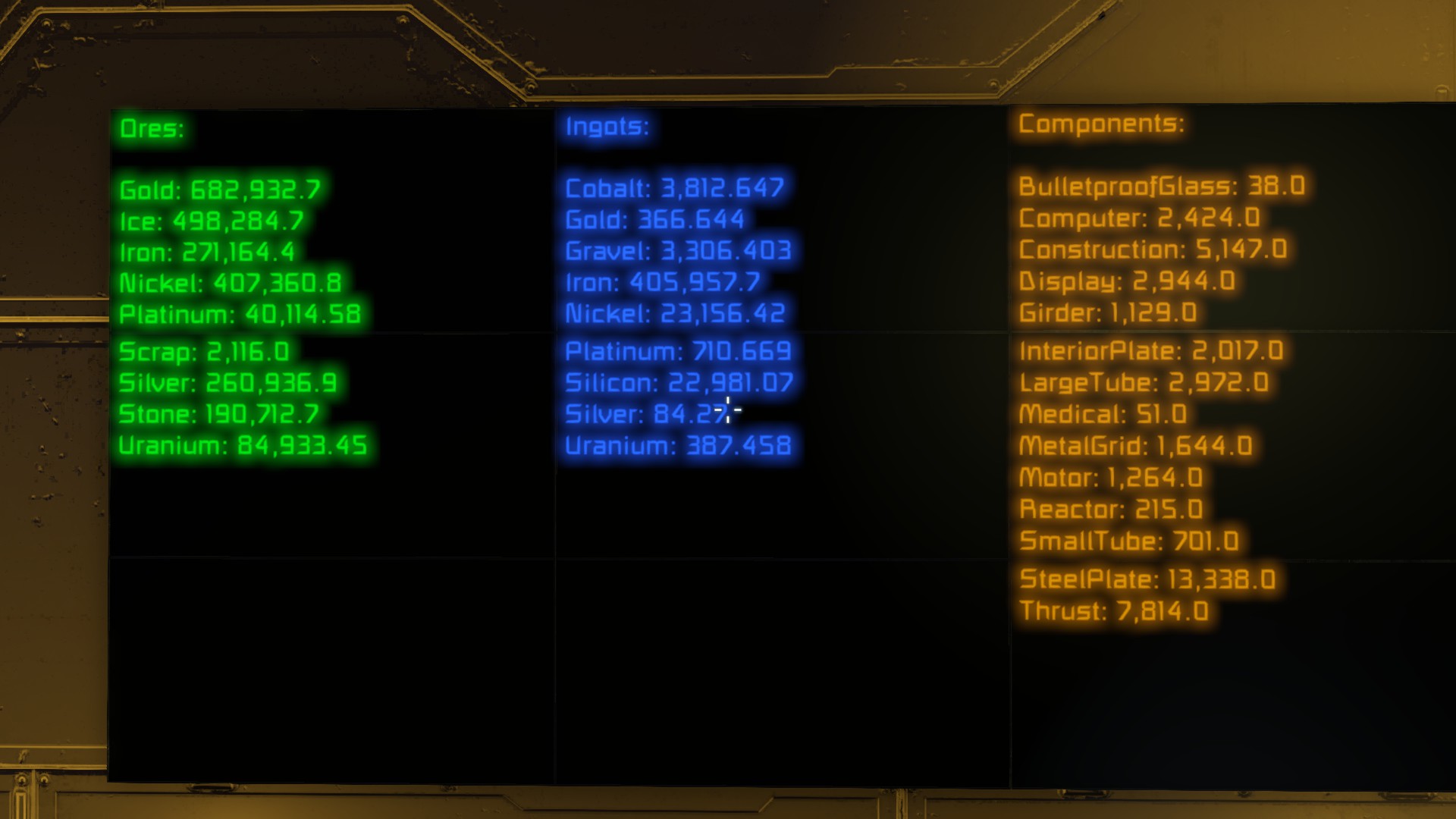
About Inventory Content Display Script
From Steam WorkshopThis script will allow you to display the content of all the inventories of your ship/station very easily . It is really simple! You just need to read "short introduction" to use it (I'm also too…
This script will allow you to display the content of all the inventories of your ship/station very easily. It is really simple! You just need to read "short introduction" to use it (I'm also too lazy to read everything ;) ). If you like my work, please rate it. ^_^
Short introduction [YOU ONLY NEED TO READ THIS TO USE THE SCRIPT]:
[*]enable experimental mode, if you haven't already (otherwise, you cannot use scripts) [*]set the display mode of the panels to text [*]name the panels "Res #<index>". E.g. a panel named "Res #0" will be the first panel, a panel named "Res #1" the second, ... (note that there is no whitespace after the #) [*]build a programmable block and load this script (obviously) [*]enjoy![/list]
List of features:
- Each category can be displayed separately.
- The same information can be displayed on various LCD panels.
- Display the content of the inventory of a block.
- Custom block names - name the blocks like you want.
- Oxygen, hydrogen and battery status.[/list]
- [h1]Additional information:[/h1]
- - The order of the panels is important for the displaying because the data does not fit on one panel alone.
- - It doesn't matter if you skip an index, but a duplicate index (so two panels with the same name or text) will cause the scrip to display the information twice. Any index below 0 will be ignored.
- - If you have not enough screens in the group, the script will throw an exception.
- - The script will automatically fetch the display's font size and put as much text on it as possible. However, you might notice a gap at the bottom of the panel since the last line would not fit on it entirely. Just increase the panel's font size then until it fits perfectly.
- [h1]Displaying one category only:[/h1]
- Prefixes: Ore for Ore, Ing for ingots, Com for components and Amm for ammo
- [list][*]Build some panels
- name the panels in it like "[PREFIX] #<index>". E.g.: to display ores the panels are named "Ore #1", "Ore #2", "Ore #3", etc.
- enjoy![/list]
- [h1]Display the same information on different panels:[/h1]
- [list][*]Name the second panel like that one whats information you want to display
- enjoy![/list]
- [h1]Custom names:[/h1]
- The script will also search in the public title for a valid identification name. I.e. you can set the name to "My favorite panel" and set the public title to "Res #1" and still works. Note that the name has a higher priority, so a panel with the name "Res #1" and the public title "Res #7" will have the index 1.
- [h1]Display block inventories:[/h1]
- You can display the inventory of a block. There are two ways:
- [olist][*][list][*]build a panel so that the block that's inventory you want to display is behind the panel,
- name it (or set the public title to) Inv #[INDEX]
- enjoy![/list]
- [list][*]build a panel wherever you want (of course, on the same ship/station as your block)
- name it (or set the public title to) Inv #[INDEX] "[BLOCKNAME]" (e.g. Inv #1 "Assembler 6")
- enjoy[/list][/olist]
- Note, that the index is new for each block.
- [h1]Display oxygen, hydrogen and battery status:[/h1]
- To see the current level of all oxygen tanks, hydrogen tanks and batteries,
- [list][*]build an LCD panel
- name it (or set the public title to) Sta #[INDEX] (usually one panel is enough as it's only two lines, so name it Sta #1)
- enjoy![/list]
- [h1]Examples:[/h1]
- Anything:
- Panels (name or public title):
- [list][*]Res #1
- Res #2
- Res #3
- Res #4[/list]
- Ores:
- Panels (name or public title):
- [list][*]Ore #1
- Ore #2
- Ore #3
- Ore #4[/list]
- Ingots:
- Panels (name or public title):
- [list][*]Ing #1
- Ing #2
- Ing #3
- Ing #4[/list]
- Components:
- Panels (name or public title):
- [list][*]Com #1
- Com #2
- Com #3
- Com #4[/list]
- Ammo:
- Panels (name or public title):
- [list][*]Amm #1
- Amm #2
- Amm #3
- Amm #4[/list]
- Block inventories:
- Panels (name or public title):
- [list][*]Inv #1
- Inv #2
- Inv #3
- Inv #4[/list]
- Status:
- Panels (name or public title):
- [list][*]Sta #1
- Thanks @ Xeracles for the idea.
Highlights
From source dataFootprint
Rated a light load on a server.
Last update
Its author last shipped an update 4 yr ago.
Inventory Content Display Script on Nxeon
From our catalogue- One-click install
- Not available. One-click install isn't available for this game's mods yet. Download it and upload it to your server in Files.
- Server load
- light
- Smallest plan we suggest
- Space Engineers — 8 GB (8 GB RAM). This follows our own load rating above, not a benchmark.
- Latest build
- 2023-01-04, released 2023-01-04
Game versions by loader
| Loader | Game versions | Newest |
|---|---|---|
| Workshop |
From 1 recorded build of Inventory Content Display Script.
Run Inventory Content Display Script on a Space Engineers server
Deploy a server above, then upload the file in Files.
What kind of mod it is
From the catalogQuality of life & UI
Small conveniences, tweaks and interface improvements players notice straight away.
Compatibility
- Game
- Space Engineers
Verified at the source
- ✓Steam WorkshopOfficial listing, checked 2026-11-01Open ↗
- ✓AuthorSpacemarine, as published on Steam Workshop
- ✓LicenseNot published by the sourceFree