






About Inventory Plus
From Steam WorkshopOverview Inventory Plus is a lightweight inventory management script that automatically sorts your items, learns custom item categorizations, and outputs real-time status data to LCD screens. WARNING…
Overview
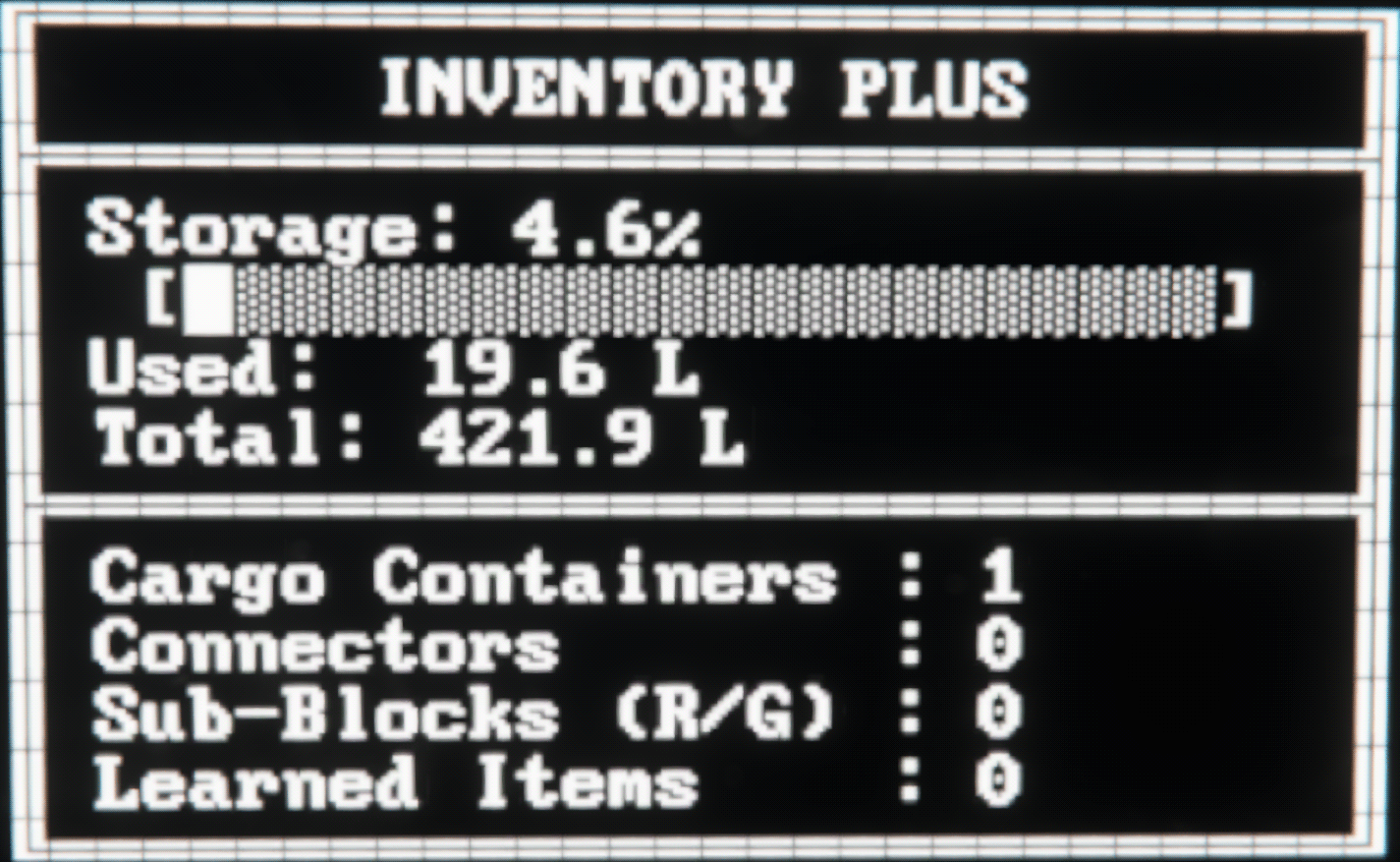
Inventory Plus is a lightweight inventory management script that automatically sorts your items, learns custom item categorizations, and outputs real-time status data to LCD screens.
WARNING
This script is still a WIP so please report any bugs or additional features that you want me to add to it, thank you :)
Key Features
-Automatic Sorting: Continuously sweeps through your general intake containers and routes loose items to their correct, tagged destination containers.
-Smart Auto-Tagging: Automatically assigns category tags to untagged cargo containers based on their contents. Does not tag external vehicles docked to grid with programmable block.
-Subsystem Refuelling: Automatically pulls Uranium into reactors (up to a default limit of 100) and Ice into O2/H2 generators (up to 5,000) when supplies run low.
-Item Learning System: Easily teach the script custom or modded items by using the learn command and the [learn] tag.
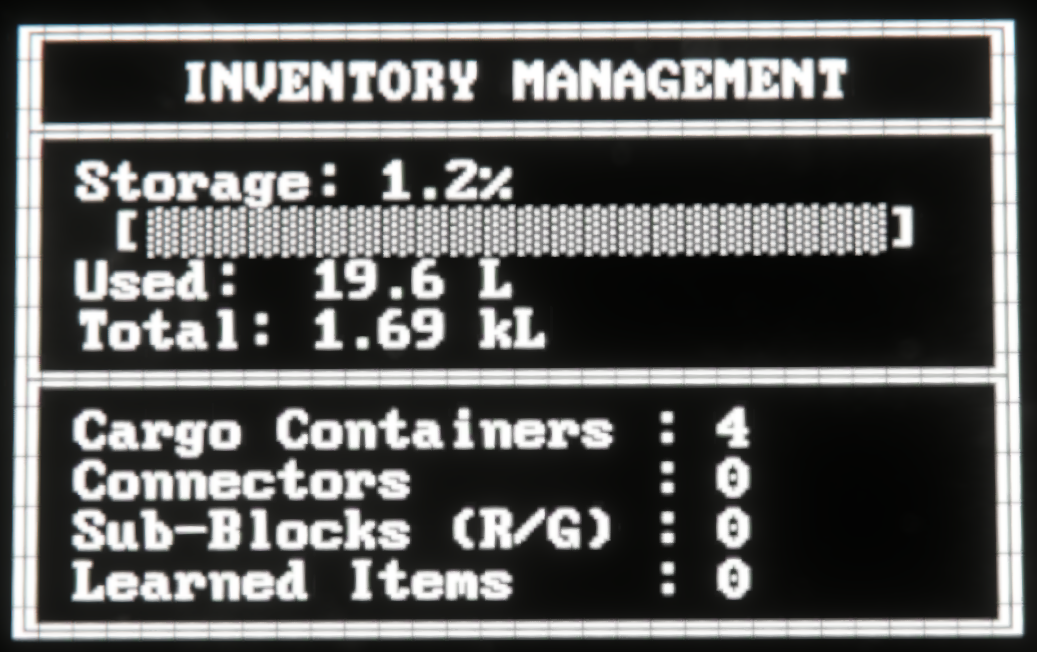
-LCD / Display Integration: Route real-time capacity bars, volume statistics, and grid metrics to any LCD or text panel using the [display] tag (defaults to the Programmable Block screen if none are found).
-Ignore Filter: Completely excludes any block or container containing the [ignored] tag from all script operations.
-Performance Optimized: Executes on an Update100 interval to maintain high simulation speeds even on massive grids.
Supported Tags & Keywords
Add these tags to your cargo container names or Custom Data to control how the script handles them:
- [ore] — Stores raw ores.
- [ingot] — Stores refined ingots.
- [component] — Stores construction parts.
- [ammo] — Stores ammunition magazines.
- [tool] — Stores hand tools and weapons.
- [bottle] — Stores oxygen and hydrogen bottles.
- [special] — Stores special or custom categorized items.
- [display] — Assigns an LCD, text panel, or block screen to show real-time inventory analytics and system statistics.
- [ignored] — Excludes the block entirely from script sorting and management.
- [learn] — Used alongside a category tag (e.g., [component]) to teach the script new/modded items when running the learn command.
How to Use
Build a Programmable Block on your grid. Ensure that Scripts and Experimental Mode are enabled in your world settings.
Open the Programmable Block terminal, paste the script code into the editor, click Check Code, and hit Save.
Add tag you want (e.g. [component]) Into the cargo containers name or custom data (i prefer custom data just because it looks cleaner)
Leave at least one cargo container untagged (without a destination tag) to act as your general drop-off/intake point for loose items.
Add [display] to any LCD panel, text panel, or block with screens (like a cockpit) to project a live storage usage breakdown and system status dashboard.
Teaching Custom / Modded Items
If you are using mods or items the script doesn't automatically recognize:
- Place the items into a cargo container.
- Tag that container with [learn] and the target category tag (e.g., Cargo Container [component] [learn]).
- Run the Programmable Block with the argument: learn
- The script will record those items into its persistent storage (Me.CustomData), remembering them even after a reboot or world reload.
Highlights
From source dataFootprint
Rated a light load on a server.
Last update
Its author last shipped an update 1d ago.
Inventory Plus on Nxeon
From our catalogue- One-click install
- Not available. One-click install isn't available for this game's mods yet. Download it and upload it to your server in Files.
- Server load
- light
- Smallest plan we suggest
- Space Engineers — 8 GB (8 GB RAM). This follows our own load rating above, not a benchmark.
- Latest build
- 2026-11-03, released 2026-11-03
Game versions by loader
| Loader | Game versions | Newest |
|---|---|---|
| Workshop |
From 2 recorded builds of Inventory Plus.
Recent builds
| Build | Released | Game versions | Loaders |
|---|---|---|---|
| 2026-11-03 | 2026-11-03 | n/a | Workshop |
| 2026-10-26 | 2026-10-26 | n/a | Workshop |
Run Inventory Plus on a Space Engineers server
Deploy a server above, then upload the file in Files.
What kind of mod it is
From the catalogQuality of life & UI
Small conveniences, tweaks and interface improvements players notice straight away.
Compatibility
- Game
- Space Engineers
Verified at the source
- ✓Steam WorkshopOfficial listing, checked 2026-11-04Open ↗
- ✓AuthorPogonip, as published on Steam Workshop
- ✓LicenseNot published by the sourceFree












