






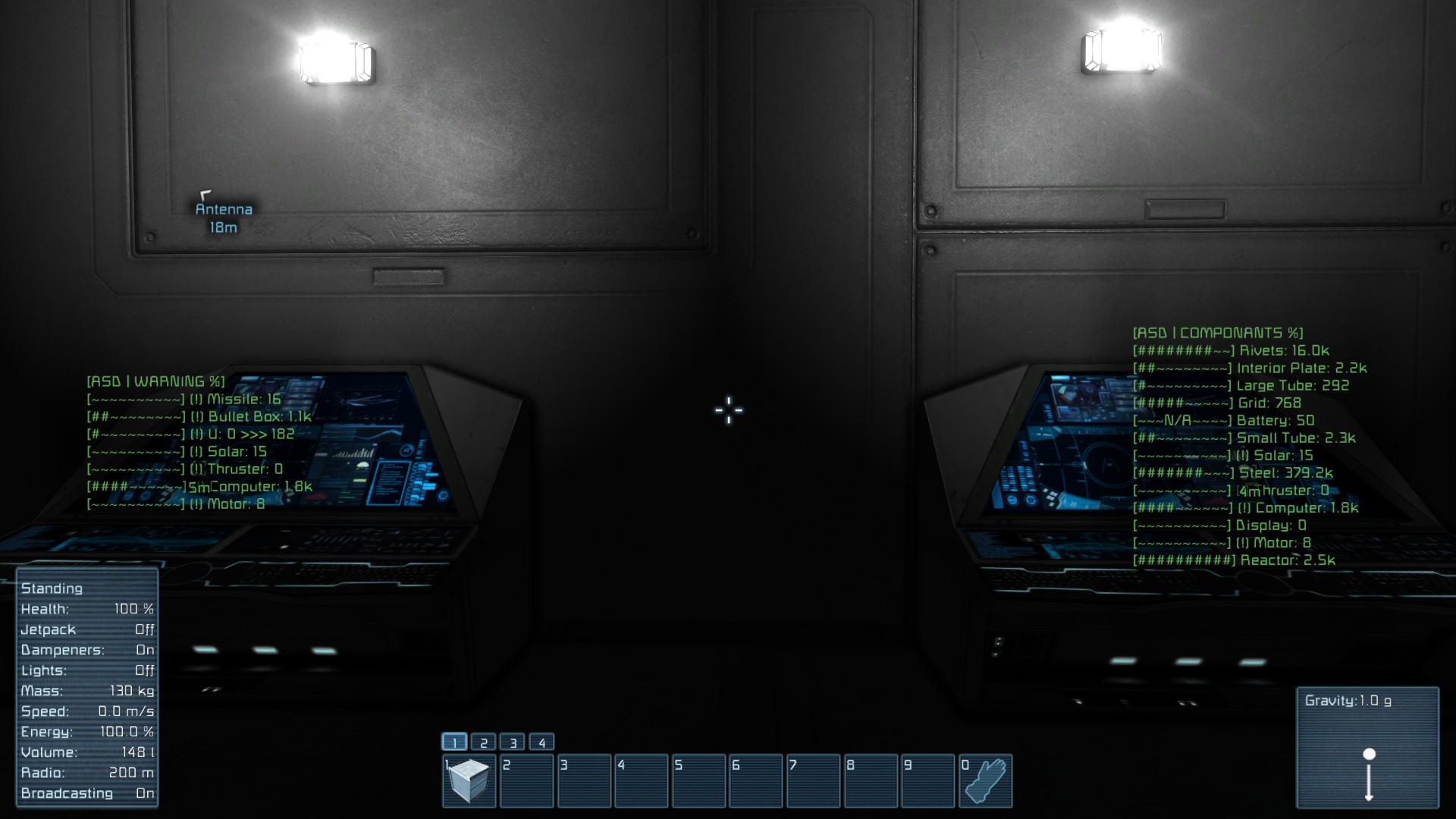

About Inventory Report [ADVANCED] << LCD!! >>
From Steam WorkshopThis script offers complete inventory reports for your use. Advanced features include: Now optionally uses LCD's! Can self install or uninstall on your ship. Up and running in seconds! Complete…
This script offers complete inventory reports for your use. Advanced features include:
- Now optionally uses LCD's!
- Can self install or uninstall on your ship.
- Up and running in seconds!
- Complete formatting control with simple edits.
- Quota and warning levels per item.
- Built in support for ALL custom items from mods with no code changes.
- Multiple displays and screens available with realtime updates (great for exploratory drilling).
- Warnings for items you are low on.
- Progress bars to show how full/empty an item is.
- Distinguishes from your ship/station and docked ones.
- Displays sliding reports -- which cycle screens automatically to give a complete view of your resources.
- Fully customizable reports down to the per item level.
- Custom names and category per item.
Author: CommanderGizmo
Description: Complete inventory reporter system with quotas and full reporting features.
---{ TUTORIAL }---
This script is designed to be run from a timer block set to fire once per second. Just add the programming block's run command and the timer's own start command to the timer actions.
To setup: [olist] [*] Undock from any ship or station this program shouldn't have access to. [*] Import the script from the workshop into your programming block. [*] In the code window, change the GRID_NAME field from "SHIP NAME" to your ship's name, like "MyShip". [*] (Optional) Save the changes and go find any block with an on/off in the control panel and end the name with [MyShip | CONTROL, INSTALL]. Turn the block on for a few seconds, then off. [*] Go find a LCD and change the name to end with [noparse][MyShip | DISPLAY, VOL, %, OVERVIEW][/noparse] [/olist]
That's it! You're up and running! You may want to change your text panel's font size to something a bit more useful, or change the public title to something meaningful.
If you would like more detailed instructions, please try the Detailed Setup Guide.
---{ ADVANCED OPTIONS }---
Until all of the tutorials are completed, please see the owner's manual for more details on using the software. I'll also setup a demonstration world that can be downloaded to see it in action.
---{ FEEDBACK }---
This script is actually just a small portion of a larger one that I will be releasing soon. If anyone has any suggestions on more configuration options or features, you are welcome to let me know. I'm interested in what you think of the script and how easy it is to use. Once the full software package is released it should be possible for the end user to do nearly everything without editing a single line of code. I'm also very interested in feedback about these instructions. Creating a detailed instruction manual with Steam's meager bbcodes is quite a challenge, and I'm sure others know of better ways to handle it.
---{ LICENSE }---
I don't normally license mods, but I am getting bug reports and questions from other mods that have copied my code. This is causing unnecessary confusion. I therefore reserve all rights and ask that you kindly do not copy the code in whole or part from this mod without asking first.
Highlights
From source dataFootprint
Rated a light load on a server.
Last update
Its author last shipped an update 11 yr ago.
Inventory Report [ADVANCED] << LCD!! >> on Nxeon
From our catalogue- One-click install
- Not available. One-click install isn't available for this game's mods yet. Download it and upload it to your server in Files.
- Server load
- light
- Smallest plan we suggest
- Space Engineers — 8 GB (8 GB RAM). This follows our own load rating above, not a benchmark.
- Latest build
- 2015-09-30, released 2015-09-30
Game versions by loader
| Loader | Game versions | Newest |
|---|---|---|
| Workshop |
From 1 recorded build of Inventory Report [ADVANCED] << LCD!! >>.
Run Inventory Report [ADVANCED] << LCD!! >> on a Space Engineers server
Deploy a server above, then upload the file in Files.
What kind of mod it is
From the catalogQuality of life & UI
Small conveniences, tweaks and interface improvements players notice straight away.
Compatibility
- Game
- Space Engineers
Verified at the source
- ✓Steam WorkshopOfficial listing, checked 2026-11-01Open ↗
- ✓AuthorCommanderGizmo, as published on Steam Workshop
- ✓LicenseNot published by the sourceFree












