
About Isy's Cargo Bars
From Steam WorkshopThis script prints bars of your container fill level on a LCD that is directly attached to it. Optionally it will show the name and the percentage of the container. It will also colorize the text…
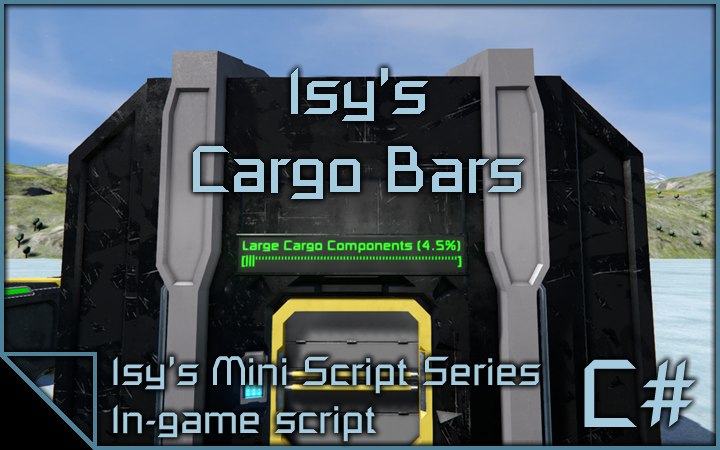
This script prints bars of your container fill level on a LCD that is directly attached to it. Optionally it will show the name and the percentage of the container. It will also colorize the text depending on the fill level.
Current Version:
Version: 1.0.4 Date: 2020-03-31
Main features:
- Show a fill level bar of a container on a LCD panel (works best with corner LCDs).
- Show bars and informations about many other functional blocks like tanks, reactors or batteries.
- Colorize the bar depending on the fill level of the container.
- Automatically adjust the font size based on the width of the container name.
- Adjustable settings per LCD via custom data options.
Setup:
- set up a programmable block with the script
- attach a corner LCD to a cargo container and add the keyword '[Cargobar]' to its name - it will find the nearest container automatically
- (optionally) change the master settings inside the script config or per LCD by editing the custom data of the LCD
- Note: Game has to be in experimental mode and ingame scripts have to enabled in world options!
Credits:
I have to give a big thanks to MOOKIE1590 for the basic idea of the script! Thanks, buddy!
Join my discord:
 You need additional help, want to make suggestions or just want be up to date about my scripts? Join my discord server: https://discord.gg/gY9aUUy
Copyright
© 2018 - 2025 Isy. All rights reserved. Redistribution or use in source, with or without modification, are not permitted.
Highlights
From source dataFootprint
A 405 KB download, rated a light load on a server.
Last update
Its author last shipped an update 5 yr ago.
Isy's Cargo Bars on Nxeon
From our catalogue- One-click install
- Not available. One-click install isn't available for this game's mods yet. Download it and upload it to your server in Files.
- Server load
- light
- Smallest plan we suggest
- Space Engineers — 8 GB (8 GB RAM). This follows our own load rating above, not a benchmark.
- Latest build
- 2022-02-20, released 2022-02-20, 405 KB
Game versions by loader
| Loader | Game versions | Newest |
|---|---|---|
| Workshop |
From 1 recorded build of Isy's Cargo Bars.
Run Isy's Cargo Bars on a Space Engineers server
Deploy a server above, then upload the file in Files.
What kind of mod it is
From the catalogQuality of life & UI
Small conveniences, tweaks and interface improvements players notice straight away.
Compatibility
- Game
- Space Engineers
- File size
- 405 KB
Verified at the source
- ✓Steam WorkshopOfficial listing, checked 2026-10-10Open ↗
- ✓AuthorIsy, as published on Steam Workshop
- ✓LicenseNot published by the sourceFree