About Isy's Docked Ships Info
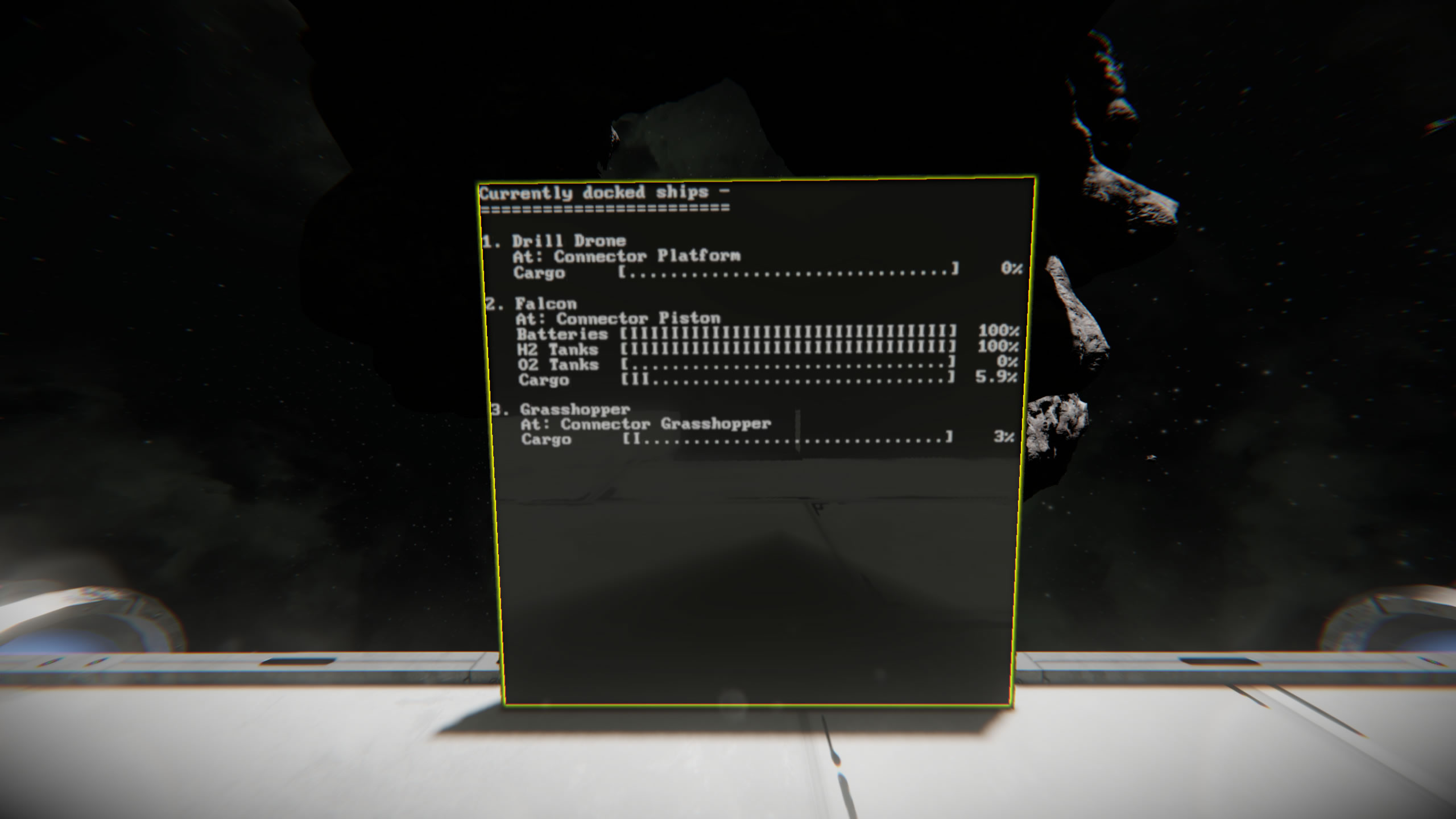
From Steam WorkshopThis script searches for currently docked ships and prints their names on a LCD panel. Great for Hangars. Current Version: Version: 1.6.1 Date: 2023-11-10 Main features: reads the ship names of…
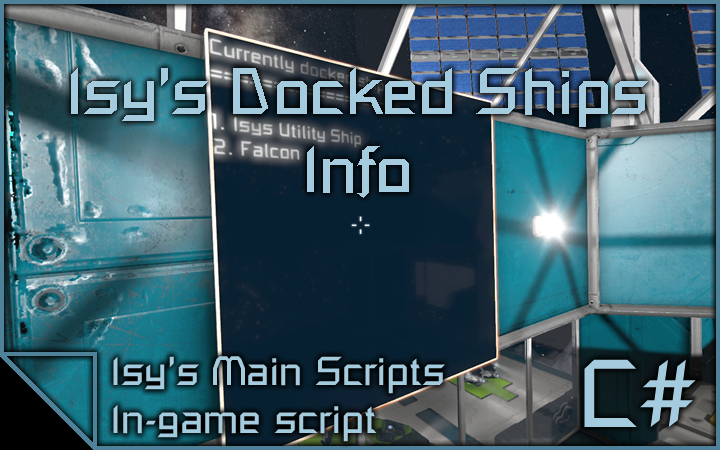
This script searches for currently docked ships and prints their names on a LCD panel. Great for Hangars.
Current Version:
Version: 1.6.1 Date: 2023-11-10
Main features:
- reads the ship names of currently docked ships
- reads the connector a ship is connected to
- displays statistics of a ship like battery, hydrogen, oxygen and cargo levels
- highly customizeable LCD content via custom data settings
- scrolling LCD text, if the list gets too long
Basic Setup:
- create a LCD panel and add 'IDS-main' to its name
- set up a programmable block with the script, check code, remember & exit and you're done!
- NO TIMER required!
Master options:
All settings, that can be changed via the LCD's custom data, can also be set as master options inside the script config. Every new LCD and every LCD that has master options enabled will get these settings.
LCD Options:
You can enable and disable many settings of the LCDs by setting the values in their custom data to true or false. These options are automatically generated on every newly added LCD. Right now, there are three categories of settings:
Master options: disable this to enable custom settings per LCD
useMasterOptions=true
Basic settings: hide or show specific items
showNumbers=true
showDockingTime=true
showConnectorName=true
showShipHealth=true
showBatteryCharge=true
showHydrogenLevel=true
showOxygenLevel=true
showCargoLevel=true
Visual settings: sorting and spacing
showHeading=true
compactShipStats=false
scrollText=true
showFreeConnectors=true
sortByConnector=true
emptyLineBetweenEntries=true
Monitored connectors: this category is kind of special as you can monitor specific connectors or connector groups for more room based output (e.g.: hangar). This feature is also useful if you want to show connectors, that are not on your main grid but on a connected subgrid.
Put a single connector name or a groupname here.
Leave blank to monitor all!
monitoredConnectors=
showGroupHeading=true
LCD Panel Setup
The following topic explains, how to use LCD panels (regular and block LCDs) of my script. Whenever you add one of the following keywords to a LCD name, the keyword gets transformed to the universal [IsyLCD] keyword. In the custom data, you can then set different options about the LCD as well as the screen, the information should be shown (on blocks like cockpits, programmable blocks and so on). The custom data will look like this:
@# KEYWORD
@# stands for the screen, the information is shown, where # is the screen identifier number from 0 to the max number of screens - 1. A programmable block for example has two screens: The main screen and the keyboard. Both can be used to show the script informations (screen 0 and screen 1). To change the screen, you want to show your informations, just edit the screen identifier number in the custom data.
It is also possible to display informations of different scripts in one block by using this syntax (MMaster's Automatic LCDs 2 uses the same syntax and all of my other scripts).
LCD Keywords
Main LCD This is the main screen and heart of the script. All your docked ships will be shown here. Just add the following keyword to a LCD name:
IDS-main
You can enable or disable specific informations on the LCD by editing its custom data.
Warning LCD You can display all current warnings and problems on a dedicated LCD screen. Just add the following keyword to a LCD name:
IDS-warnings
Performance LCD You can display the script performance (PB terminal output) on a dedicated LCD screen. Just add the following keyword to a LCD name:
IDS-performance
Multi-panel screens
You can display your docked ships over multiple screens by giving all screens the same group tag. This tag can be any word you want and has nothing to do with terminal groups. To start off, tag two ore more screens with IDS-main and wait until the script has converted the tag into [IsyLCD]. Then edit first line of the custom data of each LCD with the following syntax:
@0 IDS-main:GROUP#
- GROUP is a name of your choice
- # is the number of the LCD in the row
So, LCD 1 should have
@0 IDS-main:myCoolGroupname1
and LCD 2
@0 IDS-main:myCoolGroupname2
as the first line of the custom data.
Tutorial Videos:
How to enable ingame scripts: https://youtu.be/NkhZ7BbYgvc Script video guide: https://youtu.be/xXRCXk-uxb4
Note:
- Be sure to always check your ownership! All used blocks should be owned by you (Owner: Me)!
Known Bugs / Planned Features:
- nothing for now
Credits:
I have to give a big thanks to Mygira for the basic idea of the script and the testing he has done for me! Thanks, buddy!
Join my discord:
 You need additional help, want to make suggestions or just want be up to date about my scripts? Join my discord server: https://discord.gg/gY9aUUy
Copyright
© 2017 - 2025 Isy. All rights reserved. Redistribution or use in source, with or without modification, are not permitted.
Highlights
From source dataFootprint
A 471 KB download, rated a light load on a server.
Last update
Its author last shipped an update 3 yr ago.
Isy's Docked Ships Info on Nxeon
From our catalogue- One-click install
- Not available. One-click install isn't available for this game's mods yet. Download it and upload it to your server in Files.
- Server load
- light
- Smallest plan we suggest
- Space Engineers — 8 GB (8 GB RAM). This follows our own load rating above, not a benchmark.
- Latest build
- 2023-11-10, released 2023-11-10, 471 KB
Game versions by loader
| Loader | Game versions | Newest |
|---|---|---|
| Workshop |
From 1 recorded build of Isy's Docked Ships Info.
Run Isy's Docked Ships Info on a Space Engineers server
Deploy a server above, then upload the file in Files.
What kind of mod it is
From the catalogQuality of life & UI
Small conveniences, tweaks and interface improvements players notice straight away.
Compatibility
- Game
- Space Engineers
- File size
- 471 KB
Verified at the source
- ✓Steam WorkshopOfficial listing, checked 2026-10-10Open ↗
- ✓AuthorIsy, as published on Steam Workshop
- ✓LicenseNot published by the sourceFree