







About Mall-E
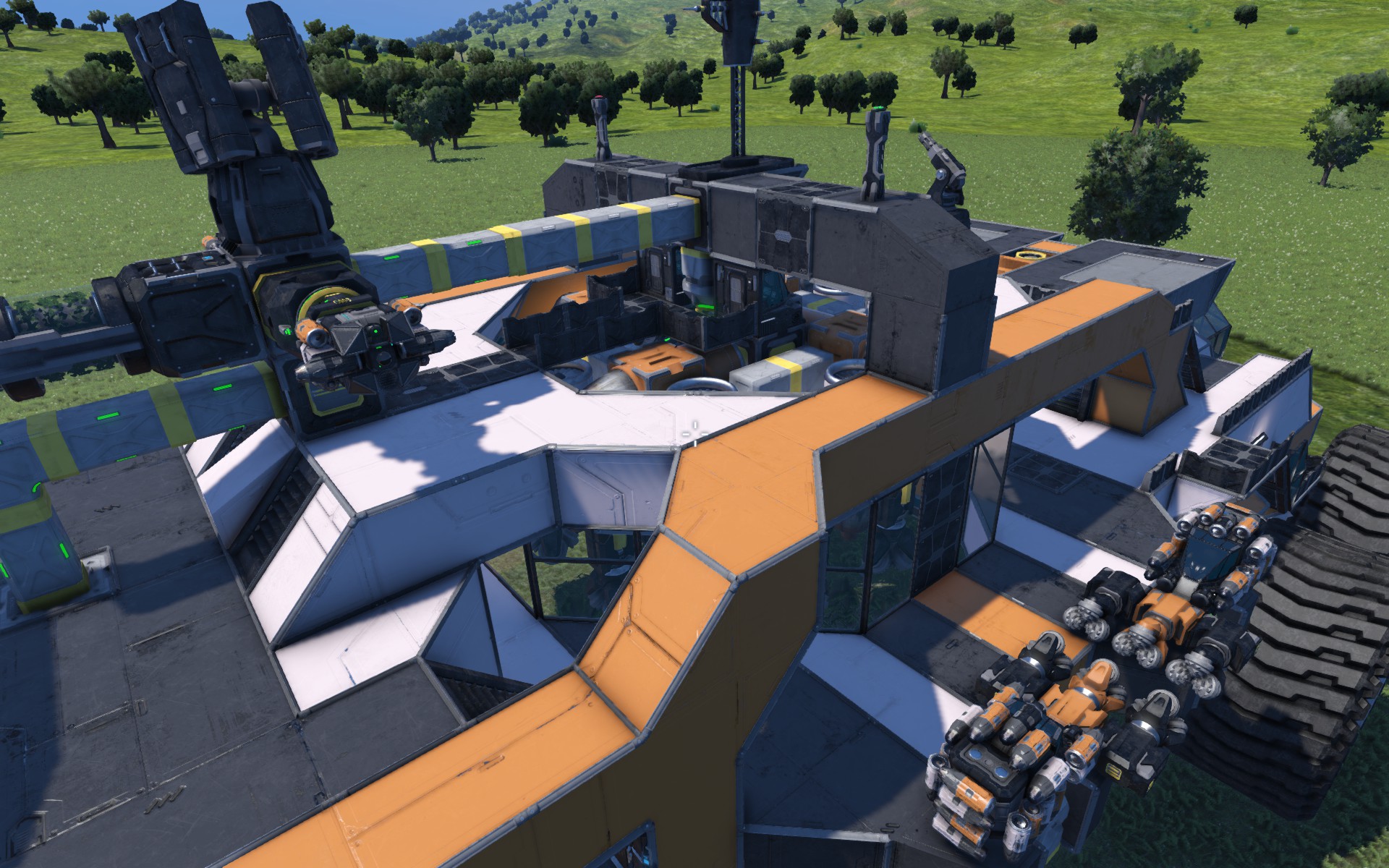
From Steam WorkshopVanilla parts only, survival ready. Mall-E is a large rover designed to quickly find and harvest ore. It is equipped with a vertical excavator that is capable of quickly digging a large hole, so you…
Vanilla parts only, survival ready.
Mall-E is a large rover designed to quickly find and harvest ore. It is equipped with a vertical excavator that is capable of quickly digging a large hole, so you can use smaller drills to collect the ore. The blueprint includes the excavator, 4 small drills, 2 probes and a rover. Probes are remotely operated by using pilot seats in drill monitoring areas and are useful to scout and find ore spots.
Mall-E also provides everything you would expect from a survival ship : -refineries/assemblers with speed modules and Taleden's script so you don't have to manage them. -medbays and cryopods. -Oxygen/Hydrogen tanks -Solar panels, oxygen farm -LCDs displaying useful informations about your production, docked ships, probes status etc.. -A lift to get to the ground and a ramp to allow the rover to be parked inside.
Blueprint block count : 2192
HOW TO DRILL
1. Use the rover or probes to find an ore spot. 2. Park Mall-E on top of the spot. Make sure it's leveled to avoid having too much trouble while drilling. 3. Deploy anchors to lock Mall-E to the ground. To do so, engage drilling mode while in drill monitoring areas. 4. Enter the excavator, activate dampeners, unlock connector, descend and use right click to drill a large hole. Stay leveled during the whole process ! 5. When ore veins have been reached, connect the excavator back to Mall-E. Deactivate dampeners ! 6. Enter a small drill to descend in the hole. Activate dampeneners and unlock the connector. Use the camera to make your descent easier. Harvest visible ore veins. 7. When you are done, connect all drills back to Mall-E and deactivate dampeners ! 8. Disengage drilling mode to unlock anchors.
SAFETY RULES
1. Before undocking a ship, make sure you activate dampeners. 2. After you dock a ship, deactivate dampeners to avoid thrusters damage ! 3. Before driving Mall-E, make sure : - all ships are docked whith dampeners off. - anchors are up (drilling mode disengaged). - lift and rear ramp are up. 4. While using the excavator : - use right click, move up and down, and stay leveled at all time ! - do not harvest (left click), its purpose is to make a hole, nothing else.
TIPS
1. When using the excavator, keep and eye on the horizon indicator (also works while viewing through a camera) and fight to keep it horizontal since drilling will shake and divert the ship from its ascent path. To connect back, use the interior view and look up (alt+mouse to look around). This way, you have a nice view on the connector and you can aim for it pretty easily. 2. When in small drills, the camera is pretty useful to descend in the hole to avoid crashing into other drills. It can also be used as a docking camera.
FAQ
1. "I dont' have any ship, door, lift when i build the rover, is this normal ?" If you build it through a projector, subgrids (connected ships and everything on a piston/rotor) won't be projected. This is the way the game works. If you want everything, you have to paste it from the F10 menu. 2. "The rover keeps rolling, even with handbrakes on, why ?" Wheels in this game are crappy, i started building this when i saw that Keen was working on a total revamp of wheels. I hope they fix this issue among many other. Try to use Mall-E on a flat and leveled terrain. 3. "I pasted the rover but it won't move when i try to drive" When you are pasting the blueprint, be aware of green boxes around wheels. None must intersect the ground. If so, it will be considered as a static station. So, paste it a few meters above the ground. 4. "There are no connector shortcut in ship toolbars, how am i supposed to undock/dock ?" I use the P key to dock/undock, so there is no shortcut. 5. "Why can't i use left click in the excavator to collect ore ?" Actually, you can. Moreover, the excavator has ejectors to get rid of stone. It's simply not the way i intended to use it. Also, you will quickly become too heavy to ascend back.
Highlights
From source dataFootprint
Rated a light load on a server.
Last update
Its author last shipped an update 9 yr ago.
Mall-E on Nxeon
From our catalogue- One-click install
- Not available. One-click install isn't available for this game's mods yet. Download it and upload it to your server in Files.
- Server load
- light
- Smallest plan we suggest
- Space Engineers — 8 GB (8 GB RAM). This follows our own load rating above, not a benchmark.
- Latest build
- 2017-06-02, released 2017-06-02
Game versions by loader
| Loader | Game versions | Newest |
|---|---|---|
| Workshop |
From 1 recorded build of Mall-E.
Run Mall-E on a Space Engineers server
Deploy a server above, then upload the file in Files.
What kind of mod it is
From the catalogVehicles & ships
Cars, boats, aircraft, ships and other things to drive or fly.
Compatibility
- Game
- Space Engineers
Verified at the source
- ✓Steam WorkshopOfficial listing, checked 2026-11-01Open ↗
- ✓AuthorThibdumont, as published on Steam Workshop
- ✓LicenseNot published by the sourceFree












