







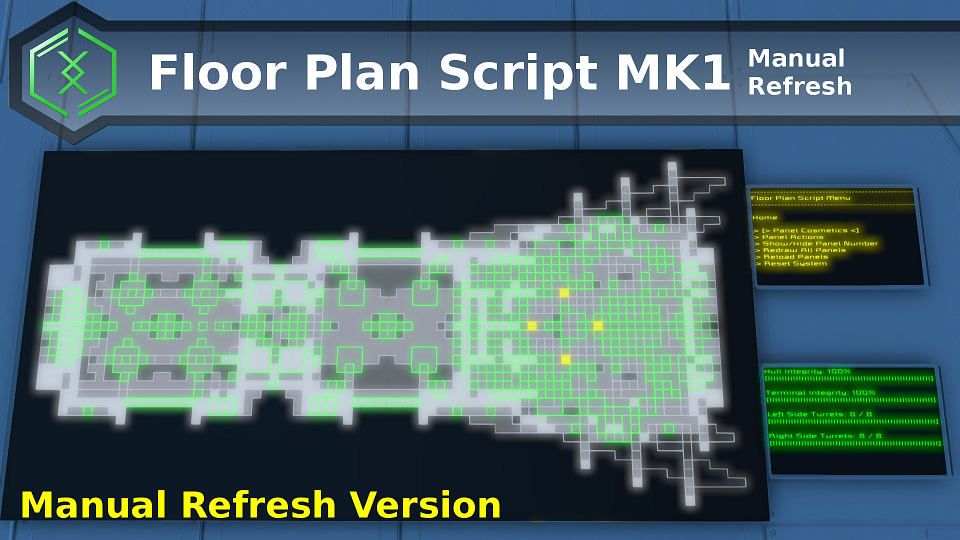
About Manual Refresh Floor Plan Script Mk1
From Steam WorkshopThis is the Manual Refresh version of the Floor Plan Script Mk1. It functions exactly the same, except that the LCD refresh is not automatic. You need to triger the REFRESH command to have the script…
[H1]This is the Manual Refresh version of the Floor Plan Script Mk1. It functions exactly the same, except that the LCD refresh is not automatic. You need to triger the REFRESH command to have the script updates its LCD Panels.
This is a Vanilla Script. NO MODS are required.[/H1]
Main Tutorial Guide Is Found Here:
http://steamcommunity.com/sharedfiles/filedetails/?id=1160109684
Video Tutorial by SpaceGameManiac:
https://youtu.be/3cp-pRmPftI
Thank you very much for the video SpaceGameManiac!
This script differs from the Floor Plan Script Mk1 in 2 ways:
1) No auto refresh to reduce lag on servers. REFRESH command must be issued to trigger update of LCD Panels.
2) Script is further throttled to only process 50 blocks per tick.
On an i7-7700K CPU, GTX 980 GPU, this script has a initial spike of 5ms to 7ms for Initialization (including JIT tick), and 0.5ms to 2ms for its Refresh Operation (1ms coming from the vanilla LCD update API). During Idle periods, it has negligible CPU consumption. Tested on the Nestorius GD-1 by J.D.Horx.
IMPORTANT Usage Notes
The script stops updating and remains idle once it has completed the initialization, drawing and refreshing of the LCD Panels.
To make the Floor Plan Refresh Itself to show Ship Damage, Trigger Alarms or View Alert Blocks (i.e. Opened Doors, Busy Turrets, Leaking Air Vents etc), you MUST issue the REFRESH command, using any of the follow 3 methods:
=> Use Menu Panel and select "Trigger Script Refresh" option, then click Enter.
=> Go to the Argument field of the PB and enter REFRESH word, then click Run button.
=> Drag the Run action of the PB to your Terminal Taskbar, and enter the Argument with the word REFRESH. Then you can click the taskbar button to trigger a refresh.
Highlights
From source dataFootprint
Rated a light load on a server.
Last update
Its author last shipped an update 8 yr ago.
Manual Refresh Floor Plan Script Mk1 on Nxeon
From our catalogue- One-click install
- Not available. One-click install isn't available for this game's mods yet. Download it and upload it to your server in Files.
- Server load
- light
- Smallest plan we suggest
- Space Engineers — 8 GB (8 GB RAM). This follows our own load rating above, not a benchmark.
- Latest build
- 2019-04-14, released 2019-04-14
Game versions by loader
| Loader | Game versions | Newest |
|---|---|---|
| Workshop |
From 1 recorded build of Manual Refresh Floor Plan Script Mk1.
Run Manual Refresh Floor Plan Script Mk1 on a Space Engineers server
Deploy a server above, then upload the file in Files.
What kind of mod it is
From the catalogTechnology & automation
Machines, power, logistics and automation.
Compatibility
- Game
- Space Engineers
Verified at the source
- ✓Steam WorkshopOfficial listing, checked 2026-11-01Open ↗
- ✓AuthorAlysius, as published on Steam Workshop
- ✓LicenseNot published by the sourceFree












