






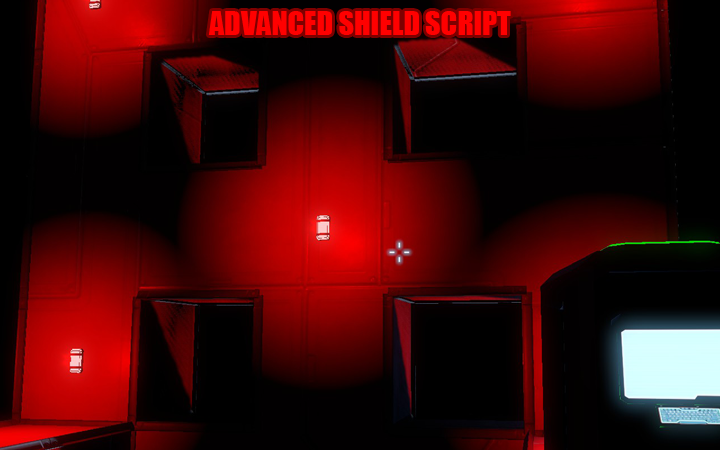
About Mazen's Shield Menu System (Control Module Supported)
From Steam WorkshopThis will be my final iteration of the shield script. I've developed countless iterations of this shield script and I feel that it have become more difficult to continue working on it. So the future…
This will be my final iteration of the shield script. I've developed countless iterations of this shield script and I feel that it have become more difficult to continue working on it. So the future task will not be to rewrite the shield script from scratch (Which I hope are not necessary to do again) but to repair anything that get broken in future updates.
This current iteration of the shield script uses my unique menu system that have been revised to be simpler to use. It is similar to the previous iteration's menu system but codes are shorter than the previous iteration and gets the job done.
================ NEW FEATURE ================ Help Menu - Automatically runs for first time that the script runs. PLEASE, PLEASE, PLEASE read it! It contains all of the explanation of how to work with the script. Reset - Resets the script setting to default setting. Help - Runs the Help menu in case you need to rerun it Flux Generators - its own node will display if it's on or off Config - Configuration for the lights/sounds
================ OLD FEATURES KEPT ================ Critical Light and Sound warning - disabled by default, can be enabled from the config menu, and the interval/delay can be adjusted in the config menu. Recolorability of LCD and script will be able to recall the last color that was set, provided the data haven't been changed manually. Branched LCD Panels and functions to display desired data
================ TO START THIS SCRIPT ================ Put the LCD Panels (Maximum of 7 LCD Panels), Interior Lights (Optional), Sound Blocks (Optional) in group named "Shields Group" (I may change this, so keep an eye here for any changes). Put this script in a Programmable Block. Upon exit, you should see a list of initialization in the data field. That's for Debugging purpose so that it will be easier to catch bugs during script compilation. Put the Programmable Block in the Timer Block's toolbar. Put the Timer Block in the toolbar, set it to TRIGGER NOW. Press "Trigger Now" and the script should run on the LCD panels. You don't need to put the shield generators and the flux capacitors in the group anymore because it automatically detects them on the grid.
================ PLANNED FEATURE ================ Texture Images Support. I am planning on giving users of this script an option of using images like THYA's Shield HUD texture pack as well as the ones I'm planning on creating.
================ BUG REPORT ================ Any problems? Please let me know in the comment. As of now I don't know how to create a separate topic for the bug report.
================ ENJOY THIS? ================ If you enjoy this script, please upvote this. As I've put in a lot of work in it and I will appreciate gratitude for the hard work that I've put in creating this script.
================ FEEDBACK ================ I will appreciate very much if I get user feedback from users that use this script. How do you feel about the ease of using this script? Is the help menu clear and helpful? How can it be improved? Anything else you want to add? Please comment! Thanks and have a great day!
================UPDATE==================== I'm currently reworking the graphics codes. I should have it ready sometimes this month and will upload the new codes as soon as it's completed and hopefully bug-free.
Highlights
From source dataFootprint
Rated a light load on a server.
Last update
Its author last shipped an update 9 yr ago.
Mazen's Shield Menu System (Control Module Supported) on Nxeon
From our catalogue- One-click install
- Not available. One-click install isn't available for this game's mods yet. Download it and upload it to your server in Files.
- Server load
- light
- Smallest plan we suggest
- Space Engineers — 8 GB (8 GB RAM). This follows our own load rating above, not a benchmark.
- Latest build
- 2018-02-11, released 2018-02-11
Game versions by loader
| Loader | Game versions | Newest |
|---|---|---|
| Workshop |
From 1 recorded build of Mazen's Shield Menu System (Control Module Supported).
Dependencies
- Required: Energy Shields
Declared by the newest build that lists any. Required ones are installed with it on one-click installs.
Run Mazen's Shield Menu System (Control Module Supported) on a Space Engineers server
Deploy a server above, then upload the file in Files.
What kind of mod it is
From the catalogQuality of life & UI
Small conveniences, tweaks and interface improvements players notice straight away.
Compatibility
- Game
- Space Engineers
Verified at the source
- ✓Steam WorkshopOfficial listing, checked 2026-11-01Open ↗
- ✓AuthorMazen IIXIS, as published on Steam Workshop
- ✓LicenseNot published by the sourceFree












