






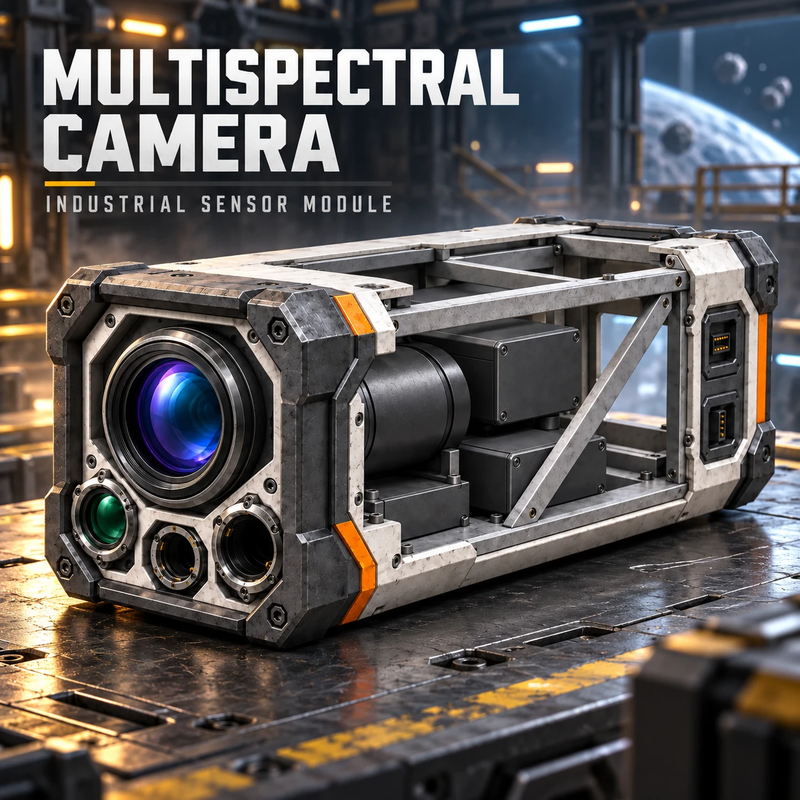
About Mining Camera
From Steam WorkshopMining Camera WORK IN PROGRESS. This mod is under construction and not finished: blocks, values and readings can change between versions. The large-grid Mining Camera (Gimbal) is new and still…
Mining Camera
WORK IN PROGRESS. This mod is under construction and not finished: blocks, values and readings can change between versions. The large-grid Mining Camera (Gimbal) is new and still missing features. Warning: if a version changes the size of a block, blocks already placed in a world that no longer fit are removed when the world loads (it happened once with the Gimbal).
Full guide: how to use both cameras
Bug reports and multiplayer feedback
Two cameras that also read asteroids. Ask them from a Programmable Block, switch on Auto scan, or just control the Gimbal and look: they fire a ray, analyze for a few seconds and report the asteroid type (C, S, M or X, like real asteroid classes), the ore probability of the whole asteroid, and the surface ore and its patches when close. Everything learned goes to a faction registry that a Programmable Block can query, and a cockpit screen can show it. No camera needed to read it: any Programmable Block can ask itself (Me) for list and veins, for example on a base screen. Each vein also brings its face (vein_normal, vein_axis, vein_box) so a miner can drill it head on.
Scan queue and surface map: mark asteroids with a click through the camera or with Mark target in the cockpit toolbar, and the cameras of the ship scan them by themselves, sharing the work. Up close they map the surface part by part and record every ore patch as a vein: you see the read parts as a faint grid on the asteroid in your crosshair and the veins in the color of their ore. Any LCD or cockpit screen can show the asteroid in 3D, slowly turning, as a point cloud of what your faction read, with its veins inside and a color legend (script Mining Camera: Asteroid; asteroid=aim in Custom Data shows the one in your crosshair). With the Mineral Survey mod, a seismic survey adds the hidden veins to that 3D view in a neutral color, and a camera reading them up close shows their ore, and so does the game's ore detector when one of them is within its range or up to 250 m straight ahead of the cockpit.
Enemies and fleet: with Auto scan and Enemies on, the Gimbal watches for enemy ships within its Range (up to 2 km) and follows the one it sees with its head. Click an enemy through any Mining Camera (or use Mark target) to mark it: a free Gimbal of the ship follows it, everyone seated in that ship sees it marked in red on the HUD, and a Programmable Block reads every marked or detected enemy (position, velocity, size, which camera follows it) with the request enemies. Marks survive a server restart.
Depleted veins: every registered vein knows how much ore is left. Drilling it (by hand, ship drills or drones), a near reading or an ore detector measures it again, and the screens, the aim line and the vein list show remaining %. Under 5 % the vein is Exhausted and disappears from every list, the 3D view and the HUD.
- Mining Camera - small grid, 1x1x3. Ore up to 630 m, ore probability up to 5.04 km, asteroid type up to 9.45 km.
- Mining Camera (Gimbal) - large grid, two blocks tall, with a head that turns like the searchlight (no DLC needed). Reads where its sphere looks: ore up to 1 km, ore probability up to 8 km, type up to 15 km. With Auto scan off the head stays still where you leave it (forward and 45 deg down when built or when Auto scan is switched off). With Auto scan on it searches by itself and never rests: it sweeps the sky for asteroids, maps the near ones, reads the far unknown ones, and with nothing left it keeps turning and watching. Its lights pulse, and flash while it scans.
Quick start: a Programmable Block writes dir 0 0 -1 to the block property MiningCamera.Request and reads the result from MiningCamera.Reading (MyIni text). Or turn on Auto scan in the camera terminal. The guide has a full example script, every reading key, the scan queue, the surface map, the faction registry, the cockpit screen, the asteroid screen, enemies and the server settings. Physics rays of all cameras share a time budget per frame (ray_budget_ms).
Highlights
From source dataFootprint
Rated a light load on a server.
Last update
Its author last shipped an update 3d ago.
Mining Camera on Nxeon
From our catalogue- One-click install
- Not available. One-click install isn't available for this game's mods yet. Download it and upload it to your server in Files.
- Server load
- light
- Smallest plan we suggest
- Space Engineers — 8 GB (8 GB RAM). This follows our own load rating above, not a benchmark.
- Latest build
- 2026-11-01, released 2026-11-01
Game versions by loader
| Loader | Game versions | Newest |
|---|---|---|
| Workshop |
From 6 recorded builds of Mining Camera.
Recent builds
| Build | Released | Game versions | Loaders |
|---|---|---|---|
| 2026-11-01 | 2026-11-01 | n/a | Workshop |
| 2026-10-27 | 2026-10-27 | n/a | Workshop |
| 2026-10-25 | 2026-10-25 | n/a | Workshop |
| 2026-10-23 | 2026-10-23 | n/a | Workshop |
| 2026-10-22 | 2026-10-22 | n/a | Workshop |
| 2026-10-22 | 2026-10-22 | n/a | Workshop |
Run Mining Camera on a Space Engineers server
Deploy a server above, then upload the file in Files.
What kind of mod it is
From the catalogBuilding & decoration
Blocks, furniture, decorations and building tools.
Compatibility
- Game
- Space Engineers
Verified at the source
- ✓Steam WorkshopOfficial listing, checked 2026-11-04Open ↗
- ✓Authormxm642, as published on Steam Workshop
- ✓LicenseNot published by the sourceFree












