






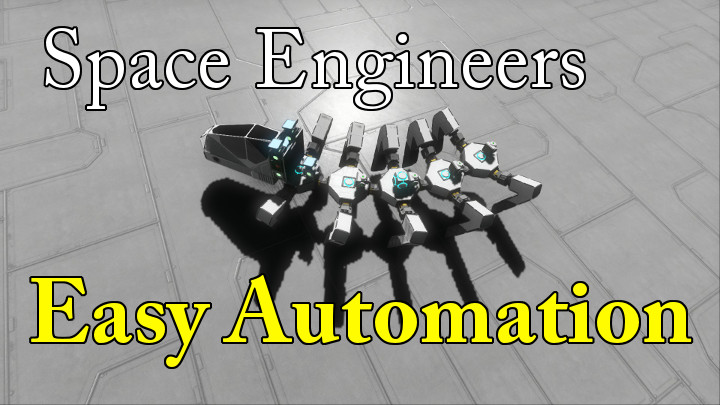
About (Old) Easy Automation (InGameScript)
From Steam Workshop----------------------------------------------------------------------------------------------------------------------- 5/30/2016 This is the old version of this script. Easy Automation V2.0 is now…
----------------------------------------------------------------------------------------------------------------------- 5/30/2016 This is the old version of this script.
Easy Automation V2.0 is now out and can be found here: http://steamcommunity.com/sharedfiles/filedetails/?id=694296356
The Steam guide is for V2.0 is also out and ready for your perusal here: http://steamcommunity.com/sharedfiles/filedetails/?id=685206874 -----------------------------------------------------------------------------------------------------------------------
Welcome to the Easy Automation program. This Is an In game program that will allow you to automate things easily. Hehe who would have guessed.
This program allows you to: -Activate actions -Set exact slider values -check an action, slider value, or bit of detailed info and decide what to do based on what it finds -wait for a condition to be true before continuing on with the automation -Delay the automation for a period of milliseconds -Reference previous code to reduce the amount of instructions you need to write -Dynamically set values in the code based on the argument you pass to the programing block
Now watch the videos to see what is possible. The tutorials will guide you through how to use it.
Here's the link to the World with the Examples: http://steamcommunity.com/sharedfiles/filedetails/?id=566284771
V 1.03 Change notes -added Height slider for Gravity Generators -All double word sliders are now functioning as they should (Blink Lenght, Blink Interval, Blink Offset) -Blink Lenght slider for lights is now working... yes it is Blink Lenght, Keen misspelled it so now you must to -Added Discharge action for Batteries Known Bugs -empty lines in write statements cause the script to run away so avoid that for now.
----------------------------------------------------------------------------------------------------------------------- 3/24/2016 Good news everyone! I have been hard at work powering up this script. Version 2.0 is completely functional and ready to rock. I just need to add the ability to look up what properties and actions are available for modifying as well as create some new tutorial vids and then it will be released. As some of the grammar of the Easy Automation code language has changed I will be releasing it as a new submission so as not to mess up previous creations.
Things you can look forward to in the new script:
-The ability to use groups. The old fassioned "Easy Automaiton" similarly named blocks will still act as groups as well.
-"if" "else if" and "else" now all work and use brackets for nesting like in c# (Brackets must be alone on a line).
-you can now call other code blocks that are on different LCDs from your original LCD.
-you can now set Variables to grab the current value of a property of a block at the time the variable is called!
-The code will now run more quickly as it has been reduced in size and compiles your Easy Automation code before running instead of during the run. If the code changes during the run then it will sense this and re compile. It will react mid run just like in the previous versions. (change variables and values mid run to fine tune your creations).
-you can now run other programs on other programming blocks with arguments that you designate in your Easy Automation code.
-New write to LCD functionality. Now you can add to what you had previously on screen, add on a new line, overwrite what was previously there, and clear the screen. Also the bug with the empty line in multi-line write statements has be fixed.
-easier to debug your code due to much more comprehensive error catching and explanation.
-the final function that will soon be implemented will be the ability to request a list of what properties and actions a desired block has that can be manipulated, checked, and/or stored in a variable.
Not sure as to a release date (videos can take a while) but It should be relatively soon. All the hard stuff is done.
P.S. A big shout out to qsec and TOS = Tony for all their help and contributions.
----------------------------------------------------------------------------------------------------------------------- 3/25/2016 -The ability to display the actions and properties of a block is now working
-work on the instructional videos now begins.
----------------------------------------------------------------------------------------------------------------------- 4/21/2016 OK OK I have been working on the tutorial videos but as I go I keeped finding new functionality that I wanted to implement and bugs I needed to squash. This is good news for the script, bad news for the release date. I think I have added all that I will be adding and squashed all of the bugs. Now work on the videos can really begin... I swear... I hope.
new functionality that I have added: - A rotation statement that allows you to rotate a rotor to a specified angle at a specified speed and can also be set to choose the shortest path to the requested angle.
- A statement that allows you to rename blocks, Add text to the end of the current name of blocks, remove text from the name of blocks (This will allow for some pretty interesting interactions between "Easy Automation" and the "Control Module" mod by Digi. Also allows the creation and destruction of groups of similarly named blocks which "Easy Automation" can than manipulate.)
----------------------------------------------------------------------------------------------------------------------- 5/1/2016 Sooooo I have decided to make a scenario that will teach you to use the Easy Automation Script. If I can figure it out you can look forward to voice acting by yours truly as well. I am taking the beginning sequence of Systems Shock 2 as an example of the feel I am going for.
Highlights
From source dataFootprint
Rated a light load on a server.
Last update
Its author last shipped an update 11 yr ago.
(Old) Easy Automation (InGameScript) on Nxeon
From our catalogue- One-click install
- Not available. One-click install isn't available for this game's mods yet. Download it and upload it to your server in Files.
- Server load
- light
- Smallest plan we suggest
- Space Engineers — 8 GB (8 GB RAM). This follows our own load rating above, not a benchmark.
- Latest build
- 2015-12-30, released 2015-12-30
Game versions by loader
| Loader | Game versions | Newest |
|---|---|---|
| Workshop |
From 1 recorded build of (Old) Easy Automation (InGameScript).
Run (Old) Easy Automation (InGameScript) on a Space Engineers server
Deploy a server above, then upload the file in Files.
What kind of mod it is
From the catalogTechnology & automation
Machines, power, logistics and automation.
Compatibility
- Game
- Space Engineers
Verified at the source
- ✓Steam WorkshopOfficial listing, checked 2026-11-01Open ↗
- ✓AuthorCoren, as published on Steam Workshop
- ✓LicenseNot published by the sourceFree












