






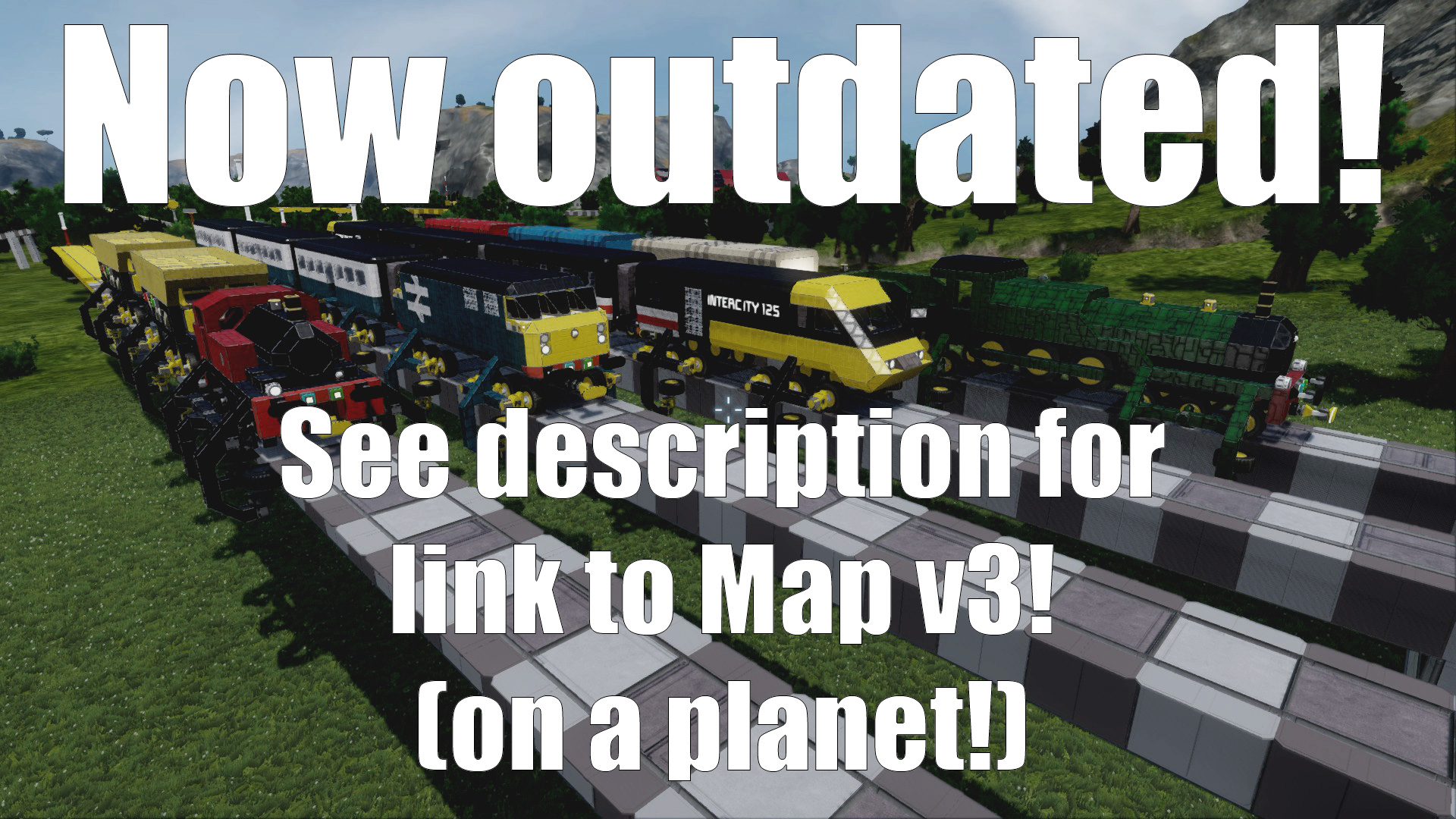

About (OUTDATED) DH Train Engineers Map v2
From Steam WorkshopNOW OUTDATED! View Map v3 instead - Trains on planets! http://steamcommunity.com/sharedfiles/filedetails/?id=563217228 You can now also build your own trains and track in creative mode using this…
NOW OUTDATED! View Map v3 instead - Trains on planets! http://steamcommunity.com/sharedfiles/filedetails/?id=563217228
You can now also build your own trains and track in creative mode using this blueprint collection: http://steamcommunity.com/sharedfiles/filedetails/?id=563424253
---
Train set map made for fun. Almost vanilla (uses a skybox & 1 unrequired mod). Max. train speed varies between 25 & 70 m/s on straights. Optimized for DX9, but works in DX11.
Features: * 5 traditional style locomotives (2 "steam", 3 "diesel") * 3 rail wagon types (passenger coach, ore wagon, cargo boxcar) * Vehicle couplings * 6km long railway network with 3 stations and a maintenance depot. * Points/switches * Basic signals
Note 27/11/15:
A pre-planets concept, this map may or may not still work properly. Third map is on a planet and has now been released, featuring most of the assets shown in Map v2. Get it from: http://steamcommunity.com/sharedfiles/filedetails/?id=563217228
---
IMPORTANT:
Map view distance has been set to 1500km for smoother framerate (with weird LOD behavior), but this only works if you use DX9 (rendering bugs). If using DX11, go into the advanced world settings and set the view distance back to 5000km first.
Also, please don't reupload/republish this world without my permission, and all that stuff - Though if you're clever enough to reverse engineer my train mechanics to use in your world, you're free to do so, but consider crediting me. :) Thanks.
[h1]QUICK INSTRUCTIONS:[/h1] Orange button panels toggle track points/switches and other mechanics in the world. While driving, press {W} and {S} to go forward and back. Use handbrake with { space } to brake. To not derail, slow to 90 km/h through angled points or around sharp corners (wider corners can be taken at 120 km/h).
[h1]NOTE:[/h1] This map was made for fun for creative mode, but some mechanics may be able to be adapted for use in survival mode later.
Structures and vehicles use some survival mechanics to give them function (and for extra detail): The maintenance depot can build trains. Ore trucks collect and eject ore. Freight boxcars can be loaded from platforms using connectors. Passenger coaches can be boarded on foot from platforms.
Trains are restricted by SE's physics - They won't work at high speeds with destructible blocks turned on because SE's components are made from rice paper. Taking advantage of this, they have hidden thrusters inside of them - They don't need them to work, but haul wagons better with them.
I'd like to make a Version 3 with a larger rail network once Space Engineers is a bit more optimized, and after the planets feature is out and refined a bit.
Version 1 was released in May 2014 and can be found at: http://steamcommunity.com/sharedfiles/filedetails/?id=261851457
Special thanks to KSH for featuring this map, to Kittle on the KSH forum for view distance advice and to Ravric, who made the Dawnstar Train map - It showed me what is now possible with Space Engineers with recent updates. Also thanks to DosmacTheDisabledEmu for the "CloudSpaceBox" skybox and MechanizedIT for the "Builder's Toolbox" mod (the only mods I used - they are not required for the map to work)
FURTHER INSTRUCTIONS:
* Vehicle "couplings" connect locomotives to wagons, and wagons to each other.
To connect: 1) Press the light blue button next to a "coupling" (landing gear) to toggle the autolock on. 2) Drive vehicles into each other slowly. Only one "coupling" needs to be locked for it to work.
To disconnect: 1) Toggle Autolock off with the light blue button 2) Press the green button to unlock. 3) Freight wagons have connectors as well - Press the green button on connectors to toggle locking when train is stationary.
* Locomotives (save for the Intercity) have "coupling" autolock/unlock controls bound to their cockpit toolbars.
FURTHER MAP NOTES:
* Derailed trains can be put back onto the track, but it's complicated - It's easier to exit the map without saving and reload it.
* Try turning the artificial mass groups off and then on again very quickly to silence them if they're too noisy.
* Trains go slowly around corners because of Space Engineers' limited physics.
* Trains may wobble a bit while travelling straight - Ease off acceleration if this happens.
* Bi-directional sections of tracks expect you to drive on the right - Though this doesn't matter unless you're playing this map in multiplayer (and who'll do that?) or take more than one train out of the sidings at the same time.
LOCOMOTIVE NOTES:
British Rail Class 56:
Real world info: An unremarkable heavy freight diesel locomotive built between 1976 and 1984 - The first of the "second generation" British diesel locomotives.
SE map info: Based on the "Generic BR" locomotive from the previous train map - Since all box-shaped British Rail locomotives look similar, I picked a real world vehicle to base its details off of at random.
It used to go as fast as 60 m/s when pulling wagons, and a lot faster by itself - But falls off the track if you go too fast. Try it, it's fun!
DH "FeeCo" Steam Engine:
Named after the FeeCo trains from the Oddworld game series (despite the lack of resemblance). Based on the steam train from the first map instead of a real vehicle. The cockpit where its firebox should be. Use the cameras for a first person view.
Built for aesthetics over functionality, it had a slow top speed when pulling wagons.
0-4-0 Steam Engine:
A tank engine based on a small Matchbox toy train from my childhood which I've kept as a desk ornament. It's the slowest engine on the map, and it wobbles about all over the place.
You can (carefully) remove the "connecting rod" to make it more stable.
INTERCITY 125
Highlights
From source dataFootprint
Rated a light load on a server.
Last update
Its author last shipped an update 11 yr ago.
(OUTDATED) DH Train Engineers Map v2 on Nxeon
From our catalogue- One-click install
- Not available. One-click install isn't available for this game's mods yet. Download it and upload it to your server in Files.
- Server load
- light
- Smallest plan we suggest
- Space Engineers — 8 GB (8 GB RAM). This follows our own load rating above, not a benchmark.
- Latest build
- 2015-10-09, released 2015-10-09
Game versions by loader
| Loader | Game versions | Newest |
|---|---|---|
| Workshop |
From 1 recorded build of (OUTDATED) DH Train Engineers Map v2.
Run (OUTDATED) DH Train Engineers Map v2 on a Space Engineers server
Deploy a server above, then upload the file in Files.
What kind of mod it is
From the catalogVehicles & ships
Cars, boats, aircraft, ships and other things to drive or fly.
Compatibility
- Game
- Space Engineers
Verified at the source
- ✓Steam WorkshopOfficial listing, checked 2026-11-01Open ↗
- ✓AuthorDarkHoodness, as published on Steam Workshop
- ✓LicenseNot published by the sourceFree












