






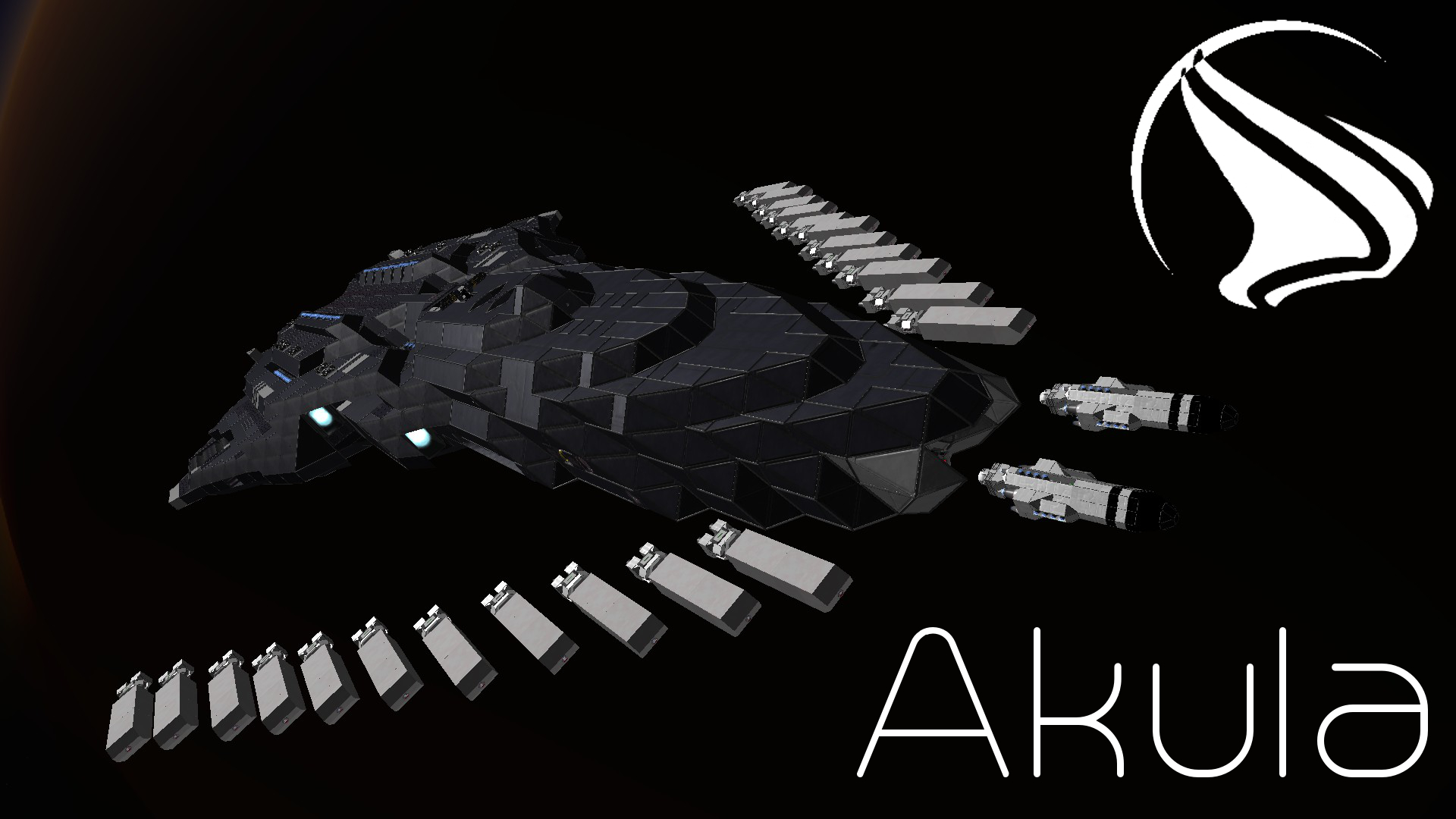
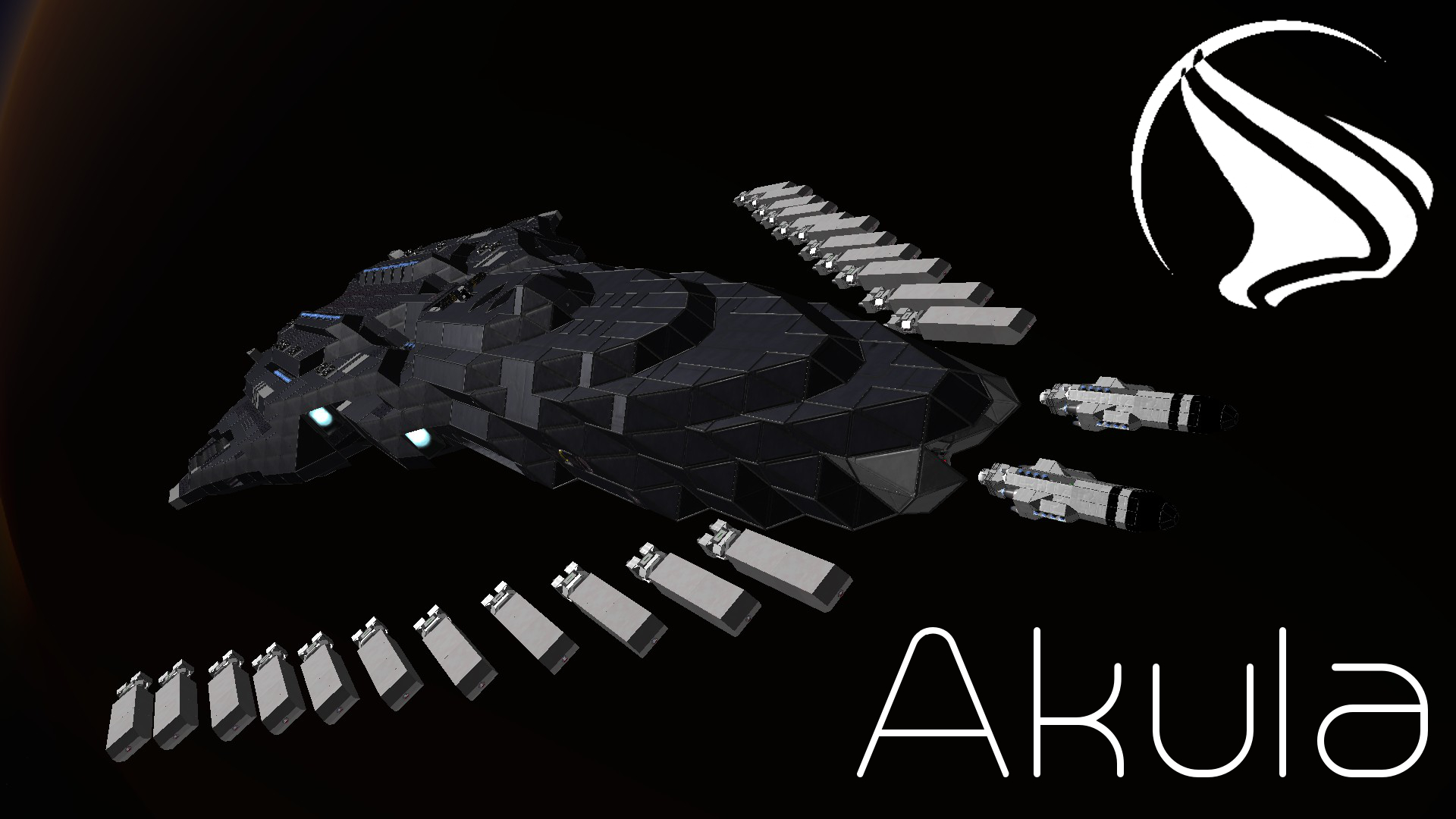
About PFS - CCT - Akula Torpedo Cruiser
From Steam WorkshopNOTE: This ship was created before inventories added mass. Thus, the once devastating KFT torpedoes are mostly useless. However, the KAPT torpedoes still do their job adequately. Akula Battlecruiser…
NOTE: This ship was created before inventories added mass. Thus, the once devastating KFT torpedoes are mostly useless. However, the KAPT torpedoes still do their job adequately.
Akula Battlecruiser
Mass: 14,644,897 kg Acceleration: 2.23 m/s^2 Max Jump Distance: 457 km (3 drives) Weapons: 20 Gemini Turrets, 4 Rocket Launchers, 2 Firestorm Rocket Turrets Payload: 2 KFT II Kinetic Fragmentation Torpedoes, 24 KAPT II Kinetic Armor Piercing Torpedoes Cargo: 82 Small Containers Assemblers: 8 Refineries: 2 Connectors: 3 Airlocks: 2
Crew: 26 1 CO 1 XO 5 Bridge Crew - 1 Pilot, 1 Comms Officer, 1 Flight Engineer, 2 Turret Controllers 8 Engineering Crew 4 Torpedo Systems Crew 3 Medical Crew 2 Support Crew
Originally designed as an artillery cruiser, the Akula played host to large and destructive yet dumb-fire torpedoes. However, newer advances in guidance systems allowed for smaller torpedoes that were not as destructive, but made up for this with their precision. The Akula soon found itself obsolete in its intended role, as smaller torpedoes also called for smaller ships, and more suited ones were made for these technologies.
However, PFS managed to re-pitch the idea to the Navy, and continue the Akula program, based on the destructive power that these torpedoes provided. The Akula soon found itself serving in a new role as a battlecruiser - designed specifically to warp in and devastate slow moving ships of similar size.
----------------------------- USER MANUAL --------------------------
AKA the part you probably won't read ;)
Missiles ----------------------------------------------------------------------
KAPT II - Dumb fire, Kinetic Armor Piercing Torpedoes. There are 24 loaded into the primary torpedo bay. See below for instructions on deployment
KFT II - Remote controlled, Kinetic Fragmentation Torpedoes. There are 2 loaded into the forward torpedo bay in the nose of the ship. The missile can be controlled via normal antenna and/or laser antenna
1. Via the Comms Seat on the bridge, take control of the missile 2. Ensure that engines, the battery, and the antenna are all activated before unlocking the missile's connector and separating it from the ship. DO NOT activate the sensor before leaving the torpedo bay, as this will result in detonation of the missile and a premature deployment of its contents within the torpedo bay. 3. Fly the torpedo out the bay towards your target. The torpedo is most effective when used against any intruding (not protruding) parts of a ship's armor. For best results, aim for longer lines of destruction throughout the ship. In this way, the cargo will continue traveling through the interior of the ship and causing damage, rather than exiting out the other side to do no further harm. 4. Activate the sensor as you approach the target and fly towards it. Detonation will commence shortly before impact.
Bridge Crew -----------------------------------------------------------------
Comms Seat
[img=http://i.imgur.com/vV9XZ7L.jpg]
1. Forward Torpedo Bay Doors - This opens/closes the doors to the torpedo bay in the nose of the ship. This bay houses the fragmentation torpedoes. 2. Fragmentation Missile 1 Remote Control 3. Fragmentation Missile 2 Remote Control 4. Antenna 1 On/Off 5. Antenna 2 On/Off 6. Forward Laser Antenna On/Off - this is the laser antenna in the nose of the ship at the entrance to the torpedo bay.
Flight Engineer Seat
[img=http://i.imgur.com/XAiNyuO.jpg]
1. Port Solar Panel Control - Activate the timer to deploy/undeploy the solar panel. DO NOT trigger again before the sequence has completed. 2. Starboard Solar Panel Control 3. Laser Antenna Piston Control - Extends/Retracts the Ventral Laser Antennae 4. Connector Piston Control - Extends/Retracts the Dorsal Connector 5. Connector Camera - View the Dorsal Connector to line up for docking 6. Gemini Turrets On/Off 7. Port Bay Door - Actvate the timer to open/close the main torpedo bay doors. DO NOT trigger again before the sequence has completed (the light color will change) 8. Starboard Bay Door
Pilot Seat
[img=http://i.imgur.com/2R88fI8.jpg]
1. Rocket Launcher Control - fire the 4 forward facing rocket launchers 2. Forward Dorsal Camera 3. Forward Ventral Camera 4. Rear Camera 5. Port Camera 6. Starboard Camera 7. Connector Camera - View the Dorsal Connector to line up for docking
Firestorm Turret Control
[img=http://i.imgur.com/68VHOHx.jpg]
1. Turret Camera - View the targeting camera for the turret 2. Run Turret Program - ensure that the program is running before firing 4. Timer On/Off - enable turret fire sequencing 5. Timer Start - begin turret sequencing 7. Increase Rotor Braking Torque - Use this to lock down the turret when not in use 8. Decrease Rotor Braking Torque - Use this to unlock the turret for use
To fire the turret, ensure that the program is running (2) and the timer block is on (4). To fire, press 5, then press 4 to stop firing. 7 and 8 can also be used to increase or decrease the sensitivity of the turret.
Torpedo Bay Controls -----------------------------------------------------------------
[img=http://i.imgur.com/oAdxMNq.jpg]
1. View Torpedo Rack Camera - this camera allows you to line up the torpedoes for transfer from the rack to the launcher 2-4. Rotation Controls for the Torpedo Rack - use these rotor controls to line up the torpedoes for transfer to the launcher 5. Open Bay Doors - Actvate the timer to open/close the main torpedo bay doors. DO NOT trigger again before the sequence has completed (the light color will change) 6. Extend/Retract Launching Mechanism 7. Rotate Launching Mechanism 8. View Targeting Camera - This camera is attached the launching mechanism, allowing for an easy view for targeting when the arm is extended out the bay.
Highlights
From source dataFootprint
Rated a light load on a server.
Last update
Its author last shipped an update 11 yr ago.
PFS - CCT - Akula Torpedo Cruiser on Nxeon
From our catalogue- One-click install
- Not available. One-click install isn't available for this game's mods yet. Download it and upload it to your server in Files.
- Server load
- light
- Smallest plan we suggest
- Space Engineers — 8 GB (8 GB RAM). This follows our own load rating above, not a benchmark.
- Latest build
- 2015-07-22, released 2015-07-22
Game versions by loader
| Loader | Game versions | Newest |
|---|---|---|
| Workshop |
From 1 recorded build of PFS - CCT - Akula Torpedo Cruiser.
Dependencies
- Required: (DX11)Docking Ring
- Required: [Dx11]DeadTech - MessHall Pack
- Required: Catwalks_V3.0(Dx11)
- Required: (DX11) Eikesters Decorations and more - Part I
- Required: Industrial Thruster (Sage)
- Required: Armor Ramps [By UncleSte]
- Required: (DX11) Eikesters Decorations and more - Part II
- Required: Maglock Surface MkII
- Required: TVSI-Tech Community Pack: Phoenix [DX11]
- Required: Conveyor Air Vent - full sized block (and slope!)
- Required: TVSI-Tech Diamond Bonded Glass (Creative) [DX11]
- Required: (DX11) Kolt - Command Console Pack
- Required: Azimuth 220mm Ravager & Gemini Turret Mod~(DX-11 Ready)
Declared by the newest build that lists any. Required ones are installed with it on one-click installs.
Run PFS - CCT - Akula Torpedo Cruiser on a Space Engineers server
Deploy a server above, then upload the file in Files.
What kind of mod it is
From the catalogVehicles & ships
Cars, boats, aircraft, ships and other things to drive or fly.
Compatibility
- Game
- Space Engineers
Verified at the source
- ✓Steam WorkshopOfficial listing, checked 2026-11-01Open ↗
- ✓AuthorLord Commissar, as published on Steam Workshop
- ✓LicenseNot published by the sourceFree












