






About PFS - DDH - Wyrm Howitzer Destroyer
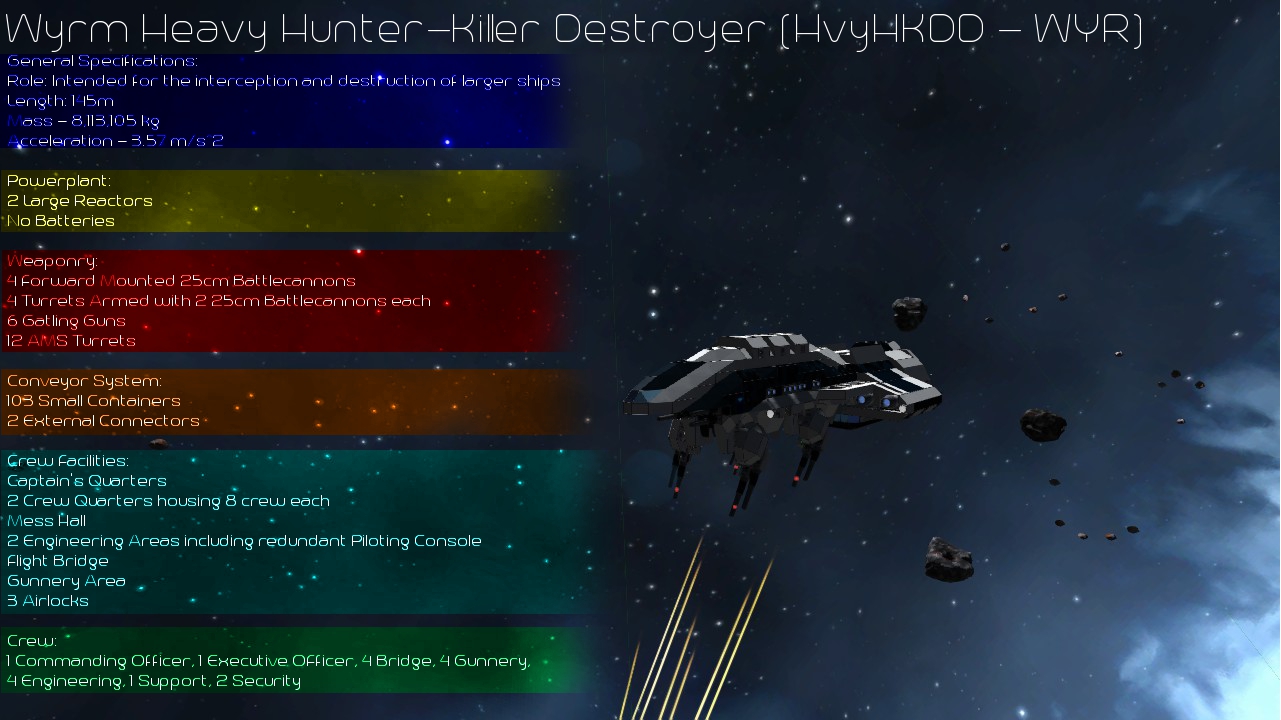
From Steam WorkshopMass: 8,113,105 kg Acceleration: 3.57 m/s^2 Weapons: 4 forward 25 cm battlecannons, 4 turrets with 2 25 cm battlecannons each, 6 gatling guns, 12 Anti-Missile Turrets Ammunition Storage: 103 Small…
Mass: 8,113,105 kg Acceleration: 3.57 m/s^2 Weapons: 4 forward 25 cm battlecannons, 4 turrets with 2 25 cm battlecannons each, 6 gatling guns, 12 Anti-Missile Turrets Ammunition Storage: 103 Small Containers Airlocks: 3 Connectors: 3 Crew: 17
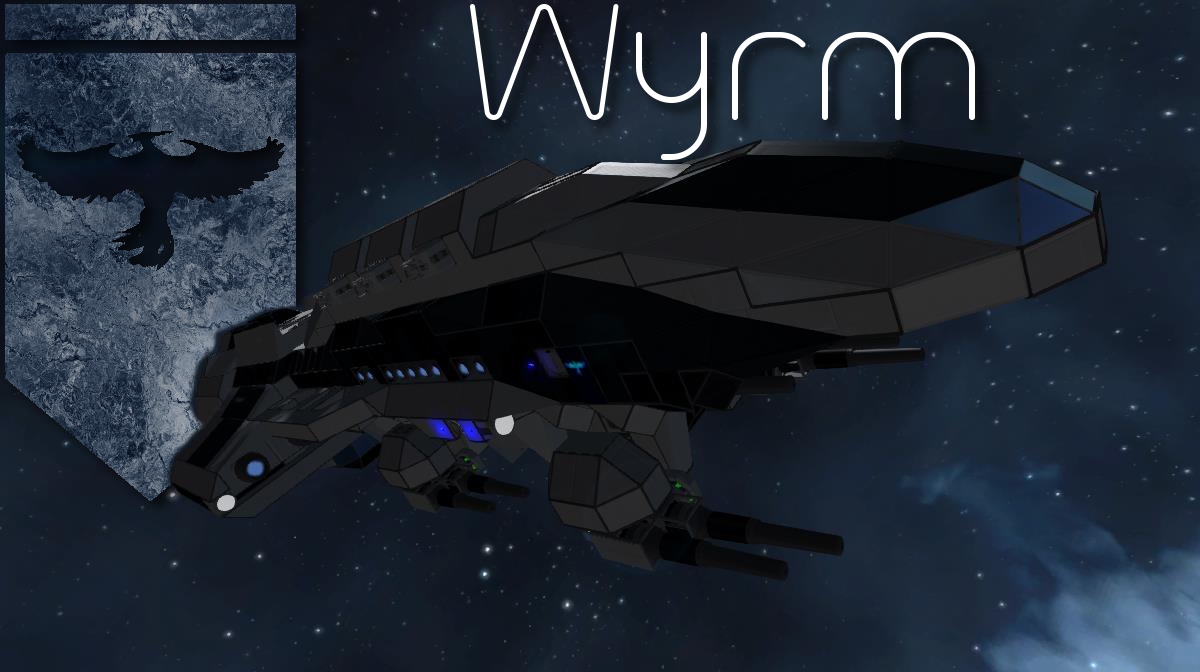
The Wyrm was created to be a hunter-killer ship, meaning that it is a ship designed to contain heavy firepower in a relatively small package. To this end, it is well suited for hunting down and destroying ships larger than itself, though it may have trouble when used against smaller, more maneuverable craft. The Wyrm is designed to hunt enemy capital ships from long range and solo, or up close in packs. Because of its vulnerability to smaller craft, it should not go unsupported by flak or fighter vessels.
Controlling the Turrets --------------------------------------------------
There are 4 consoles on the bridge that correspond to the turret relative to their positioning. The same correspondence takes place in the Turret Control Room behind the bridge (See the diagram screenshot). The bridge can be used for out of combat or long range combat flying. During combat, it is suggested that gunners retreat to the Turret Control, while the pilot can retreat to a secondary console in the engineering areas.
If you are flying the ship solo, you should ensure that all turret battlecannons are turned off, and the turret rotor torque is turned up to maximum. Turning the turret battlecannons off will allow you to fire the forward battlecannons under the nose of the ship without firing all the turret battlecannons as well, and causing damage to yourself. Increasing rotor torque to full on the turrets will lock them down, to minimize swaying of the turrets while you maneuver.
both of these controls you will find already linked up to the primary piloting console on the bridge.
At a turret console, you will find two controls by default: 1) remote control (control) for the respective turret 2) battlecannons (on/off) for the respective turret
When you activate the remote control, the interface will change to a preprogrammed interface for you to easily operate the turret. There are two tabs that you can switch between (< and > keys) to determine how you want to control the turret
Method 1 (tab 1) - Remote Control -----------------------------------------------
This method utilizes the remote control to control the turret's movement. This grants you more precision, but in current SE build you cannot control the turret while the ship is being piloted, or multiple gunners cannot control multiple turrets in this way - only one turret can be controlled at a time, and the ship must not be piloted
Controls: 1) camera (view) for the respective turret 2) battlecannon (on/off) for the respective turret 3) increase the rotor torque for the respective turret (decreases the turret's sensitivity to your controls. maximum setting locks the turret down) 4) decrease the rotor torque for the respective turret (increases the turret's sensitivity to your controls, suggested you do not decrease too much for fear of causing collision) 5) Fire Battlecannons (keep in mind this fires ALL active battlecannons on the entire ship)
Simply use the torque to gain your desired sensitivity level, and use the mouse to guide and fire the turret
Method 2 (tab 2) - Rotor Velocity -----------------------------------------------
This method does not gain you as much precision as method 1, however it does allow you to operate a turret while the ship is being piloted by another player, and for multiple gunners to control all 4 turrets simultaneously.
Controls: 1) Camera (View) for the respective turret 2) Battlecannon (on/off) for the respective turret 3) X - Axis Rotor for the respective turret - Increase, Decrease Velocity (move the turret to the right or to the left) Reset Velocity (Stops turret movement) 4) Y - Axis Rotor for the respective turret - Increase, Decrease Velocity (move the turret up or down) Reset Velocity (stops turret movement) 5) Fire Battlecannons (keep in mind this fires ALL active battlecannons on the entire ship)
Mods Used -----------------------------------------------
Armor Ramps Catwalks 2.1 CSD Battlecannon DeadTech Mess Hall Pack Docking Ring Eikester’s Décor I Eikester’s Décor II Industrial Thrusters Kolt Command Consoles Phoenix Branding
Some have asked about donations. Obviously you needn't feel obliged, but anything is greatly appreciated and you have my thanks! [url=https://www.paypal.com/cgi-bin/webscr?cmd=_s-xclick&hosted_button_id=9LSL72A775HBJ][img=https://www.paypalobjects.com/en_US/i/btn/btn_donate_SM.gif]
Highlights
From source dataFootprint
Rated a light load on a server.
Last update
Its author last shipped an update 12 yr ago.
PFS - DDH - Wyrm Howitzer Destroyer on Nxeon
From our catalogue- One-click install
- Not available. One-click install isn't available for this game's mods yet. Download it and upload it to your server in Files.
- Server load
- light
- Smallest plan we suggest
- Space Engineers — 8 GB (8 GB RAM). This follows our own load rating above, not a benchmark.
- Latest build
- 2014-12-26, released 2014-12-26
Game versions by loader
| Loader | Game versions | Newest |
|---|---|---|
| Workshop |
From 1 recorded build of PFS - DDH - Wyrm Howitzer Destroyer.
Run PFS - DDH - Wyrm Howitzer Destroyer on a Space Engineers server
Deploy a server above, then upload the file in Files.
What kind of mod it is
From the catalogWeapons, items & crafting
New weapons, gear, items and the recipes to make them.
Compatibility
- Game
- Space Engineers
Verified at the source
- ✓Steam WorkshopOfficial listing, checked 2026-11-01Open ↗
- ✓AuthorLord Commissar, as published on Steam Workshop
- ✓LicenseNot published by the sourceFree












