About Planet Anteros
From Steam WorkshopPlanet Anteros Anteros is an almost desolate planet with life just holding on in the lower depths. On the surface of the planet it is desolate with no oxygen, freezing during day and night, the…
Planet Anteros
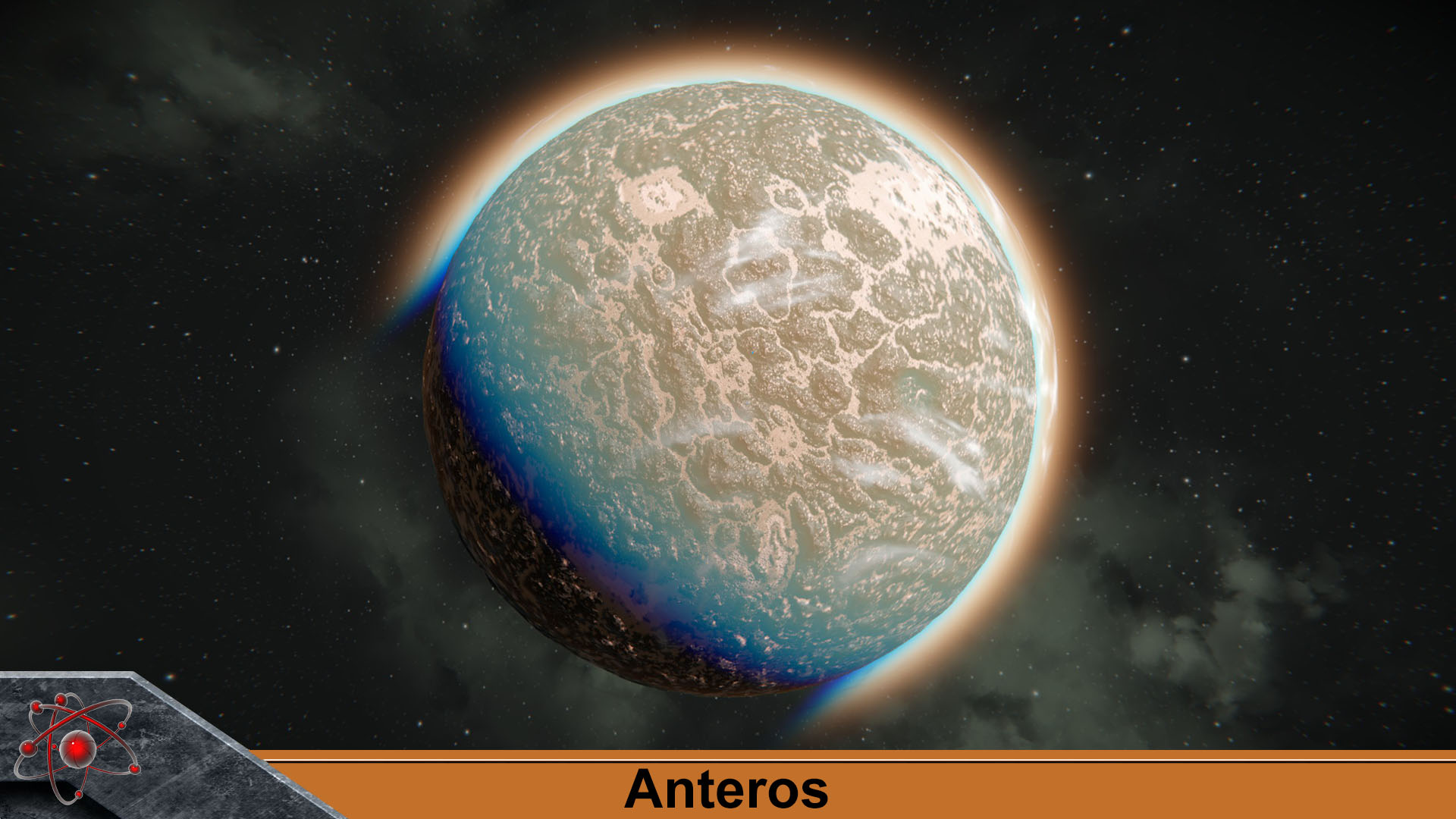
Anteros is an almost desolate planet with life just holding on in the lower depths. On the surface of the planet it is desolate with no oxygen, freezing during day and night, the terrain is suitable for rover vehicles, the lower depths of the planet has life with very low oxygen and freezing during day and night, as well as Electric Storms plaguing the planet.
• Difficulty: Hard • Gravity: 1.32g • Oxygen: %12 • Wind Speed: 14 • Atmosphere Density: %110 • Climate: Day: Freezing / Night: Freezing. • Lifeforms: Spiders (if activated within your game) • Ore below ground: Iron, Nickel, Silicon, Silver, Magnesium, Uraninite. • Recommended planet Size: 110 km. • Custom height map. • Custom voxel textures. • Custom weather settings: Anteros Moderate Winds, Anteros Radiation Plume, Anteros Electric Storm, Anteros Severe Electric Storm. • Added forageable mushrooms and will be found in the grass areas of the planet. • If enabled in your game meteorites will hit the planet. • If enabled in your game the radiation will affect players on the planet during the day.
Tips • If you want Gold you will need to hunt down surface ore boulders to get it. • If you want Platinum you will find it under dry lakes on the surface of the planet. • If you want cobalt you will find it under dry lakes at lowest parts of the planet generally where you find vegetation. • Make sure to get your decoys blocks up with block welders as storms can be severe.
How to use
From the main menu "load game", click on your save game that you want to add the mod to, then on the left side menu click on "edit settings" then click on "mods" then locate the mod you want to add on the left side column then move it to the right side column using the arrow buttons in the middle then click "ok" load world, also from the main menu go to "Options" then click "game" then enable experimental mode.
1. Load an existing world, start a new world or load in to your server world. 2. Press Alt+F10, go into "Admin Tools" and enable creative mode tools (Hit the escape button after that's done) 3. Press F8 to enable free camera mode (Note F6 to escape free camera mode) If you are already in creative mode then there should be no need to do this step. 4. Hold "left shift" button while scrolling the mousewheel will change the speed at which the camera can be move around your universe. 5. Once you have a location for your planet open the spawn menu by pressing Shift+F10. 6. Select "Planets" in the drop down menu at the top. 7. Select desired planet, Select size then click spawn, left click mouse to spawn it in.
Other information
Do not re upload this mod! I will not permit the use of any custom texture and height map assets i put together for this planet mod to be used by anyone else for any other mod so please respect that, For all general comments and feedback leave comments below much appreciated.
Highlights
From source dataFootprint
Rated a light load on a server.
Last update
Its author last shipped an update 14 mo ago.
Planet Anteros on Nxeon
From our catalogue- One-click install
- Not available. One-click install isn't available for this game's mods yet. Download it and upload it to your server in Files.
- Server load
- light
- Smallest plan we suggest
- Space Engineers — 8 GB (8 GB RAM). This follows our own load rating above, not a benchmark.
- Latest build
- 2025-09-20, released 2025-09-20
Game versions by loader
| Loader | Game versions | Newest |
|---|---|---|
| Workshop |
From 1 recorded build of Planet Anteros.
Run Planet Anteros on a Space Engineers server
Deploy a server above, then upload the file in Files.
What kind of mod it is
From the catalogWorld generation
Changes or adds to how new terrain, biomes and structures are created.
Compatibility
- Game
- Space Engineers
Verified at the source
- ✓Steam WorkshopOfficial listing, checked 2026-11-01Open ↗
- ✓AuthorFizzy, as published on Steam Workshop
- ✓LicenseNot published by the sourceFree