






About Power Display and Manager (Obsolete)
From Steam WorkshopThis script will display all Solar Panels, Batteries and Reactors to one or more displays. Solar Panels that will be tracked will be the same size as the Grid the Programmable Block is on. This is to…
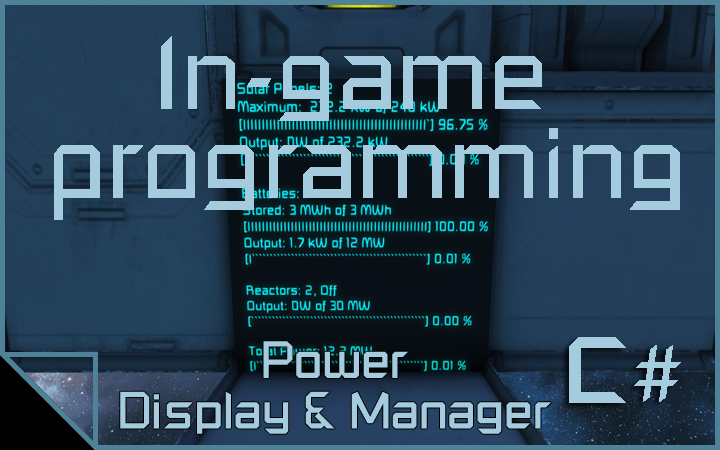
This script will display all Solar Panels, Batteries and Reactors to one or more displays.
Solar Panels that will be tracked will be the same size as the Grid the Programmable Block is on. This is to keep the script from getting confused by the different maximum outputs in the small and large grid Solar Panels, while allowing you to have your panels on pistons and rotors just in case you are running a Alignment script.
The Batteries and Reactors are tracked on the same Grid, as in not through Rotors, Pistons or Connectors.
Reactors are managed by keeping them off unless the average of all batteries are less than 10% stored power or Battery output is over 90%.
Don't have batteries? I thought of that and the reactors stay on if you dont have any.
Want fancy lights so you can tell how efficiently your solars are capturing sun light? This script will change a set of lights to a green color if solars are 90% of their maximum generation, yellow below 90% and above 10%, red and flashing below 10%.
******** SETUP GUIDE ********
1. Place a Programmable block. 2. Load this script from the workshop tab. 3. Place a LCD Panel. 4. Name that LCD Panel: LCD Power
OPTIONAL: 1. Place any kind of light. 2. Name the light: Solar Lights
Special Thanks to MMaster for the large number converter.
Highlights
From source dataFootprint
Rated a light load on a server.
Last update
Its author last shipped an update 6 yr ago.
Power Display and Manager (Obsolete) on Nxeon
From our catalogue- One-click install
- Not available. One-click install isn't available for this game's mods yet. Download it and upload it to your server in Files.
- Server load
- light
- Smallest plan we suggest
- Space Engineers — 8 GB (8 GB RAM). This follows our own load rating above, not a benchmark.
- Latest build
- 2020-12-26, released 2020-12-26
Game versions by loader
| Loader | Game versions | Newest |
|---|---|---|
| Workshop |
From 1 recorded build of Power Display and Manager (Obsolete).
Run Power Display and Manager (Obsolete) on a Space Engineers server
Deploy a server above, then upload the file in Files.
What kind of mod it is
From the catalogTechnology & automation
Machines, power, logistics and automation.
Compatibility
- Game
- Space Engineers
Verified at the source
- ✓Steam WorkshopOfficial listing, checked 2026-11-01Open ↗
- ✓AuthorMorphik, as published on Steam Workshop
- ✓LicenseNot published by the sourceFree












