







About Rdav's Fleet Command MKII
From Steam WorkshopScript LCD UI update is WIP (currently non functional) 30/09/2023 Rdav's fleet command is an entirely Vanilla in-game script aimed at allowing players to play space engineers like a strategy game.…
Script LCD UI update is WIP (currently non functional) 30/09/2023
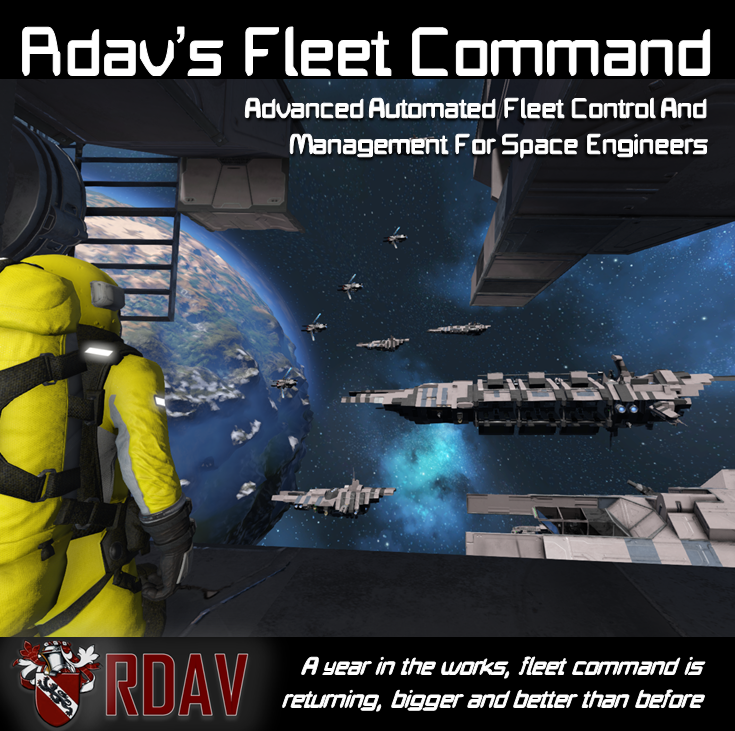
Rdav's fleet command is an entirely Vanilla in-game script aimed at allowing players to play space engineers like a strategy game. Giving advanced automated intelligence to ships and systems, watch on in awe as massive fleets battle it out with fighters rolling and diving between as railguns fire on targets, frigates batter each other and engage in massive fleet maneuvers.

Introduction + Setup Info
============================ This script gives players the ability to command and control an entire fleet using an intuitive and easy to use LCD mouse-operated menu, commanding intelligent AI ships in advanced on-mass maneuvers and tactics that were previously unheard of in space engineers, attack bases and ships with frigate and fighter support, watching ships slug it out while fighters and bombers roll and dive in between, launch, dock, and command fleets of massive quantity,
The Code Comes in pre-installed modules that simply need pasting onto a ship, these are found in your f10 menu along with other blueprints. Remember to check out the Tutorial video up top for info on how to set up and use the modules!
Just an FYI, DO NOT USE the LCD-based UI in multiplayer, for this use the turret based UI, instructions for this can be found below.
Key Features: ~ Automatic ship control, combat & docking ~ Player interactive LCD minimap to control a whole fleet ~ Improved AI, PMW support, new classes and more

Basic Setup/Use
===================================== Basic instructions are included on the module, usual policy in ever any doubt copy what is shown on the modules exactly, and if it works then try and work out what is different about your setup.
Setup Of Central Command This should be done first and is the most important part of the code, without it nothing else will run, copy a central command module and paste onto a ship, after this, turn the ‘USER_INTERFACE’ and ‘CENTRAL_COMMAND’ programmable blocks on. To Control the UI, ‘Remote control’ the RFC_RC remote control attached to the module, doing so will lock you out of commanding the ship you are on and allow you to interact with the menu. Use 'Q' as left click and 'E' as right to interact and command the menu.
Setup Of Drones: All types of drones need a camera, turret and connector, the drones utilize rearward thrust to cancel drift so priority should be given to rear and stopping thrust in the drones design. To install the AI, firstly ensure that you have all the necessary components, then paste on the module. The AI should spring to life and show on the menu
Setup Of Dockpoints: To setup dock-routes you need to place down your docking routes, a connector, two LCD’s minimum, pointing in a dock/undock direction/route. Note that the connector should be on the same plane as the LCD'S, (see my setup example pics) Install the AI as normal after this and the code should automatically configure the dockpoints. If you change or update a dockpoint at any point click ‘recompile’ on the Programmable block on the module to update the docking route. (On LCD the button in bottom right is undock)

Turret Based UI:
===================================== The turret based UI is a user interface for multiplayer. The turret UI is only for people who have already used and mastered the regular UI To install the UI is the same as you would normally, copy paste the module and turn the two programmable blocks on. Ensure you are sitting in a flight seat or cockpit and control the turret on the module to command. Important to remember to set HUD symbols to Always Visible! otherwise you won't see the HUD & icons in turret-command.
Basic Command With The Turret UI: Use Spacebar as left click to select ships, double click Spacebar on empty space to issue a goto order. You can press and drag over multiple ships in your fleet to select multiple or (with nothing else selected) double click on a ship to select all of it's type Use Left and right (Q and E) keys to adjust the distance you want the drones to go for a goto command. (double click on empty space to issue command) Double click on a ship in the fleet to set selected drones to follow it. Pointing at an enemy ship within 10km will raycast lock that enemy ship and the UI will show an 'attack' option if you are pointing to it.
Docking And Undocking With The Turret UI: To Dock and undock, select interceptors and double click on a ship with carrier capacity, they should start to dock. To Undock, select a ship with drones docked and use left and right (Q and E) until the HUD shows which drone you want to undock, double click (with space) to undock this drone from the ship.
 Gif Showing turret UI in operation
Getting The Enemy To Show Up On The Menu/Locking Enemies
==================================================================== The Enemy are located via two methods. Firstly localized lock, this is engaged when a ship with lots of cameras engages an enemy (will automatically engage at 800m) if you have enough cameras this target will then be locked and updated on the LCD.
Highlights
From source dataFootprint
A 6 MB download, rated a light load on a server.
Last update
Its author last shipped an update 6 yr ago.
Rdav's Fleet Command MKII on Nxeon
From our catalogue- One-click install
- Not available. One-click install isn't available for this game's mods yet. Download it and upload it to your server in Files.
- Server load
- light
- Smallest plan we suggest
- Space Engineers — 8 GB (8 GB RAM). This follows our own load rating above, not a benchmark.
- Latest build
- 2020-05-23, released 2020-05-23, 6 MB
Game versions by loader
| Loader | Game versions | Newest |
|---|---|---|
| Workshop |
From 1 recorded build of Rdav's Fleet Command MKII.
Run Rdav's Fleet Command MKII on a Space Engineers server
Deploy a server above, then upload the file in Files.
What kind of mod it is
From the catalogTechnology & automation
Machines, power, logistics and automation.
Compatibility
- Game
- Space Engineers
- File size
- 6 MB
Verified at the source
- ✓Steam WorkshopOfficial listing, checked 2026-10-10Open ↗
- ✓AuthorRdav, as published on Steam Workshop
- ✓LicenseNot published by the sourceFree












