







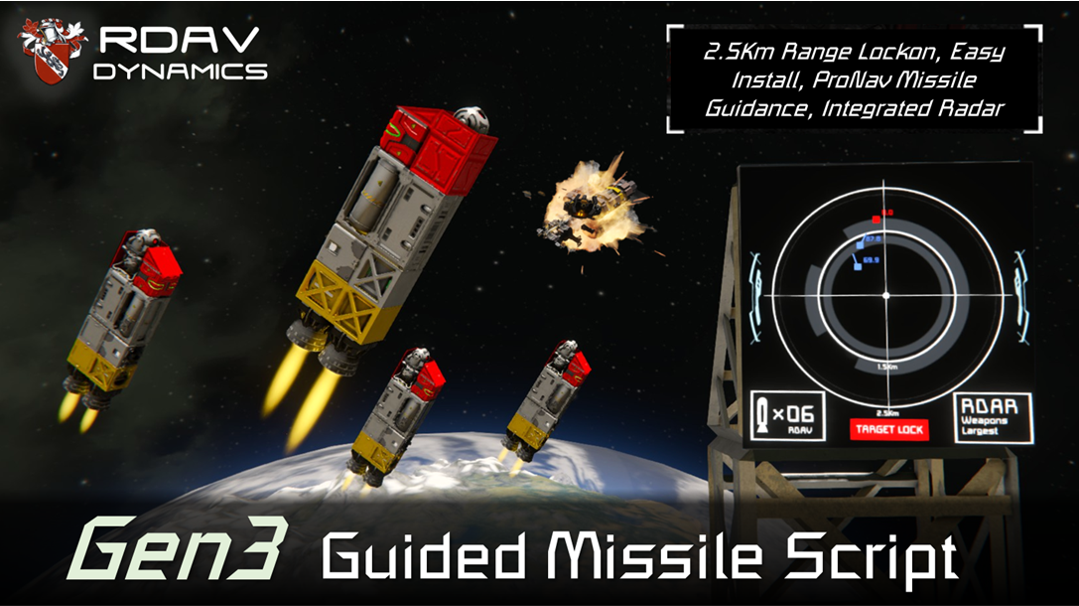
About Rdav's Gen3 Guided Missile Script
From Steam WorkshopRdavs Gen-3 Guided missile script is a next-gen high performance missile guidance script. Integrated Radar GUI, 2.5km lock, ProNav Guidance, Performance Friendly, Easy Setup. Utilizing fully vanilla…
Rdavs Gen-3 Guided missile script is a next-gen high performance missile guidance script. Integrated Radar GUI, 2.5km lock, ProNav Guidance, Performance Friendly, Easy Setup.
[b]Utilizing fully vanilla longer range autonomous lock ons, a smaller set up requirement, and tuned Pro-Nav guidance, this script is designed to make missiles a serious weapon consideration in combat.
Dominate space with the latest in guided weaponry! [/b]
Want an example to try it out, blow some stuff up and just mess around to trial it? I gotchu; https://steamcommunity.com/sharedfiles/filedetails/?id=3507929620

About
Utilizing new advanced automatic lock on features without the requirement for turrets, cameras, or annoying hard to manage lock on systems, The script utilises new API that allows fully autonomous lock on out to 2.5km with the ability to target specific subsystems and filter target selection.
The radar is a low performance impact visual display allowing target ID, missile progress, and visual display of a lot of important status information, it can be bound to a cockpit screen or put on an LCD. it gives a TOP DOWN display from your current cockpits position and orientation.
Guidance is a battle tested pro-nav type that is fast and truly deadly against small targets, and with only rear thrust as a requirement, can beat out the basic-Ai-block based guided missiles tenfold!

Script Setup
- Install an 'Ai Offensive Combat Block' with #A# in the name
- Install an 'Ai Flight Block' with #A# in the name
- Install any Cockpit Block (script will auto rename the one it identifies)
- (optional) Install a light block with #A# in the name
- (optional) Install an LCD with #A# in the name
- On the cockpit toolbar 'Run' the programmable block with argument 'Fire' (this will fire a missile when pressed)
- Turn the programmable block on, put the script in, follow any additional on-screen guidance, and you are set to go!
Missile Setup
- Call Everything on the missile #A#, missiles need thrusters a merge, power and a gyro as a minimum.
- (optional) turn everything on the missile off,
- Paste the missile on, weld the missile on or attach via whatever means, you are good to go!
See the tutorial linked at the top for more information on parts of the script!

//------------------------------
Script Behaviour
The guidance will lock on to and target whatever the AI block is set to target, (defaults to weapons and largest enemy grid) If you want, you can alter what the script detects as an enemy, bind switching it to the toolbar, or change it on the fly with event blocks, the script will change its targets based on the combat block!
Any target locks will be visible on the GUI.
On Launching A Missile The Script Will Automatically; - Turn all missile blocks on, - Merge Block Detach - Set batteries to discharge mode, - Set tanks to stockpile off - Set warheads to safe - Trigger now any timers - Thrusters to max - Connectors to unlock and off - Turn Any Sound Blocks On
Missile will then; - Drop under gravity for the duration you have gravity drop set to (default 0) - Accelerate forwards only for the duration of your launch time (default half a second) - Begin manoeuvring and homing into locked target OR if no target locked, beam ride in cockpit forwards

Advanced Parameters
You can tweak the behaviour of the script to your liking, in the first lines of the script you can change; Automatic warhead detonation distance, (increase this for more of an airburst) Gravity drop time (time after the missile detaches that it will 'wait' and do nothing i.e. to allow it to drop free under gravity) Launch time (time the thrusters will shoot the missile forwards and it will not manoeuvre) You can also activate 'Boost' mode by running the script with argument 'Boost' this turns on hypertracking, which provides superior performance for tracking supermanoeuvrable objects, but it can spike runtime, so might not be usable on servers with aggressive pb-limiter settings.
The script can also; - Automatically fire when enemy is detected - Automatically order launches - Adjust gravity correction factor - Auto connect missile connectors for rearming missiles - and much more!
See the 'User edits section' in the start of the script for more info and a full feature list.
Missile Tips; Missiles live and die by their acceleration, you need generally speaking a missile with over 80m/s/s acceleration to hit most targets in SE, to find out a missiles acceleration divide its total forward thrust (in Newtons) by its weight (in kilograms) slow missiles are possible, but don't expect them to hit fast accelerating objects!
//--------------------------
Thanks, Acknowledgements & Whats Next
I'd like to thank Bruceleedleleedle for making the fantastic fighter & parts of the base used in the cinematic, Aragath for making the cursor which proved to be a fantastic target ship, also members of the IAI for being targets especially hamster for helping debug a few issues.
What's next? Good question! I have a BIG project on the way, how big you ask? Well I have been working on it for the last two years, its exciting stuff and hopefully soon I can announce it to the world, keep up to date in the discord and stay tuned for more updates! In the meantime I have a few bits of Space Engineers Tech waiting in my blueprint library, it would be nice to let some out!
A note on sharing re-uploading etc; Want to put a custom twist or remix on this script? or upload it to mod-io? or want to make a version that is designed for mod x/y/z? go for it!
Highlights
From source dataFootprint
Rated a light load on a server.
Last update
Its author last shipped an update 16 mo ago.
Rdav's Gen3 Guided Missile Script on Nxeon
From our catalogue- One-click install
- Not available. One-click install isn't available for this game's mods yet. Download it and upload it to your server in Files.
- Server load
- light
- Smallest plan we suggest
- Space Engineers — 8 GB (8 GB RAM). This follows our own load rating above, not a benchmark.
- Latest build
- 2025-07-21, released 2025-07-21
Game versions by loader
| Loader | Game versions | Newest |
|---|---|---|
| Workshop |
From 1 recorded build of Rdav's Gen3 Guided Missile Script.
Run Rdav's Gen3 Guided Missile Script on a Space Engineers server
Deploy a server above, then upload the file in Files.
What kind of mod it is
From the catalogTechnology & automation
Machines, power, logistics and automation.
Compatibility
- Game
- Space Engineers
Verified at the source
- ✓Steam WorkshopOfficial listing, checked 2026-11-01Open ↗
- ✓AuthorRdav, as published on Steam Workshop
- ✓LicenseNot published by the sourceFree












