







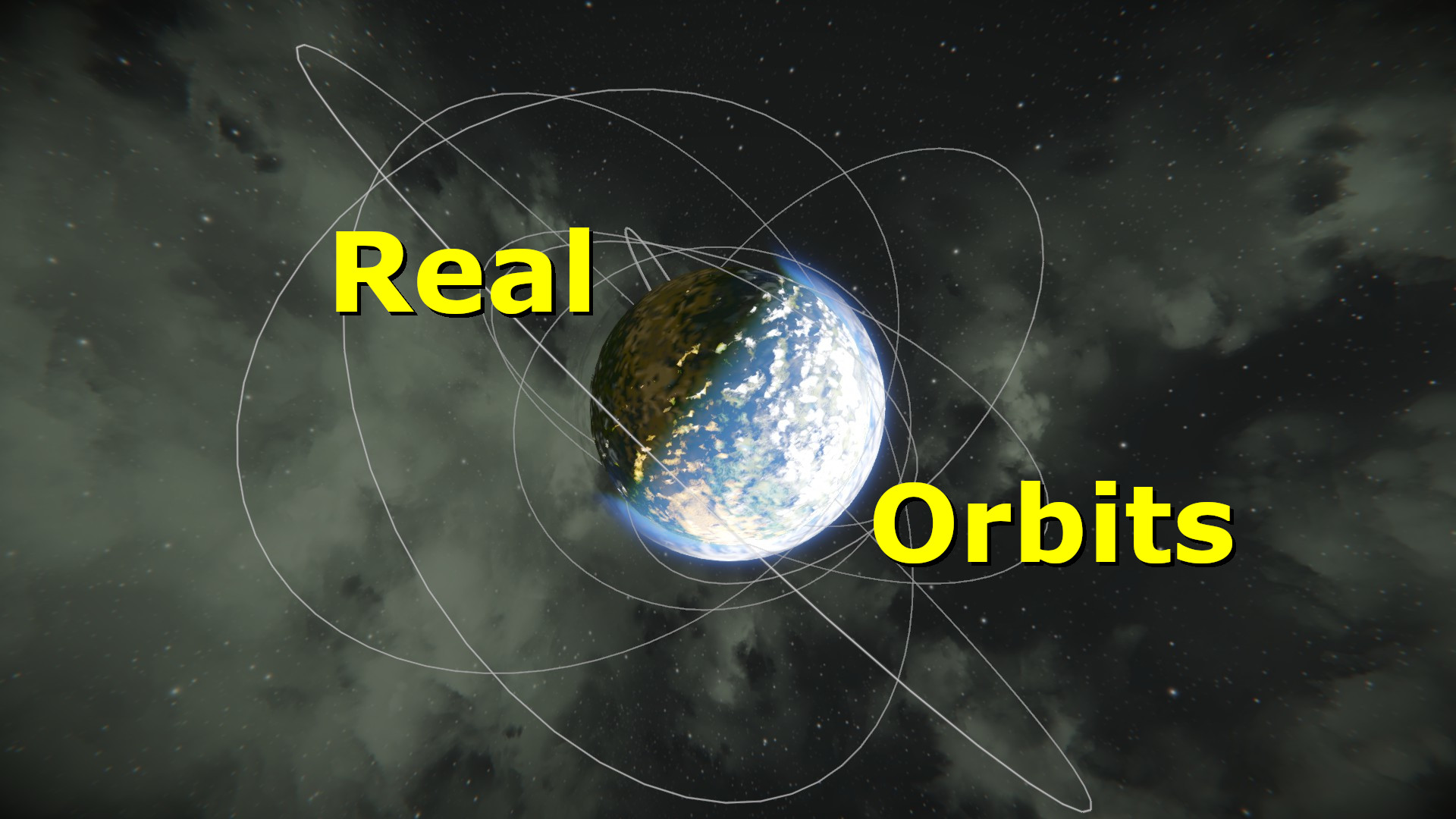
About Real Orbits
From Steam WorkshopEver wanted to put a relay satellite in orbit? Rendezvous with a moving space station? Drop from an orbiting flagship in a lander? Well now you can! With this mod you will have the tools to set your…
Ever wanted to put a relay satellite in orbit? Rendezvous with a moving space station? Drop from an orbiting flagship in a lander? Well now you can!
With this mod you will have the tools to set your grids up in stable orbits around planetary bodies while visualizing the orbit and its relevant info.
What This Mod Does
1. Override gravitation falloff for all newly created planets to 2 (inverse square falloff with distance) so that orbits are possible. This will not affect planets that were created before the mod was added. (Now affects all planets.) 2. Override your global maximum speed to whatever you want to allow you to to move fast enough to achieve stable orbits. 3. Circumvent grid stopping mechanism that normally prevents unmanned ships from attaining stable orbits (normally grids will get stopped by the engine after 15 mins and then plummet to the surface). 4. Display orbit info to players' screens to allow them to effectively set up their orbits. 5. Display apoapsis (highest point in orbit) and periapsis (lowest point in orbit) in world as GPS markers. 6. Display orbit paths in world (drawn ellipse). 7. Display orbiting grid positions as GPS markers to mark where the grids currently are in their path to allow for rendezvous.
* All of these mechanics are fully customizable and togglable in the associated config file.
Displayed Info
Orbital info drawn to the screen is presented as follows:
<orbit_state> Periapsis: <periapsis_height> <time_to_periapsis> Apoapsis: <apoapsis_height> <time_to_apoapsis> e: <eccentricity> i: <inclination> T: <orbital_period>
<orbit_state>: Indicates the state of the orbit (decaying, escaping, or stable).
<periapsis_height>: The lowest point in the orbit (relative to the planet's core).
<time_to_periapsis>: How long it will take to reach the periapsis.
<apoapsis_height>: The highest point in the orbit (relative to the planet's core).
<time_to_apoapsis>: How long it will take to reach the apoapsis.
<eccentricity>: How circular/oval the orbit is. Values close to 0 are more circular. Values close to 1 are more oval. Values above 1 will escape the gravity well entirely.
<inclination>: The angle of the orbital plane relative to the planet's poles (will be near zero when orbiting the equator).
<orbital_period>: The total time it will take the grid to orbit once.
Controls
Ctrl+O: Toggle Orbit Info Display Shift+O: Toggle Orbit Path
Config Setup
This mod can be customized by making use of the Config.xml file that generates once the mod is loaded. Loading a file with this mod active creates a Config.xml file inside of the save folder (...\Roaming\SpaceEngineers\Saves\<SteamId>\<SaveGameName>\Storage\2609118808.sbm_RealisticGravity). You can edit the values in this file to change those values in game after loading back into the save.
Setup Steps: 1. Subscribe to the mod 2. Add mod to world 3. Load into world once to generate the Config.xml file 4. Exit world 5. Make changes to the Config.xml file at above location 6. Load back into world to see changes
Config Values
https://steamcommunity.com/workshop/filedetails/discussion/2609118808/3112542578505238970/
Other Notes/Recommendations
1. Once a grid's orbit is set up, it should be reasonably stable, but you may still crash into an asteroid depending on its path. You may want to play with lower asteroid density or with no asteroids to avoid this. However, it is possible to orbit even with the highest asteroid density; just more dangerous.
2. You will almost certainly need to play with a higher max speed to achieve stable orbits. A max speed to 1000 m/s should allow for most orbits around vanilla planets.
3. This mod does not cover proper predictive pathing for a grid under the influence of multiple gravitational fields or transitions between different bodies (like you have in KSP).
4. Only planets with a gravity falloff of 2 will be considered valid targets to orbit as no other value will allow for stable orbits.
5. Grids not under the influence of any gravity well or on the surface of a planet cannot be considered in orbit, and will not be tracked or have any info displayed.
6. I'm not planning on adding any new major features at this time, but I will fix any bugs/crashes that people find. So make sure to let me know in the comments if anything seems buggy.

Try with Preset Star System
Vanilla Planets: https://steamcommunity.com/sharedfiles/filedetails/?id=2724315617 Vanilla Planets (x2 size): https://steamcommunity.com/sharedfiles/filedetails/?id=2724371901
Try with "Kinetic Devastation" Mod!
https://steamcommunity.com/sharedfiles/filedetails/?id=2649159807
Other Mods:
https://steamcommunity.com/id/adrsquared/myworkshopfiles/?appid=244850
Join My Discord for Mod Discussion and Bug Reports
Support Future Mods/Updates


Highlights
From source dataFootprint
A 440 KB download, rated a light load on a server.
Last update
Its author last shipped an update 13 mo ago.
Real Orbits on Nxeon
From our catalogue- One-click install
- Not available. One-click install isn't available for this game's mods yet. Download it and upload it to your server in Files.
- Server load
- light
- Smallest plan we suggest
- Space Engineers — 8 GB (8 GB RAM). This follows our own load rating above, not a benchmark.
- Latest build
- 2025-09-09, released 2025-09-09, 440 KB
Game versions by loader
| Loader | Game versions | Newest |
|---|---|---|
| Workshop |
From 1 recorded build of Real Orbits.
Dependencies
- Required: Text HUD API
Declared by the newest build that lists any. Required ones are installed with it on one-click installs.
Run Real Orbits on a Space Engineers server
Deploy a server above, then upload the file in Files.
What kind of mod it is
From the catalogWeapons, items & crafting
New weapons, gear, items and the recipes to make them.
Compatibility
- Game
- Space Engineers
- File size
- 440 KB
Verified at the source
- ✓Steam WorkshopOfficial listing, checked 2026-10-10Open ↗
- ✓AuthorEchthros, as published on Steam Workshop
- ✓LicenseNot published by the sourceFree












