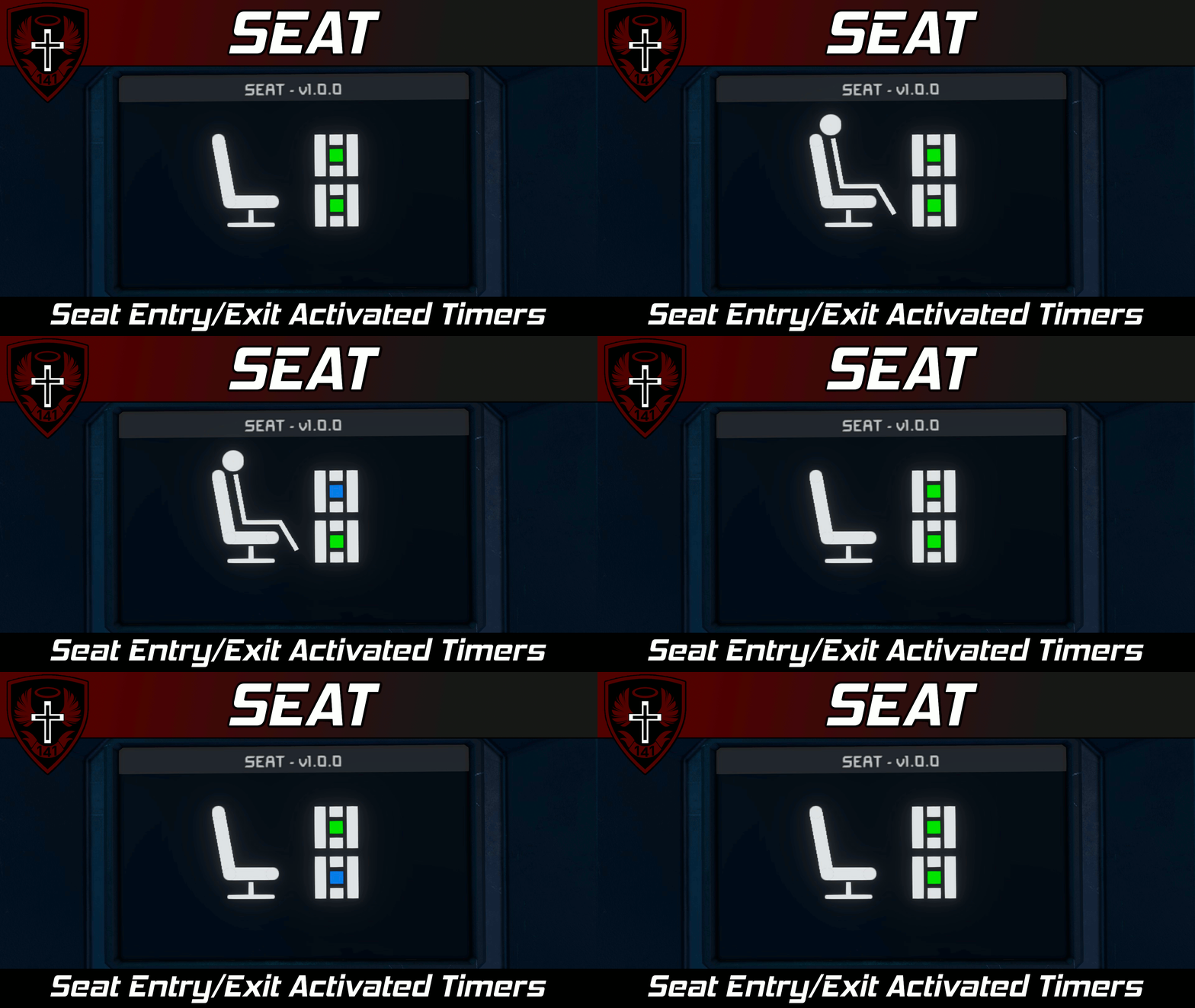
About SEAT | Seat Entry/Exit Activated Timers
From Steam WorkshopSEAT | Seat Entry/Exit Activated Timers Description Howdy! This script allows you to trigger a timer when a particular seat has been entered or exited. You can also specify different timers for entry…
SEAT | Seat Entry/Exit Activated Timers
[img=https://i.imgur.com/iHy45ds.png]
Description
Howdy!
This script allows you to trigger a timer when a particular seat has been entered or exited. You can also specify different timers for entry and exit activation. This script works with seats, cockpits, remotes, beds and cryo bays; pretty much anything you can sit in.
[img=https://i.imgur.com/iHy45ds.png]
Features
- Simple setup
- Low performance overhead
- Can trigger timers on seat entry and exit
- [list]
- NEW: Can also trigger timers on turret or custom turret controller entry/exit!
[*] Per-seat timer configuration [*] Cute, animated running screens :D [/list]
[img=https://i.imgur.com/iHy45ds.png]
Setup Instructions
[olist] [*] Make a group named SEAT (all caps) that contains all the seats, turrets, and custom turret controllers that you want to add entry/exit timers to. [*] Place this script in a programmable block. [*] Open the custom data of each seat, turret, or custom turret controller in the SEAT group and set the names of the timers that should be triggered. Leave them blank if you don't want a timer triggered. [*] Recompile the code to process any Custom Data or group changes. [/olist]
Repeat steps 3-4 until you have configured all your seats the way you want.
[img=https://i.imgur.com/iHy45ds.png]
Custom Data Config
Programmable Block Custom Data
The programmable block running this script will be populated with the following custom data keys: [table] [tr] [th]Key[/th] [th]Valid Values[/th] [th]Description[/th] [/tr] [tr] [td]Group name tag[/td] [td]string[/td] [td]Name of the SEAT group.[/td] [/tr] [tr] [td]Draw title screen[/td] [td]true/false[/td] [td]Determines if the animated title screen will be drawn.[/td] [/tr] [/table]
Per Seat Custom Data
Each seat contained within the SEAT group will have the following config keys added to their custom data: [table] [tr] [th]Key[/th] [th]Valid Values[/th] [th]Description[/th] [/tr] [tr] [td]Timer to trigger on entry[/td] [td]string[/td] [td]Exact name of the timer to trigger when this seat is entered.[/td] [/tr] [tr] [td]Timer to trigger on exit[/td] [td]string[/td] [td]Exact name of the timer to trigger when this seat is exited.[/td] [/tr] [/table]
[img=https://i.imgur.com/iHy45ds.png]
Author's Notes
This script was initially written to support my boy ToedPeregrine4 in his attempt to have immersive control seats with pop-down screens. Pushing buttons manually is for peasants, so I wrote this script to trigger a timer based upon if someone had entered or exited the seat. I was eventually convinced to clean up this code and release it to the public, hopefully y'all can find some neat things to do with it :)
And of course, thanks to my insane friends for helping me come up with a stupid name for this script!
Also, I made the sprites for the cute little running screen using the SESpriteBuilder tool that I developed: https://gitlab.com/whiplash141/spritebuilder/-/wikis/home. It may be of use to scripters trying to visualize and design sprites :)
- Whiplash141
Highlights
From source dataFootprint
Rated a light load on a server.
Last update
Its author last shipped an update 4 yr ago.
SEAT | Seat Entry/Exit Activated Timers on Nxeon
From our catalogue- One-click install
- Not available. One-click install isn't available for this game's mods yet. Download it and upload it to your server in Files.
- Server load
- light
- Smallest plan we suggest
- Space Engineers — 8 GB (8 GB RAM). This follows our own load rating above, not a benchmark.
- Latest build
- 2023-03-02, released 2023-03-02
Game versions by loader
| Loader | Game versions | Newest |
|---|---|---|
| Workshop |
From 1 recorded build of SEAT | Seat Entry/Exit Activated Timers.
Run SEAT | Seat Entry/Exit Activated Timers on a Space Engineers server
Deploy a server above, then upload the file in Files.
What kind of mod it is
From the catalogTechnology & automation
Machines, power, logistics and automation.
Compatibility
- Game
- Space Engineers
Verified at the source
- ✓Steam WorkshopOfficial listing, checked 2026-11-01Open ↗
- ✓AuthorWhiplash141, as published on Steam Workshop
- ✓LicenseNot published by the sourceFree