







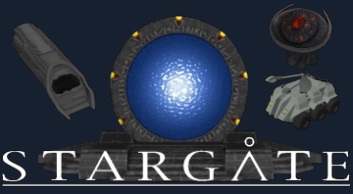
About [SEE SUPERGATE PSA] Stargate Modpack (Economy Support!)
From Steam WorkshopPSA - SUPERGATE - SERVER ADMINS - 2021-09-17 !!!! Due to a Keen bug, placing anything on a supergate grid will cause the server to crash due to a timeout. This is because the game is taking too long…
PSA - SUPERGATE - SERVER ADMINS - 2021-09-17 !!!!
Due to a Keen bug, placing anything on a supergate grid will cause the server to crash due to a timeout. This is because the game is taking too long to process grid updates now, and if given enough time (60-90 seconds) the operation would complete successfully.
Here are the available workarounds:
- Lock the grid. This can be done by placing an admin safe zone around supergates, or using the !protect command in Torch to prevent blocks from being added or removed. This is the best option if admins currently retain control over supergate placement.
- Build the grid, then place the Supergate last. This is best used when locking the grid.
- Disable supergates. Type this into chat: /stargate hide Supergate.
- Increase the watchdog timeout duration. The exact value depends on the server hardware and operation, but a minimum value of 60 seconds is a good place to start. Increase as necessary until the server doesn't crash anymore. This is not recommended as the only solution, but in combination with another option.
THERE IS NO FIX AT THIS TIME.
Notes on Nexus
Nexus support is being done by someone else. No ETA.
NOTE!!!!!!!!! The mod has started to split up. This includes the script. This mod now references that new script mod. Players shouldn't need to change anything, but server admins: make sure your server pulls in the script mod (it should by default).
For players that want a simpler mod configuration, here's the starting list of separate mods: Stargate [Script] Stargate [Ore] Stargate [Gates] Stargate [Factions] Stargate [Energy Production]
More will come as I separate them all.
If you add the mod to an existing world (or have it already active when this update went live), you'll start to see Stargate components on sale in the trading stores after the next economy tick (by default is about 20 minutes or so). Custom factions may not be added unless the world was created (or economy was enabled) after this mod was added.
Summary
For maintenance reasons, the Stargate mod is moving here. We sincerely apologize for the inconvenience, but this will allow us to service the mod better. I (Phoenix) am the scripter, so it makes sense to move the mod here, since the scripts are what break and change the most. The old versions will still work for a time, to ease transition, however they will not function forever. This is a drop-in replacement, 100% compatible with the previous versions. You will not lose blocks when switching to this.
Upgrade your existing DHDs from old worlds!
If you have a world with the Stargate mod from before the dialing update (Dec 2016), you need to upgrade your DHDs. To do this, enter /stargate upgrade in the chat box. Small ship DHDs must be rebuilt, they won't automatically upgrade.
This is BOTH standard AND hardcore versions
This is a replacement for both the Stargate, and Stargate (hardcore) mods.
The default is standard, but if you want hardcore, the server admin (or single player) can enter the following chat command: /stargate hardcore on to change it. Takes effect immediately, and will save with the world.
FAQ
http://steamcommunity.com/workshop/filedetails/discussion/754173702/350540973990913567/
Welcome to the Stargate mod for Space Engineers!
This mod is under constant development, just like Space Engineers itself The mod works for both DX9 and DX11 Models are ready for Creative and Survival
Build hints
If you install Text HUD API, then when placing the portal, you'll see a helpful guide for finding the 'front' of the gate. The top of the gate is the top when facing down to read the word 'Front'. You can also toggle it after placement by turning on 'Show On Hud' in the terminal.
Contents
- 4 Different types of Stargates - 4 Different types of DHDs - Supergate - M.A.L.P. - Naquadah Generator - Stargate Center Logo - Atlantis Button Panel - Atlantis Doors - Ancient Control Chair - ZPM-Hub (Find ZPMs on cargo ships) - Goa'uld Sarcophagus - Assembler for Naquadah - A bunch of Puddle-Jumper parts, which make a complete Jumper when connected.
Hand Items
- Zat'nik'tel - Jaffa Staff - P90
Ore, Ingots, and Components
- Naquadah, Neutronium, Trinium ore - Naquadah, Neutronium, Trinium ingot - Naquadah, Neutronium, Trinium component
Ships
- Goa'uld Al'kesh - Goa'uld Tel'Tac ZPM freighter - Asgard Ship - Daniel Jackson
How to
Teleport
1. Place at least 2 gates on different stations or Ships. The gates can also be floating in space. They must be at least 10 km apart. 2. Place a DHD. It will detect the nearest Stargate and control it. It does not have to be on the same grid. 3. In the DHD, select the destination gate from the terminal. 4. Press button on DHD
Note: The gates will stay open 10 sec after the first Engineer went through. This means, all your friends can follow you. Put "[Autoclose=#]" in the DHD name, to autoclose the DHD after # seconds.
Use the Iris
Access a terminal and change the option "Iris/Shield" of the gate to "On". The iris will also automatically open for any members of your faction.
Highlights
From source dataFootprint
A 441 MB download, rated a light load on a server.
Last update
Its author last shipped an update 2 yr ago.
[SEE SUPERGATE PSA] Stargate Modpack (Economy Support!) on Nxeon
From our catalogue- One-click install
- Not available. One-click install isn't available for this game's mods yet. Download it and upload it to your server in Files.
- Server load
- light
- Smallest plan we suggest
- Space Engineers — 8 GB (8 GB RAM). This follows our own load rating above, not a benchmark.
- Latest build
- 2024-05-25, released 2024-05-25, 441 MB
Game versions by loader
| Loader | Game versions | Newest |
|---|---|---|
| Workshop |
From 1 recorded build of [SEE SUPERGATE PSA] Stargate Modpack (Economy Support!).
Dependencies
- Required: Stargate [Script]
Declared by the newest build that lists any. Required ones are installed with it on one-click installs.
Run [SEE SUPERGATE PSA] Stargate Modpack (Economy Support!) on a Space Engineers server
Deploy a server above, then upload the file in Files.
What kind of mod it is
From the catalogEconomy & shops
Currencies, shops, trading and rewards.
Compatibility
- Game
- Space Engineers
- File size
- 441 MB
Verified at the source
- ✓Steam WorkshopOfficial listing, checked 2026-10-10Open ↗
- ✓AuthorGwindalmir, as published on Steam Workshop
- ✓LicenseNot published by the sourceFree












