






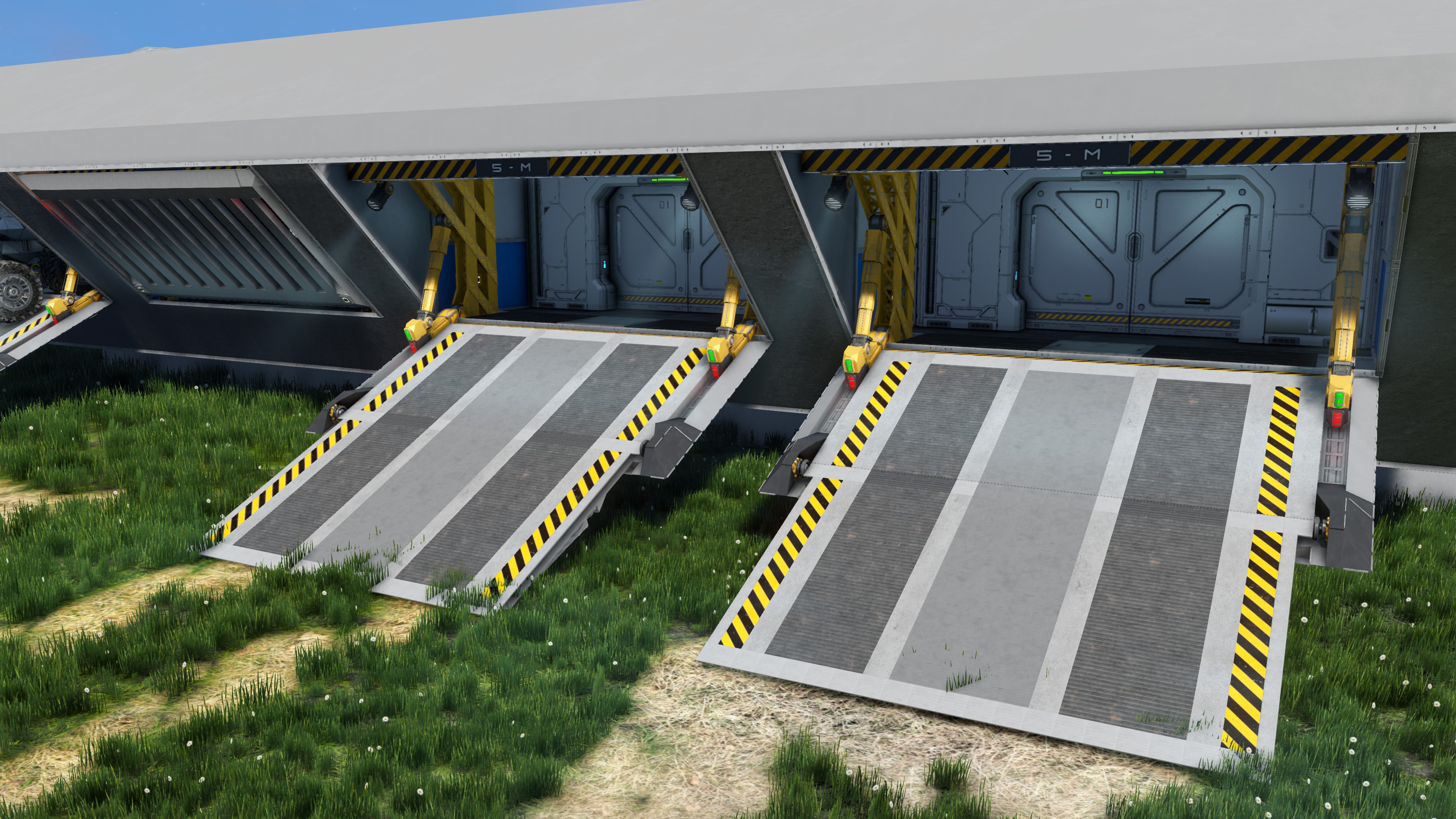
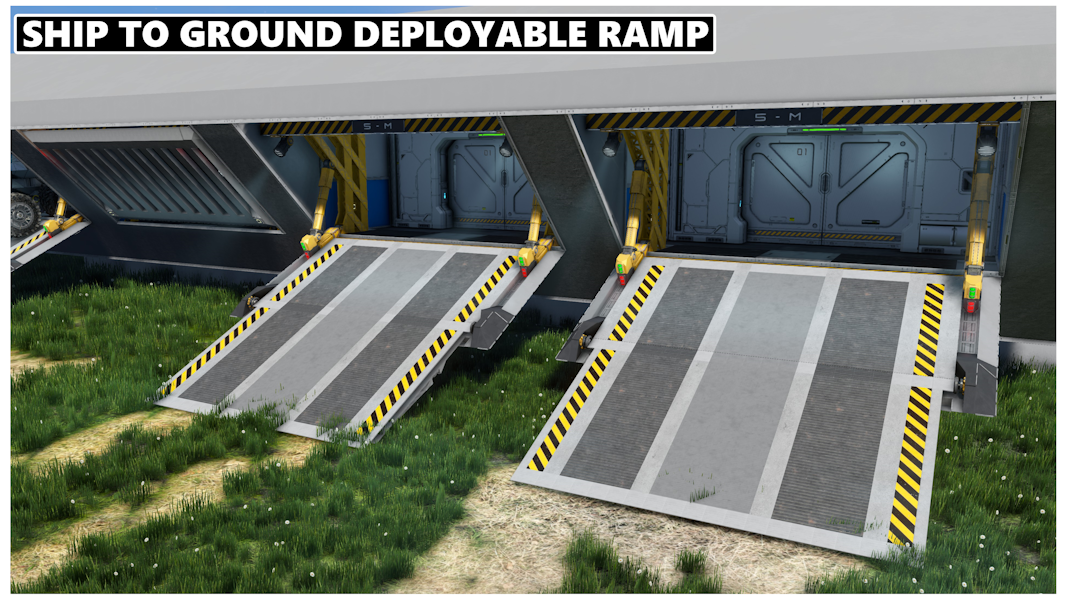
About Ship To Ground Deployable Ramp [MODLESS] UPDATE BIG GATE!
From Steam Workshop| Scriptless | modless | Modular | *Update: BIG GATE 7x4 and 8x6 Gate* | Please comment. And https://i.imgur.com/tX3qF8Z.gif Modular Ship to Ground Deployable Ramp More instructions / flavor text…
| Scriptless | modless | Modular | *Update: BIG GATE 7x4 and 8x6 Gate* |
[h1]Please comment. And[/h1] 
Modular Ship to Ground Deployable Ramp
More instructions / flavor text coming later
Sizes: | 2x2 | 3x2 | 4x2 | 5x2 | 7x4 | 8x4 |
Features: - One button to open/close - Ground sensors shut off ramp endpiece when they detect the ramp touching the ground - Locks to make grid more stable during flight (Effects untested)
How to add more than one ramp of each type to your creation:
Two ways.
Easy: Multi operational: (Trigger/button opens all ramps simultaniously) 1. Copy paste in all ramps you want 2. Remove all but one logic board for all ramps 3. Link all requisite items to the event controllers.
Hard: Individually operated: (Trigger/button opens individual ramps, each ramp operates individually) with the current setup, This is tricky. every ramp needs to be have unique grouping and has to be manually added to its own logic board per ramp. to do this. lets use an example:
I want to have 2 ramps, one left and one right
1. paste in a ramp, lets use the 5x2 in this example. 2. Rename all groups of the ramp to something unique, example: "Ramp 5X2 Hinges" could be be "Ramp Left Hinges" 3. Once all groups have been renamed, go into each of the logic blocks. (timer blocks/event controllers) Replace the original group name with your new unique name, Feel free to use the Logic guide in discussion section to reference which block does what - example "Ramp 5X2 Hinges" toggle on = "Ramp Left Hinges" toggle on 4. link the buttons on the Ramp to the new open/close timer groups. 5. Delete the old groups with 5x2 in the name and test the gate operation. if done correct, everything should work
With gate 1 complete, repeat each step for gate 2. but instead of naming it "Ramp Left", Name the groups "Ramp Right"
Once both gates are complete, They can be pasted into your build.
How to make custom size's:
Cut, paste and remake the gate to the size/fit you want, but keep the logic board as is. As long as you keep the original logic and pieces, all you need to do when finished is to re-link the Event Blocks to their respective parts and everything should work. If you add your own pieces like more light fixtures or moving parts. Make sure to add them to their respective groups.
FAQ: The ramp endpiece is pointing towards the sky: (Luca) - !! Ramp needs to be higher up off the ground !! The ramp isnt closing after i opened it. - The ramp needs to fully open or fully close until it can be run again. theres no halway opened/closed redundancy. How can i tell if the ramp is finished cycling: - The timer block on the bottom or top left will be turned on when cycling is complete depending on closing or opening. If they arent, something went wrong. What parts are used from DLC's? - Sparks of the future -> Sci-Fi 1-Button Panel (not used for anything vital, demo buttons) - Heavy Industry -> Beam Blocks + Hazard pattern armor skin (used for the frame structure (vital) and coloring (not vital)) - Automatons -> Inset Light Block (not used for anything vital, roof light across roof beam)
Thanks to Strong Hoov for assisting in the mechanics for the foldable endpiece and for his contributions to the aesthetics, your contribution is much appreciated!
(The 8x6 Ramp seems to only work on PC, but just barely)
Known creations using the ramp currently: Soberpete's Terran Command Center Mk-I - https://steamcommunity.com/sharedfiles/filedetails/?id=3356386173 CHIEFKIEF09's Calypsis - Carrier - https://steamcommunity.com/sharedfiles/filedetails/?id=3148109551 Atlas's Presley Class X - https://steamcommunity.com/sharedfiles/filedetails/?id=3306956092 Imperator's RWI] - Liberator-Class Heavy-Cruiser (Mod Heavy) - https://steamcommunity.com/sharedfiles/filedetails/?id=3149778090
Highlights
From source dataFootprint
Rated a light load on a server.
Last update
Its author last shipped an update 3 yr ago.
Ship To Ground Deployable Ramp [MODLESS] UPDATE BIG GATE! on Nxeon
From our catalogue- One-click install
- Not available. One-click install isn't available for this game's mods yet. Download it and upload it to your server in Files.
- Server load
- light
- Smallest plan we suggest
- Space Engineers — 8 GB (8 GB RAM). This follows our own load rating above, not a benchmark.
- Latest build
- 2023-12-03, released 2023-12-03
Game versions by loader
| Loader | Game versions | Newest |
|---|---|---|
| Workshop |
From 1 recorded build of Ship To Ground Deployable Ramp [MODLESS] UPDATE BIG GATE!.
Run Ship To Ground Deployable Ramp [MODLESS] UPDATE BIG GATE! on a Space Engineers server
Deploy a server above, then upload the file in Files.
What kind of mod it is
From the catalogVehicles & ships
Cars, boats, aircraft, ships and other things to drive or fly.
Compatibility
- Game
- Space Engineers
Verified at the source
- ✓Steam WorkshopOfficial listing, checked 2026-11-01Open ↗
- ✓Authorkennet0508, as published on Steam Workshop
- ✓LicenseNot published by the sourceFree












