






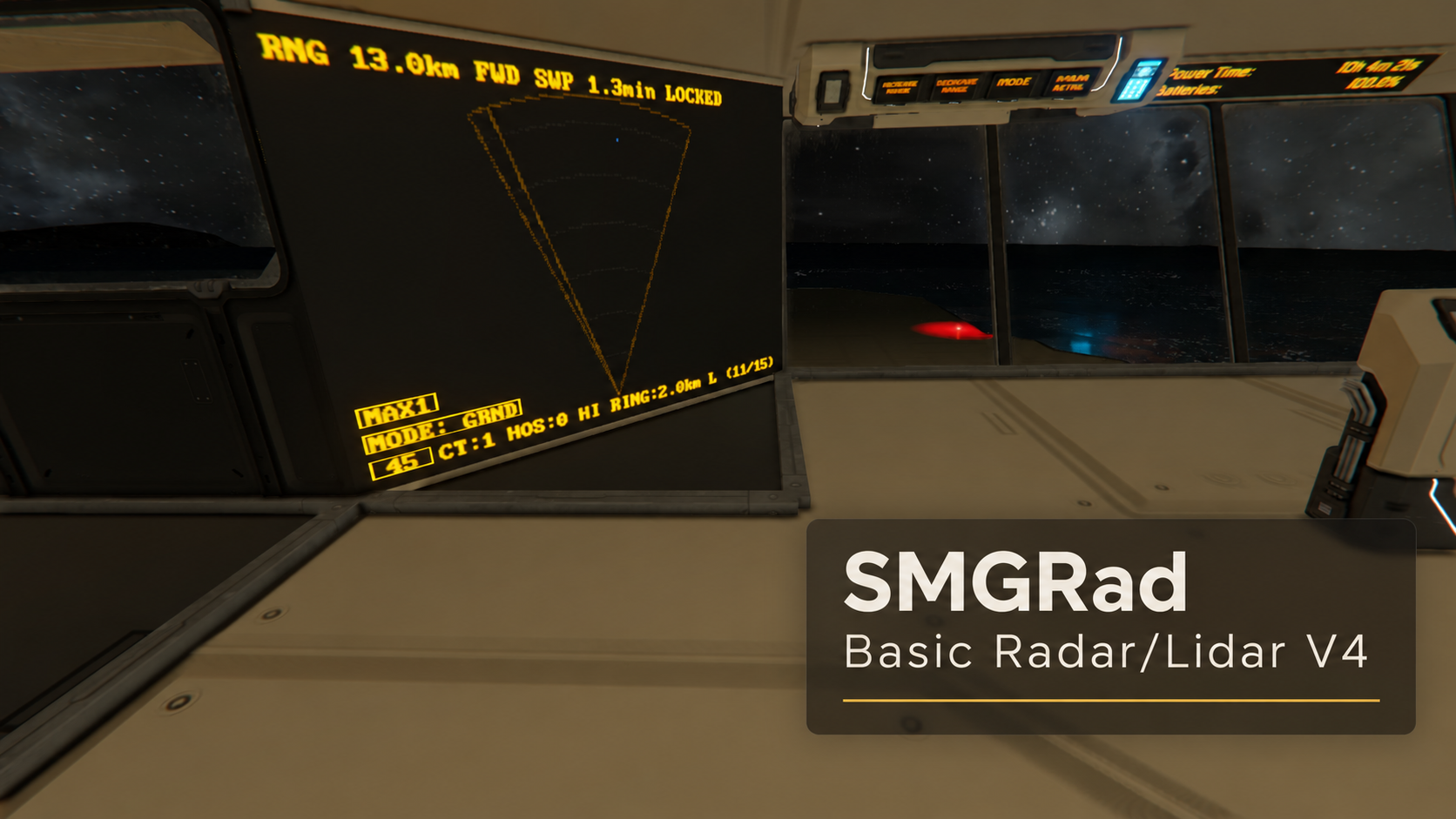
About SMGRad Basic Radar / LIDAR Scope V4
From Steam WorkshopSMG RADAR V4 - LIDAR / RADAR for Space Engineers The only LIDAR / RADAR you'll ever need. Simple and effective. Features Simple automatic setup - tag your blocks and recompile. Adjustable range -…
SMG RADAR V4 - LIDAR / RADAR for Space Engineers
The only LIDAR / RADAR you'll ever need. Simple and effective.
Features
- Simple automatic setup - tag your blocks and recompile.
- Adjustable range - trade range for sweep speed on the fly.
- ShieldyTrackerTwo™ target locking - once detected, even at extreme ranges, a target's position and speed are kept up to date.
- Auto-levelling - orients with your ship and corrects for tilt.
- Display filters - toggle contacts, landmasses and more.
- Closing speed (VMG) - see whether each target is approaching or leaving.
- Turret augmentation - tagged turrets feed their targets into the radar, covering the small, fast ships close by.
- Great with WaterMod and sailing - no more running aground at night. :)
- Compatible with AutomaticLCDs and with large and small LCDs.
Designed primarily as a 2D radar; expect limited usefulness in open space.
[hr][/hr]
Special Features
ShieldyFilterTwo™
Ground-clutter filtering and automatic beam levelling draw an accurate picture of ground obstacles while hiding things you probably won't hit. Bad detections are cleared automatically and questionable ones are faded out.
ShieldyTrackerTwo™
Once a lidar beam finds a target, its position and direction of travel are stored and a dedicated beam is placed on it, so it is tracked in near real time while the other beams keep scanning the horizon, much like real target locking. Targets are tracked out to 10 km. Even when you don't see them, we do. If a lock is lost, the tracker hunts in the last known area until the target is reacquired or times out.
Tracker V2
New in V2: with tracking cameras fitted (see Setup), locked targets update about once a second, no matter which way your ship is pointed. A lost target is remembered and reacquired but either way its position is estimated from its last known speed and direction until a beam picks it up again.
Pursuer Detection
New in V2: the Hits list shows the ship's name where the game provides it, and a blinking -> when a ship is advancing in your direction.
[hr][/hr]
Setup
[olist] [*]Add a rotor. [*]Add a block with a camera on it (see the screenshot). Up to 40 cameras per mast. I suggest pointing 12 forward, and then 1 pointing left, right, and back, those are used for maintaining tracking locks. [*]Add an LCD. [*]Add the script to a programmable block. [*]Add the tag [Radar] to all of the above blocks. [*]Press Recompile on the programmable block to start. [*]Note: Ensure no obstructions in front of the mast, your own ship included. [/olist] Optional:
- Hits list - an LCD tagged [Radar Hits] lists recent hits and locked targets. Hits expire after 5 minutes.
- Tracking cameras - single cameras tagged [Radar] facing left, right and back (and up / down) are detected automatically and used only for target locking. With 2+ cameras on the mast, one is also kept for locking targets ahead.
- Turrets - tag any turret or custom turret controller [Radar]. Its current target appears on the radar and the Hits list and is tracked like any other contact, within the turret's range (about 800 m for gatling and missile turrets).
Press Recompile after adding cameras, sound blocks, etc.
[hr][/hr]
Arguments
Run the PB with an argument or from a toolbar; combine them with commas, e.g. DOWN,CLEAR. Full list in the PB's Custom Data. Suggested Arguments: FOV, DETAIL, RES, UP, DOWN with no extra options, just calling them cycles thru their possible modes. UP / DOWN changes the Range.
[table] [tr][th]Argument[/th][th]What it does[/th][/tr] [tr][td]FOV:360 / :60 / :45[/td][td]360°, 60° or 45° field of view (narrower = faster sweeps); FOV alone cycles them[/td][/tr] [tr][td]UP / DOWN[/td][td]Longer range (slower) / shorter range (faster)[/td][/tr] [tr][td]RANGE:2500[/td][td]Sets the range in metres[/td][/tr] [tr][td]START / STOP / TOGGLE[/td][td]Starts, stops or toggles the sweep[/td][/tr] [tr][td]DETAIL[/td][td]Steps through the detail modes, D1 up to CYL (slowest)[/td][/tr] [tr][td]DETAIL_MODE:1[/td][td]Single level beam[/td][/tr] [tr][td]DETAIL_MODE:2[/td][td]Plus beams 1° above and below (3 beams)[/td][/tr] [tr][td]DETAIL_MODE:3[/td][td]Plus beams 1° and 2° above and below (5 beams) - default[/td][/tr] [tr][td]DETAIL_MODE:4 / :5[/td][td]MAX1 / MAX2 - level beam plus random search beams within ±5° / ±10°[/td][/tr] [tr][td]DETAIL_MODE:6[/td][td]CYL - search beams through a cylinder 1 km tall out to the range, for big ships far out[/td][/tr] [tr][td]STEP:2[/td][td]Degrees between rays, 0.25 to 10 (default 2). Smaller = more detail but slower; larger = faster, may miss small ships[/td][/tr] [tr][td]RES[/td][td]Display resolution (LOW / MED / HI)[/td][/tr] [tr][td]TERRAIN:ON / :OFF[/td][td]Shows or hides terrain[/td][/tr] [tr][td]ROIDS:ON / :OFF[/td][td]Lists asteroids as contacts; turns on when you leave gravity[/td][/tr] [tr][td]CLEAR[/td][td]Wipes contacts and terrain[/td][/tr] [/table]
Multi-screen blocks
Consoles, cockpits etc. get these Custom Data lines automatically:
//RadarScreen=0
//RadarHitsScreen=
//HitsFontSize=Auto
RadarScreen picks the radar's screen, RadarHitsScreen the Hits list's screen (blank = hidden), HitsFontSize a number or Auto. The // is optional; it lets the script share the block with AutomaticLCDs and other mods.
[hr][/hr]
Alerts
Tag timer, sound or light blocks and they start, play or turn on when the event occurs - useful for collision alerts, stopping engines and more.
Highlights
From source dataFootprint
Rated a light load on a server.
Last update
Its author last shipped an update 3d ago.
SMGRad Basic Radar / LIDAR Scope V4 on Nxeon
From our catalogue- One-click install
- Not available. One-click install isn't available for this game's mods yet. Download it and upload it to your server in Files.
- Server load
- light
- Smallest plan we suggest
- Space Engineers — 8 GB (8 GB RAM). This follows our own load rating above, not a benchmark.
- Latest build
- 2026-11-02, released 2026-11-02
Game versions by loader
| Loader | Game versions | Newest |
|---|---|---|
| Workshop |
From 4 recorded builds of SMGRad Basic Radar / LIDAR Scope V4.
Recent builds
| Build | Released | Game versions | Loaders |
|---|---|---|---|
| 2026-11-02 | 2026-11-02 | n/a | Workshop |
| 2026-10-30 | 2026-10-30 | n/a | Workshop |
| 2026-10-30 | 2026-10-30 | n/a | Workshop |
| 2026-10-29 | 2026-10-29 | n/a | Workshop |
Run SMGRad Basic Radar / LIDAR Scope V4 on a Space Engineers server
Deploy a server above, then upload the file in Files.
What kind of mod it is
From the catalogQuality of life & UI
Small conveniences, tweaks and interface improvements players notice straight away.
Compatibility
- Game
- Space Engineers
Verified at the source
- ✓Steam WorkshopOfficial listing, checked 2026-11-04Open ↗
- ✓AuthorSheildyMcGee, as published on Steam Workshop
- ✓LicenseNot published by the sourceFree













