






About Solar Noon Analog Clock
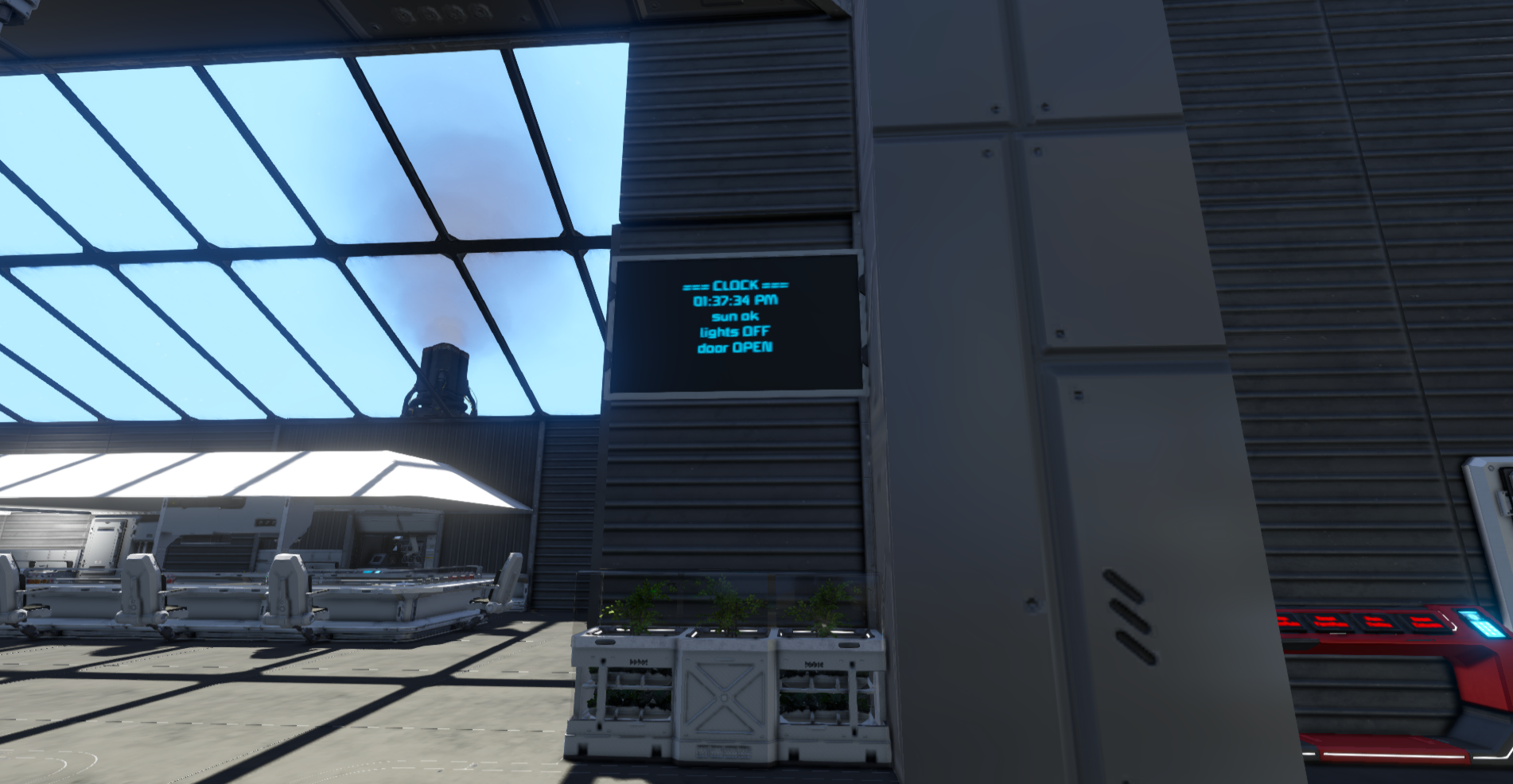
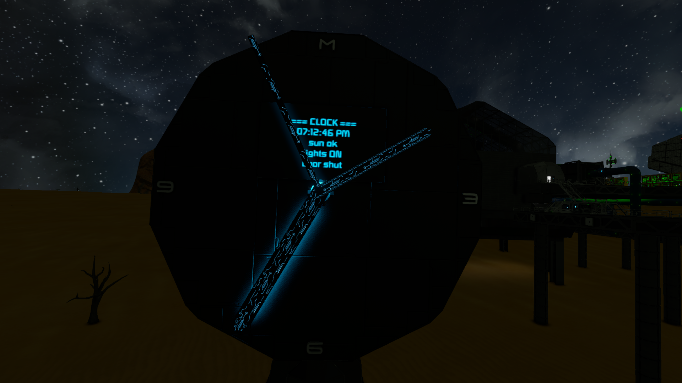
From Steam WorkshopLarge-grid face with small-grid rotor hands. Digital LCD and analog hands share one Runtime clock so they stay locked and meet at noon. Drop the blueprint, or build your own and point Custom Data at…
Large-grid face with small-grid rotor hands. Digital LCD and analog hands share one Runtime clock so they stay locked and meet at noon.
Drop the blueprint, or build your own and point Custom Data at your block names.
HOW IT WORKS • Runtime is the time master (LCD shows hh:mm:ss AM/PM) • Minute hand: quartz click +30° every 5 display minutes • Hour hand: stays put until the minute finishes a full lap, then jumps one hour mark • Second hand: free-spins for looks (not accuracy) • Sun turret finds true noon → rehomes hands and restarts Runtime • False noon crossings are ignored (no Runtime reset) • After calibrate, sunMinutes learns/blends from real noon→noon day length • Boots from Storage only (survives recompile; save/quit/reload keeps time) • Optional: lights on/off by display hour; door toggles an interior light
SETUP (blueprint) 1. Paste the grid and power it 2. Open the programmable block → Recompile 3. At solar noon (or when ready), Run: calibrate 4. Hands home to 12, Runtime starts — leave it alone after that
SETUP (your own build) Name blocks (or change Custom Data to match): Clock Hour / Clock Minute / Clock Second (rotors) Clock Sun Turret (CTC / turret controller) Clock LCD (block GROUP name — lcd= is the group) Clock Lights (optional light GROUP) Clock Door / Clock Interior Light (optional)
LCD tip: put every digit panel in a group named Clock LCD.
CUSTOM DATA (defaults written on first run) sunMinutes=120 nominal real minutes per display day (script refines) secondRpm=0 0 = auto; else fixed second-hand RPM nestedMinute=true minute rotor on hour subgrid sunInvert / hourInvert / minuteInvert / secondInvert lightsOn=20 lightsOff=6 lights= lcd= hour= minute= second= sunTurret= door= interiorLight=
ARGS calibrate -home hands to 12 and start Runtime reload -re-read Custom Data / re-find blocks
TAGS: clock, analog, lcd, solar, rotor, decorative
Highlights
From source dataFootprint
Rated a light load on a server.
Last update
Its author last shipped an update 39d ago.
Solar Noon Analog Clock on Nxeon
From our catalogue- One-click install
- Not available. One-click install isn't available for this game's mods yet. Download it and upload it to your server in Files.
- Server load
- light
- Smallest plan we suggest
- Space Engineers — 8 GB (8 GB RAM). This follows our own load rating above, not a benchmark.
- Latest build
- 2026-09-26, released 2026-09-26
Game versions by loader
| Loader | Game versions | Newest |
|---|---|---|
| Workshop |
From 1 recorded build of Solar Noon Analog Clock.
Run Solar Noon Analog Clock on a Space Engineers server
Deploy a server above, then upload the file in Files.
What kind of mod it is
From the catalogBuilding & decoration
Blocks, furniture, decorations and building tools.
Compatibility
- Game
- Space Engineers
Verified at the source
- ✓Steam WorkshopOfficial listing, checked 2026-10-04Open ↗
- ✓Authoraaron.hudecek80, as published on Steam Workshop
- ✓LicenseNot published by the sourceFree












