






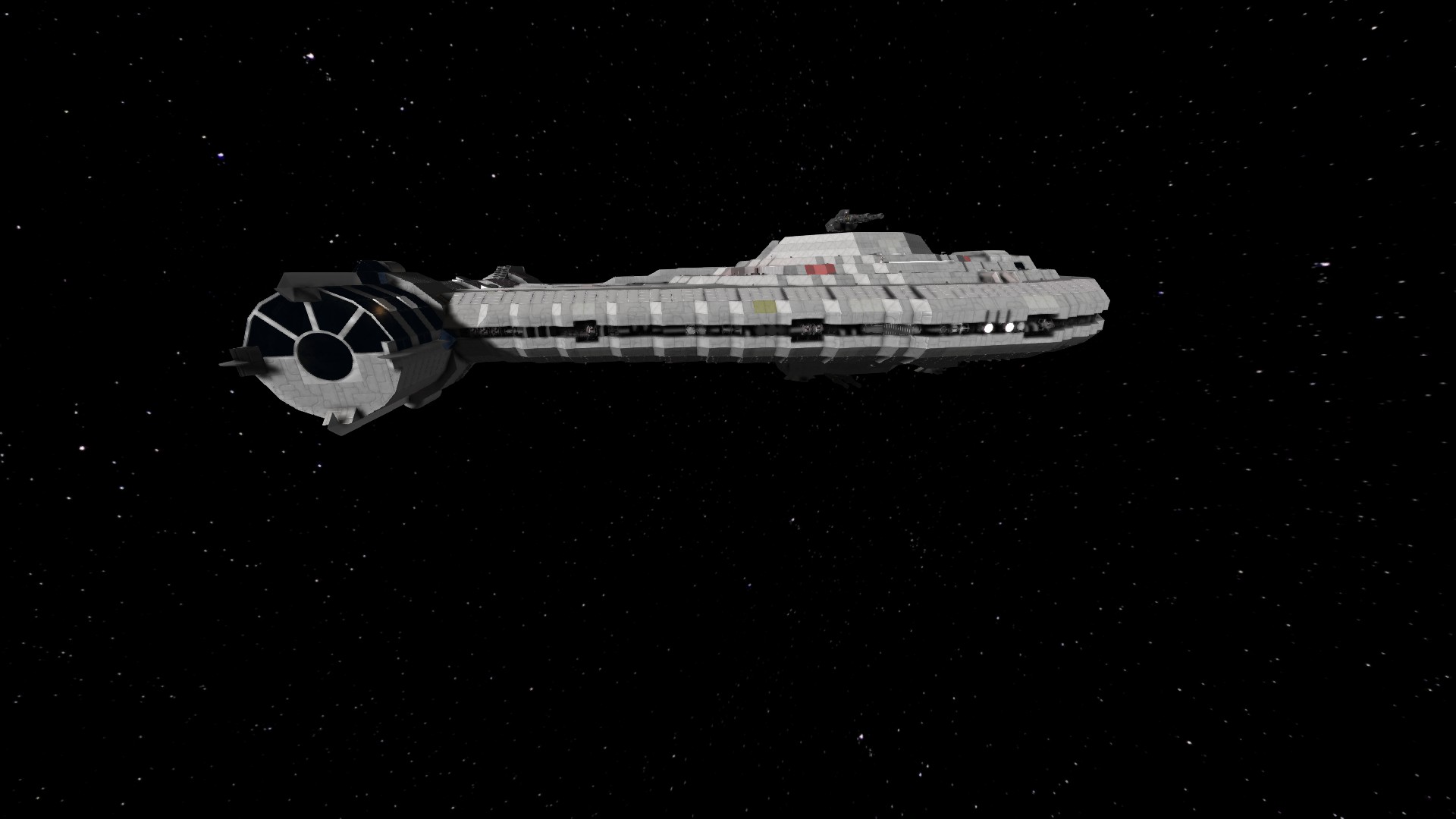

About Star Wars: Milkyway Outrider
From Steam WorkshopHighly detailed recreation of the Outrider from Star Wars: Shadows of the Empire. This model features: - Detailed full exterior and interior - Automated Landing gear, landing lights, flood lights,…
Highly detailed recreation of the Outrider from Star Wars: Shadows of the Empire.
This model features:
- Detailed full exterior and interior
- Automated Landing gear, landing lights, flood lights, sublight engine lighting and boarding ramp.
(All these items are triggered with sensors so the player never has to use the terminal for take-off and landing)
- Player controllable Blaster Cannons
- Imperial Hangar recreation for display purposes
- Thruster damage friendly
- Also included is my previous Millennium Falcon build for those of you who missed out ; )
If you enjoyed the build please show your support and rate it!
As always,
Enjoy! ;)
!!! Landing Lighting was disabled for preformance reasons !!! If you want it back on you must turn on the sensor and turn the lighting on...
Special Thanks:
Damoran
Thanks for the help with the cockpit buddy!
Shaostoul
Special mods were custom made for this model to be brought to you. Shaostoul is a private modder that is more than happy to make custom pieces for those who enjoy quality builds for a small contribution. Here is a link to his profile:
KindomBragg
The Tie Fighters used in this world are truly one of a kind and can be found here:
User Instructions / Info
Do not do maneuver the ship in speeds exceeding 90 meters per second. This will ensure it remains intact.
1.) Landing gear/lighting/ramp: As posted above all of this is automated. The player does NOT need to interact with anything. These features are controlled by sensors that are set to detect stations, large ships and asteriods. The ramp and landing gear are automatically locked into place via timing blocks after the cycle has been iniciated. I would NOT recommend doing any high speed manuevers during the extending and retracting for piston and rotor travel time maintaining sequence with the timing blocks.
2.) Turret Control: The turrets are controllable via remotes and cameras. These turrets are also locked into place during travel for stability. They are not restricted from being used while the ship is moving.
-You may sit in the seat for turret control
-To access turret control; open the terminal using the "K" key.
- Search the term "remote".
-Select the turret remote you wish to control, and select "Control" .
-Press "P" to deactivate the magnetic lock for the turret.
-To control via camera; press "1"
If you find any bugs or things youd like to see improved please leave me a comment and I will address these issues.
Highlights
From source dataFootprint
Rated a light load on a server.
Last update
Its author last shipped an update 12 yr ago.
Star Wars: Milkyway Outrider on Nxeon
From our catalogue- One-click install
- Not available. One-click install isn't available for this game's mods yet. Download it and upload it to your server in Files.
- Server load
- light
- Smallest plan we suggest
- Space Engineers — 8 GB (8 GB RAM). This follows our own load rating above, not a benchmark.
- Latest build
- 2014-11-14, released 2014-11-14
Game versions by loader
| Loader | Game versions | Newest |
|---|---|---|
| Workshop |
From 1 recorded build of Star Wars: Milkyway Outrider.
Run Star Wars: Milkyway Outrider on a Space Engineers server
Deploy a server above, then upload the file in Files.
What kind of mod it is
From the catalogBuilding & decoration
Blocks, furniture, decorations and building tools.
Compatibility
- Game
- Space Engineers
Verified at the source
- ✓Steam WorkshopOfficial listing, checked 2026-11-01Open ↗
- ✓AuthorMatthew Spindler, as published on Steam Workshop
- ✓LicenseNot published by the sourceFree












