






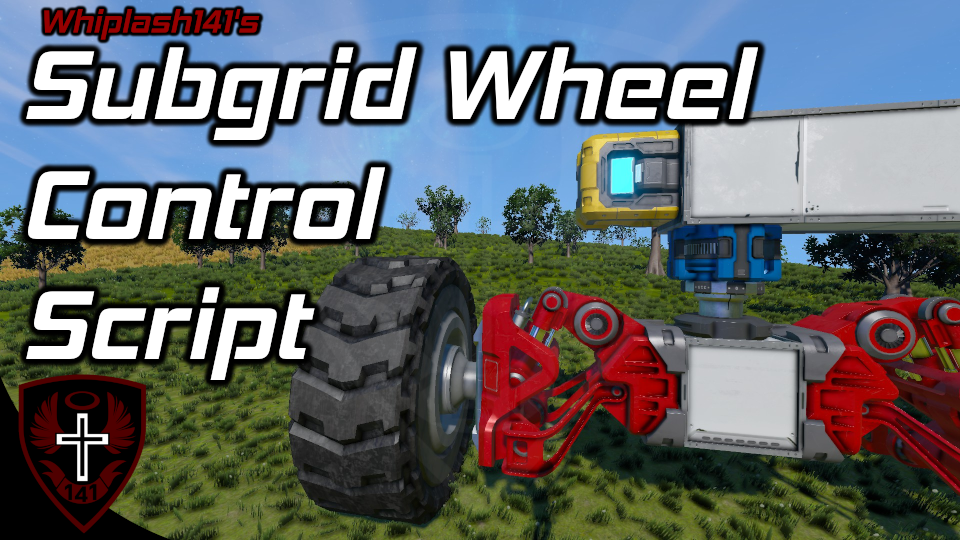
About SWCS | Whip's Subgrid Wheel Control Script
From Steam WorkshopDescription This script allows you to control steering and propulsion of wheels attached via pistons, rotors, or hinges using regular movement keys! Wheels will also emulate brake inputs as well. The…
[img=https://i.imgur.com/iHy45ds.png]
Description
This script allows you to control steering and propulsion of wheels attached via pistons, rotors, or hinges using regular movement keys! Wheels will also emulate brake inputs as well.
The acronym is pronounced like "swicks" :)
This is a feature we have been dying for for ages, and Keen has finally allowed this control in the new MP update :D
[img=https://imgur.com/R0MXOmy.gif]
[img=https://i.imgur.com/iHy45ds.png]
How Do I Use This?!
Setup
[olist] [*] Place this script on your ship with subgrid wheels [*] CHECK OWNERSHIP [*] Enjoy! [/olist]
Seat Priority
Seat prioritization closely matches vanilla for simplicity. In order of highest priority to least: [olist] [*] The main cockpit on the ship [*] The first controlled seat that can control wheels [*] The first seat the code finds [/olist]
Other Features
- You can configure variables like the braking constant in the Custom Data of the programmable blocks this runs from
- Handbrake (P or toggling handbrake on for the seat that you are controlling the wheels from) is synchronized across all ship controllers on the grid. If you place remote controls on the subgrids that have wheels, this will make the parking brake much more effective!
[img=https://i.imgur.com/iHy45ds.png]
How the heck does braking work?
Poorly. This is because of several things: [olist] [*] There is no brake toggle option for individual wheels. To apply brakes to a wheel, you must do that via a ship controller. [*] A ship controller can only apply brakes to the wheels on its grid [*] As of update 1.199, ship controllers with no wheels on their grids can no longer be used to read braking information [/olist]
Handbrake
If you hold space...
Hand brakes will be enabled for the duration of the keypress.
Toggling Parking Brake
If your main ship controller has no wheels on its grid...
To toggle parking brake, you must use one of the following script arguments:
brake_toggle
brake_on
brake_off
If your main ship controller does have wheels on its grid...
To toggle parking brake, hit the [P] key (default parking brake key)
How Brakes Are Applied
If your subgrid wheels are on the same grid as a ship controller...
When parking brake is toggled, the ship controller will be used to turn brakes on for that grid's wheels.
If your subgrid wheels are on not the same grid as a ship controller...
When parking brake is toggled, the script will attempt to approximate parking brake by controlling the wheels to slow you down. This is less effective than the alternative, but it is better than nothing.
[img=https://i.imgur.com/iHy45ds.png]
Author's Notes
I hope y'all enjoy this! I've had a framework waiting for ages on the chance that this functionality would be added, so I was ecstatic when I saw that these functions were in the MP test branch!
I tried to make this script crazy simple to configure, so I hope it doesn't backfire XD
There is no brake override (the checkbox in terminal is something completely different), so I had to improvise. It isn't perfect but it works.
Be sure to report any bugs below in the Bug Reports discussion.
(Also, this should also go without saying, but do not reupload without explicit permission from me, not even to mod.io.)
Highlights
From source dataFootprint
A 791 KB download, rated a light load on a server.
Last update
Its author last shipped an update 3 yr ago.
SWCS | Whip's Subgrid Wheel Control Script on Nxeon
From our catalogue- One-click install
- Not available. One-click install isn't available for this game's mods yet. Download it and upload it to your server in Files.
- Server load
- light
- Smallest plan we suggest
- Space Engineers — 8 GB (8 GB RAM). This follows our own load rating above, not a benchmark.
- Latest build
- 2023-04-18, released 2023-04-18, 791 KB
Game versions by loader
| Loader | Game versions | Newest |
|---|---|---|
| Workshop |
From 1 recorded build of SWCS | Whip's Subgrid Wheel Control Script.
Run SWCS | Whip's Subgrid Wheel Control Script on a Space Engineers server
Deploy a server above, then upload the file in Files.
What kind of mod it is
From the catalogTechnology & automation
Machines, power, logistics and automation.
Compatibility
- Game
- Space Engineers
- File size
- 791 KB
Verified at the source
- ✓Steam WorkshopOfficial listing, checked 2026-10-10Open ↗
- ✓AuthorWhiplash141, as published on Steam Workshop
- ✓LicenseNot published by the sourceFree












