






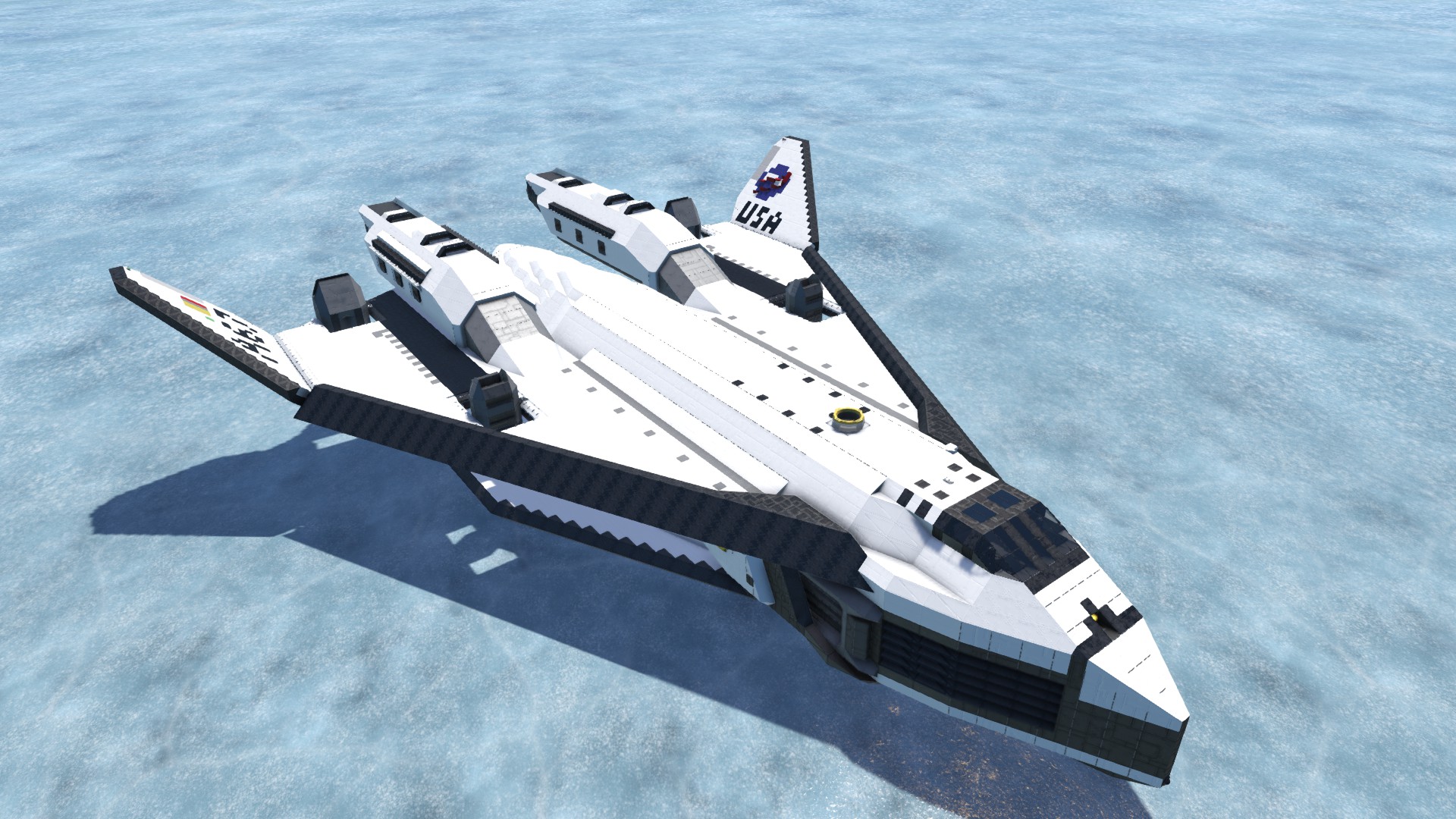

About TAV-37B "Valkyrie II" Super Shuttle
From Steam WorkshopIt's back. In (two-tone) black. The original TAV-37B Valkyrie was buggy at best, and a prophet to Clang at worst. With the physics overhaul, I decided it was time to give it a once-over to see if I…
It's back. In (two-tone) black.
The original TAV-37B Valkyrie was buggy at best, and a prophet to Clang at worst. With the physics overhaul, I decided it was time to give it a once-over to see if I could get it to obey the laws of physics - with resounding success. The Valkyrie II has been reconstructed from the ground up to take full advantage of the physics overhaul to offer players one of the most realistic-looking shuttlecraft on the Workshop. Faster, slimmer, and sexier than ever before, the Valkyrie II is now fully primed to ship your cargo from surface to station in jaw-dropping style.
________________________________________________________________________________
Scripts Used:
Whip's Artificial Horizon Script Whip's Speed Matching Script Automatic LCDs 2 Floor Plan Script
Mod links are located on the right --->
_______________________________________________________________________________
CONTROLS:
1st page (CTRL+1) 1: Toggle landing gear 2: Toggle hangar doors 3: Toggle VTOL nacelles 4: Toggle cabin airlock 5: Lock/Unlock hangar maglocks 6: Activate speed matching script 7: View Landing Camera 8: View Docking Camera 9: Lock/Unlock Docking Connector
2nd page (CTRL+2) 1: Toggle all hydrogen engines 2: Toggle all atmospheric engines (except nacelle engines) 3: Toggle all program blocks 4: Reset programs 5: Update vessel view
________________________________________________________________________________
Features List:
-Extremely detailed and realistic hull with intuitive layout -Massive wing area for reliable lift if an aerodynamics mod is installed -Realistic wheel-and-suspension landing gear, complete with retracting shields -Toggleable VTOL nacelles for that extra bit of lift/deceleration -Two-part hangar door that allows for very large cargo to fit inside easily -Spacious cargo bay with floor maglocks -5-passenger crew cabin with navigation assist systems -Optimized, low-mass conveyor systems for survival compatibility -Foolproofed, reliable timer-only airlock -Built-in physics stability control via rotor autolocks -Troubleshooting shortcuts and toggles to improve PC performance while not in use (Vastly improved server-friendliness!)
________________________________________________________________________________
Flight Instructions:
Designed for surface-to-orbit or orbit-to-surface deliveries of a variety of cargo profiles. Must refuel between flights if on survival. Load additional ice into generators if on survival.
Takeoff: Engage VTOL nacelles, accelerate upwards. Close hangar doors and retract landing gear early. Carefully feather throttle once near the speed cap, allow the craft to naturally decelerate once above ~20km. Apply throttle as necessary until gravity well escaped. **Tested with a 250m/s speedcap mod. Fuel efficiency greatly reduced if using vanilla speed caps, would highly recommend installing a speedcap mod to improve fuel economy and subsequent cargo capacity.** Do not point the spacecraft upwards until ~30km altitude.
Landing: Begin deceleration burn extremely early (16km or greater), as it is very sluggish without atmo engines. Once below 150m/s, engage VTOL nacelles (again, I would not recommend vanilla speedcaps). Craft should slow down quickly enough and stabilize at around 2km altitude - carefully feather throttle to gradually slow down to surface. Watch fuel consumption carefully.
The spacecraft is capable of surface-to-surface transit, but due to being hydrogen-based, its range is limited. Exercise caution. Surface-to-surface transit capability is massively improved with an aerodynamics mod.
If an aerodynamics mod is installed, it is not recommended to attempt a conventional runway takeoff/landing, as the landing gear do not grant the spacecraft ample clearance. Use its VTOL functionality instead, then switch to conventional flight once off the ground.
This spacecraft comes with built-in performance management toggles. When not in operation, such as when landed or docked, it is recommended to utilize these options to minimize the craft's server load. Disable all engines, toggleable lights, and program blocks when not in use.
________________________________________________________________________________
Known issues:
Cargo bay lights flicker on and off: Disable thrusters, this is a game engine limitation that has to do with emissives. Spacecraft randomly stops generating thrust and drops like a rock: Fuel ran out. Don't be lazy with your flight profiles! Cacophonous clanging and banging while VTOL nacelles engaged: Very tight fit between the nacelles and the wings. Don't worry, nothing will explode or go haywire - it's just audio. Exiting a cabin seat sometimes ejects you outside: Has to do with there being low head clearance in the cabin. Enter seats while in the rear area of the cabin. Cargo bay doors won't budge: May occur if toggling cargo bay doors while flying at high speeds. Only toggle doors at low speeds to prevent. Random blocks disintegrate on the belly: Tested profusely to avoid this, but if it does for some reason, it's due to thruster damage (craft contains some hidden thrusters). Simply replace the blocks or disable thruster damage.
________________________________________________________________________________
Enjoy, and remember to rate the craft so others get a better chance to enjoy it, too!
Also, for those who are interested, the station in the last image is OctoMoose's International Space station. You should check it out! VVV
http://steamcommunity.com/sharedfiles/filedetails/?id=776916264
Highlights
From source dataFootprint
Rated a light load on a server.
Last update
Its author last shipped an update 9 yr ago.
TAV-37B "Valkyrie II" Super Shuttle on Nxeon
From our catalogue- One-click install
- Not available. One-click install isn't available for this game's mods yet. Download it and upload it to your server in Files.
- Server load
- light
- Smallest plan we suggest
- Space Engineers — 8 GB (8 GB RAM). This follows our own load rating above, not a benchmark.
- Latest build
- 2018-01-09, released 2018-01-09
Game versions by loader
| Loader | Game versions | Newest |
|---|---|---|
| Workshop |
From 1 recorded build of TAV-37B "Valkyrie II" Super Shuttle.
Dependencies
- Required: Small Ship Mega Mod Pack
- Required: Armor Ramps [By UncleSte]
- Required: Azimuth Passenger Seat & Open Cockpit~(DX-11 Ready)
Declared by the newest build that lists any. Required ones are installed with it on one-click installs.
Run TAV-37B "Valkyrie II" Super Shuttle on a Space Engineers server
Deploy a server above, then upload the file in Files.
What kind of mod it is
From the catalogGameplay & overhauls
New mechanics, content and overhauls that change how the game plays.
Compatibility
- Game
- Space Engineers
Verified at the source
- ✓Steam WorkshopOfficial listing, checked 2026-11-01Open ↗
- ✓AuthorZintlede, as published on Steam Workshop
- ✓LicenseNot published by the sourceFree












