






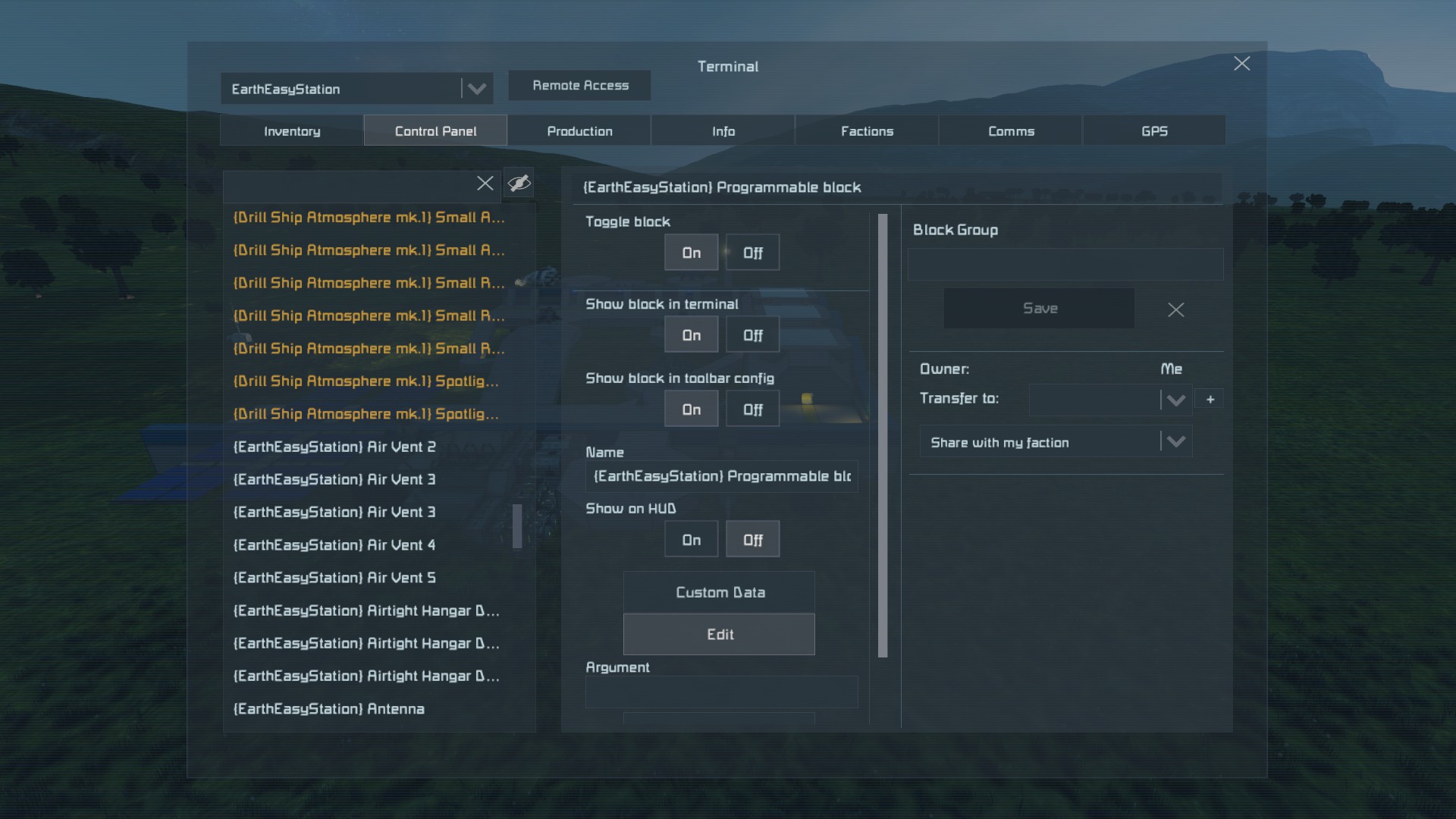

About Terminal Cleaner
From Steam WorkshopPrepends the name of every terminal block with {Grid Name} e.g. "... Timer Block 3 ..." becomes "{Grid Name} ... Timer Block 3 ..." where Grid Name is the name set in the terminal Info panel will…
Prepends the name of every terminal block with {Grid Name}
e.g. "... Timer Block 3 ..." becomes "{Grid Name} ... Timer Block 3 ..."
where Grid Name is the name set in the terminal Info panel
will also detect when the name of a grid is different from the header {...} of its terminal blocks, and adjust the block names accordingly.
11-12-17 - Now hides grouped blocks and selected other blocks. The following is a list of the blocks that are automatically hidden from the terminal and the toolbar config panel: Efficiency Upgrade Module Effectiveness Upgrade Module (Yield) Productivity Upgrade Module (Speed) All cargo containers All artificial mass blocks Spaceballs Control panels Solar panels
02-04-18 - Adding [TC:NoHide] anywhere after the main {} header will prevent auto-hiding on a given block. It must be exactly as typed here, with no spaces.
04-26-18 - Added Arguments parsing to support grid renaming and disabling of auto-hide feature.
Arguments (Command-Line only); Reset -- Resets the names of all blocks on the grid to default. Use with caution. DoHiding = bool -- sets an internal flag to disable or enable autohiding. default: true. GridName = String -- sets the name of the grid running the program.
Note: for the GridName argument to work, the owner of the PB running the script must own the grid.
This script is a work in progress, more features may be added in the future.
Highlights
From source dataFootprint
Rated a light load on a server.
Last update
Its author last shipped an update 9 yr ago.
Terminal Cleaner on Nxeon
From our catalogue- One-click install
- Not available. One-click install isn't available for this game's mods yet. Download it and upload it to your server in Files.
- Server load
- light
- Smallest plan we suggest
- Space Engineers — 8 GB (8 GB RAM). This follows our own load rating above, not a benchmark.
- Latest build
- 2018-04-26, released 2018-04-26
Game versions by loader
| Loader | Game versions | Newest |
|---|---|---|
| Workshop |
From 1 recorded build of Terminal Cleaner.
Run Terminal Cleaner on a Space Engineers server
Deploy a server above, then upload the file in Files.
What kind of mod it is
From the catalogBuilding & decoration
Blocks, furniture, decorations and building tools.
Compatibility
- Game
- Space Engineers
Verified at the source
- ✓Steam WorkshopOfficial listing, checked 2026-11-01Open ↗
- ✓Authorlblackthorne, as published on Steam Workshop
- ✓LicenseNot published by the sourceFree












