






About Terranovum SysteMap
From Steam WorkshopTERRANOVUM SYSTEMAP — TAG & COMMAND GUIDE Update 30/10/2026 Added “YOU ARE HERE” markers to the SYSTEM and PLANET LCDs, suggested by @FuzzyPeach, larger planets on the system map, and more coloured…
TERRANOVUM SYSTEMAP — TAG & COMMAND GUIDE
Update 30/10/2026
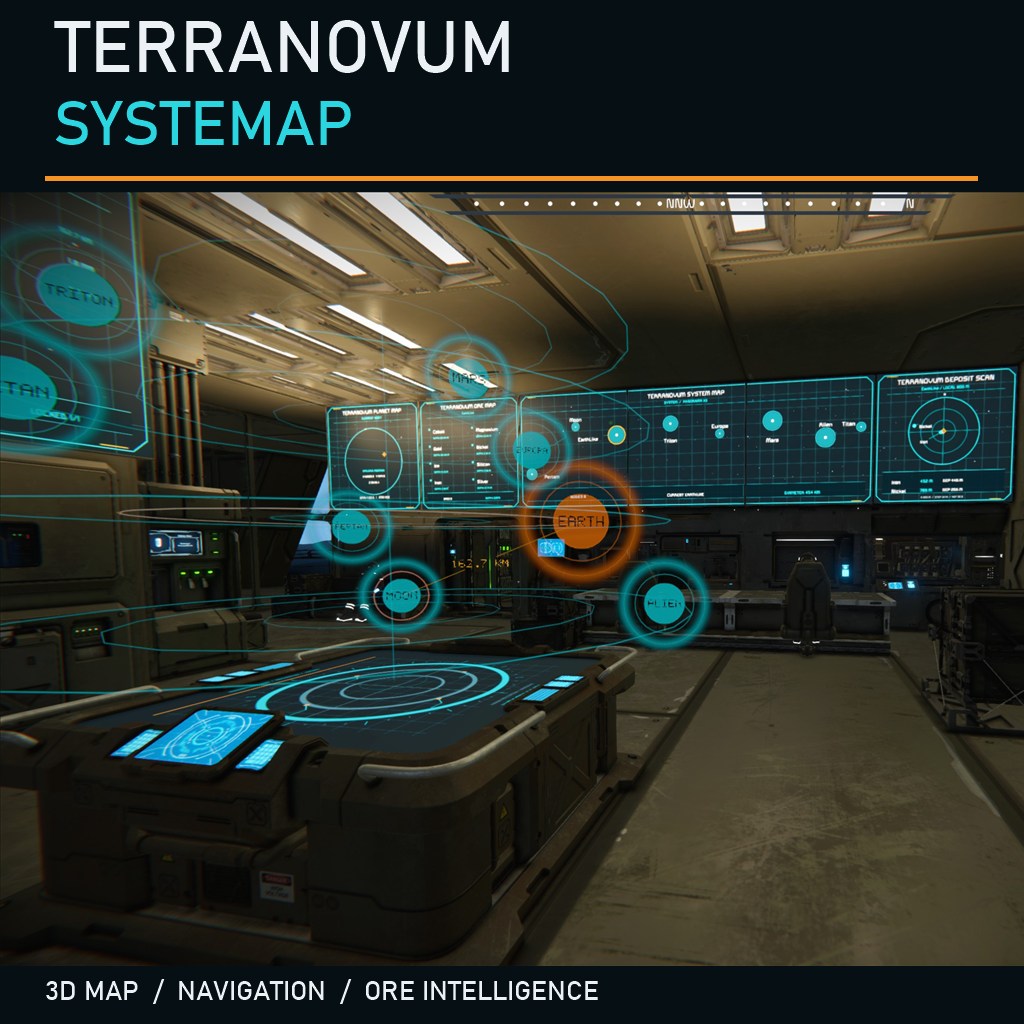
Added “YOU ARE HERE” markers to the SYSTEM and PLANET LCDs, suggested by @FuzzyPeach, larger planets on the system map, and more coloured background stars. The 3D console now features white planet names and a SUN indicator showing the direction of sunlight.
Setup Configuration is created automatically in Custom Data.
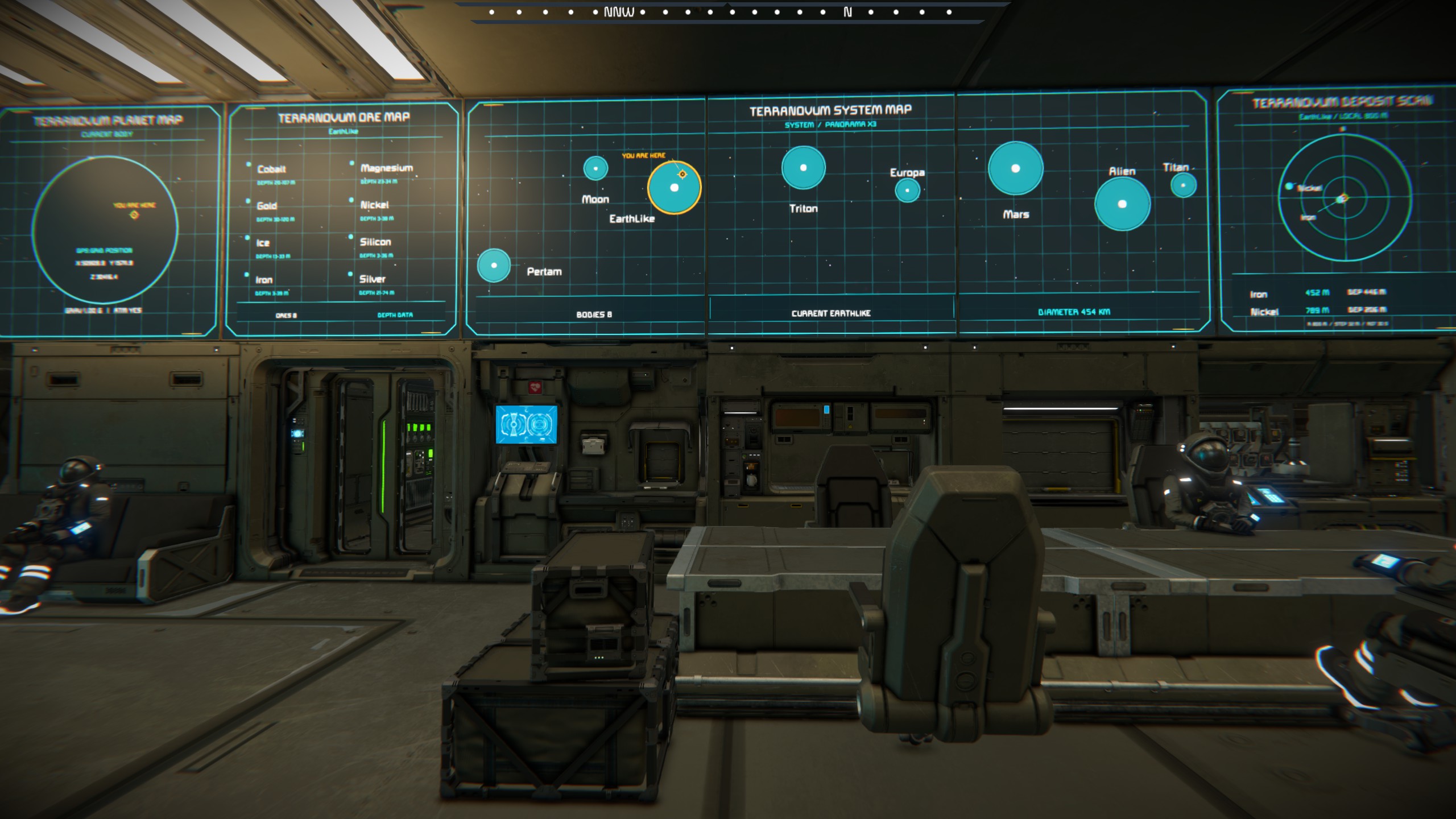
SYSTEM MAP
[TI MAP SYSTEM 1]
[TI MAP SYSTEM 2]
[TI MAP SYSTEM 3]
Use 1 LCD, or place 2–3 LCDs directly side by side with matching orientation. Number them left to right. Displays the system map and current body. Each horizontal group supports up to 3 panels.
PLANET + ORES
[TI MAP PLANET 1]
[TI MAP PLANET 2]
One LCD: compact planet view. Two adjacent, aligned LCDs: planet/grid position on panel 1; ore types and depth profiles on panel 2. Ore profiles describe the planet's ore definitions, not individual local deposits.
LOCAL DEPOSITS
[TI MAP DEPOSITS][/code]
One independent LCD. Planetary ore scan: 800 m radius, 32 m sampling. Shows detected materials, distance and estimated depth. Stay near the surface. Normal scan refresh: 30 s; SLOW: 45 s. Movement may trigger an earlier scan. Small deposits may be missed.

[h2]ORE INDEX[/h2]
[code][TI MAP ORE INDEX]
Find planets containing a selected ore and their surface distances. Edit the generated list in Custom Data:
[TI ORE INDEX CONFIG]
[Platinum]=X
[Iron]=
Any non-empty value selects an ore. One selection locks it; multiple selections cycle through those ores; all entries empty cycle through all detected ores. Use names from the generated list.
NAV 1 — PLANET OR GPS TARGET
[TI MAP NAV 1][/code]
Planet target: put a value beside exactly one planet in Custom Data. Leave GPS empty.
[code]
[TI NAV CONFIG]
[GPS]=
[Moon]=X
[EarthLike]=
Use the exact generated planet names. Empty value = not selected. Multiple selected planets produce a selection warning.
GPS target: paste a complete Space Engineers GPS string:
[TI NAV CONFIG]
[GPS]=GPS:Outpost:1000:2000:3000:
An optional GPS color suffix is accepted. A configured GPS takes priority over planets; clear its value to return to planet navigation. NAV shows distance, yaw/pitch and turn guidance relative to the grid's forward direction. Planet distance is to the nominal surface; GPS distance is to the coordinate. 1 Mm = 1,000 km.
NAV 2 — SHIP STATUS
[TI MAP NAV 2][/code]
Shows jump drives/range, battery charge and hydrogen. Uses blocks on the same grid. Pair with NAV 1 for target-related jump estimates.
[code]
[TI NAV STATUS]
[JUMP]=1
[BATTERY]=1
[HYDROGEN]=1
Any non-empty value shows a section; clear its value to hide it. Jump counts/range are estimates, not an automatic route or autopilot.
3D CONSOLE
Add to the vanilla Console block name:
[TI MAP CONSOLE][/code]
One working 3D console per grid; mechanical subgrids count separately. If several are tagged, one is selected automatically. Keep a single tagged console for predictable placement.
The map uses a schematic planet layout. A planet selected in NAV 1 on the same grid supplies the target ring, link and surface distance. GPS targets remain on NAV; they do not become planet markers.

Edit these generated Custom Data settings:
[code]
[TI MAP CONSOLE SETTINGS]
WidthMeters=3.6
LevelSpacingMeters=0.504
NebulaIntensity=1
Rotation=ON
- WidthMeters: 2–6; widest orbit diameter in metres on the large-grid console.
- LevelSpacingMeters: 0.3–1; vertical distance between map levels.
- NebulaIntensity: 0–2; 0 disables the halo, 1 is default.
- Rotation: ON rotates; OFF pauses at the current angle; ON resumes. Target/distance continue updating. Angle resets when the world loads.
To use your own table image, also add this to the console name:
[TI MAP TABLE OFF][/code]
Then configure the console's Projection Area screen manually. This disables only the automatic table graphic.

[h2]LCD PERFORMANCE MODE[/h2]
Add this exact line to an LCD's Custom Data:
[code]PERFORMANCE=SLOW
LCD refresh changes from 2 s to 5 s. Remove the line for normal mode. Alternate accepted syntax: [PERFORMANCE]=SLOW. In a panoramic group, a SLOW panel makes the whole group use SLOW. This does not set 3D rotation speed.
Notes Tags are case-insensitive. Keep one module tag per LCD. Multiplayer has not been tested.
Highlights
From source dataFootprint
Rated a light load on a server.
Last update
Its author last shipped an update 4d ago.
Terranovum SysteMap on Nxeon
From our catalogue- One-click install
- Not available. One-click install isn't available for this game's mods yet. Download it and upload it to your server in Files.
- Server load
- light
- Smallest plan we suggest
- Space Engineers — 8 GB (8 GB RAM). This follows our own load rating above, not a benchmark.
- Latest build
- 2026-10-30, released 2026-10-30
Game versions by loader
| Loader | Game versions | Newest |
|---|---|---|
| Workshop |
From 2 recorded builds of Terranovum SysteMap.
Recent builds
| Build | Released | Game versions | Loaders |
|---|---|---|---|
| 2026-10-30 | 2026-10-30 | n/a | Workshop |
| 2026-10-16 | 2026-10-16 | n/a | Workshop |
Run Terranovum SysteMap on a Space Engineers server
Deploy a server above, then upload the file in Files.
What kind of mod it is
From the catalogMaps & scenarios
Custom maps, arenas and scenarios to play on.
Compatibility
- Game
- Space Engineers
Verified at the source
- ✓Steam WorkshopOfficial listing, checked 2026-11-03Open ↗
- ✓AuthorElettroshock, as published on Steam Workshop
- ✓LicenseNot published by the sourceFree












